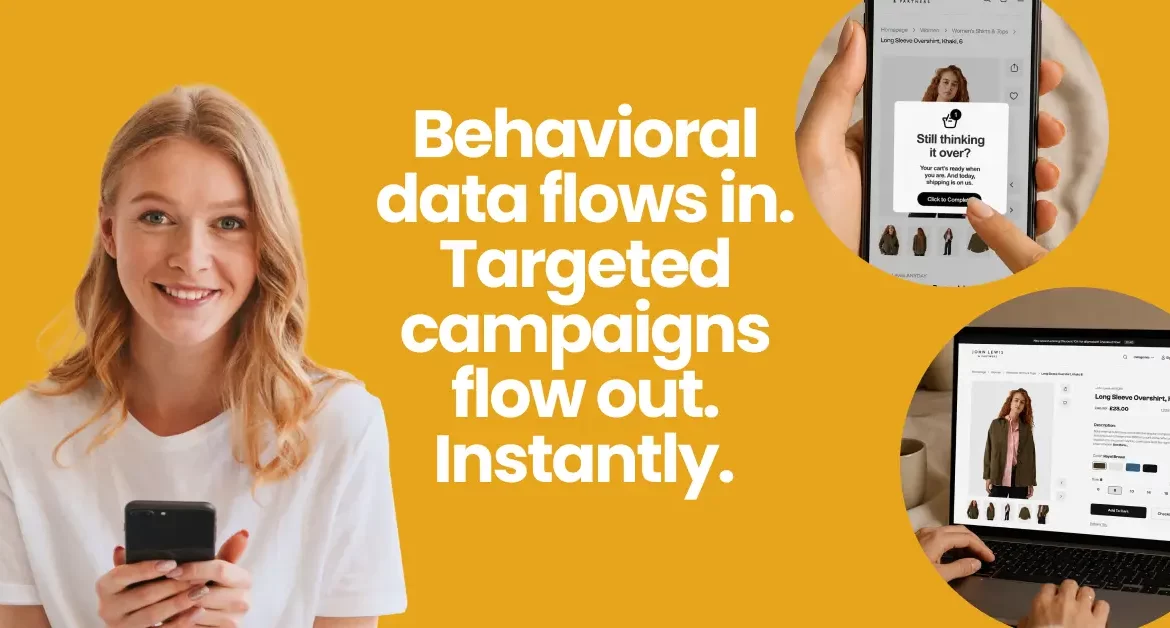
How to target users with behavioral segmentation: Examples and platform guidance
Last update: June 2026
TL;DR: A user who viewed the same product three times and abandoned checkout twice is a sharper signal than their age or location. Acting on that signal in hours beats acting in weeks. When data, segments, and campaigns run in one system, the results are measurable: 150% revenue lift, 16.6% churn reduction, 9x baseline revenue growth.
Behavioral segmentation promises precision. The more you know about what users do, the sharper your targeting gets. Behavioral signals are there too; marketers and customer teams have more data than ever before.
The irony is that acting on it tends to happen in slow motion. Segments built in one tool, campaigns launched from another, analytics living somewhere else. A behavioral signal that needs a response in hours or even minutes gets one in weeks, after three export cycles and a couple of IT tickets.
From data collection through campaign measurement, here’s how behavioral segmentation runs as a complete cycle, with examples from e-commerce, fintech, and banking.
Behavioral, demographic, and psychographic segmentation: Definitions & how they differ
Behavioral segmentation groups customers by their actions and engagement patterns. Someone browsing premium products five times signals stronger intent than a one-time visitor. Session frequency dropping from daily to weekly predicts possible churn.
Demographics tell you who someone is: age, location, income, household size. Attributes defining them. Psychographics cover how someone sees the world, whether they prioritize status or sustainability, seek convenience or experience, or identify as a deal-hunter or a brand loyalist.
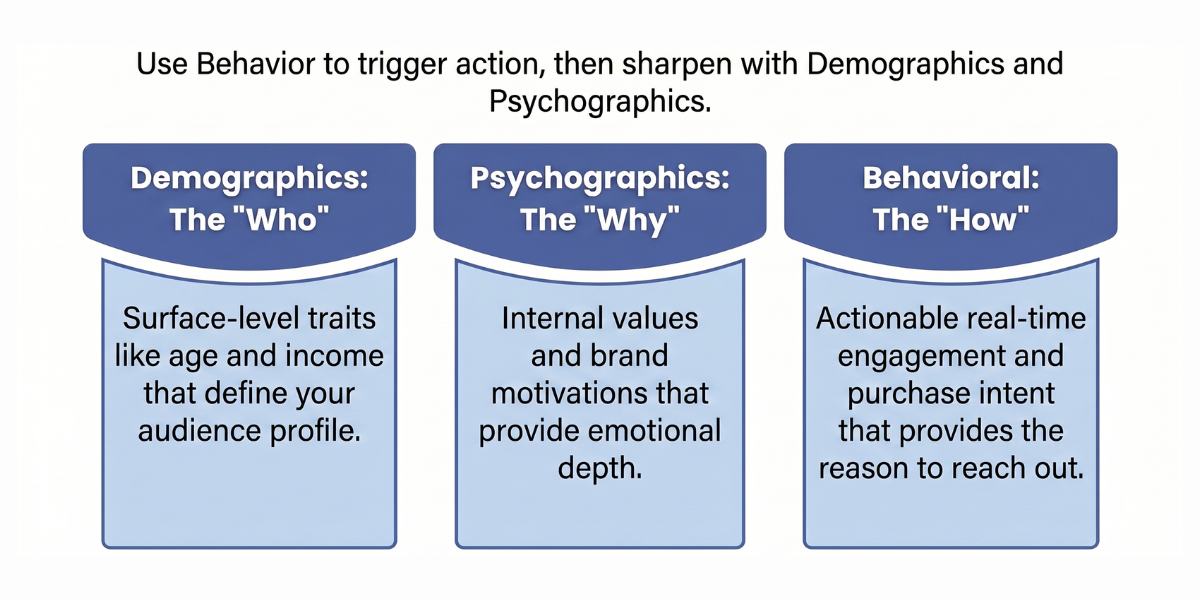
A demographic segment identifies women aged 25–34 in urban areas. A behavioral segment identifies users who viewed the same product three times in five days and abandoned checkout twice. The first describes an audience. The second gives you a reason to reach out.
Psychographics surface why someone behaves the way they do and what kind of brand relationship they want. That’s a strong emotional layer, but it comes with real limitations: psychographic attributes are harder to collect reliably, keep current, and build predictive models around.
Effective engagement combines all three: Behavioral data is observable, actionable, and reflects where someone is right now. Demographics and psychographics sharpen it, but they can’t replace it.
From behaviour to predictive analytics
Predictive segmentation uses historical behavioral patterns to forecast what a user is likely to do next: whether they’ll churn, convert, or upgrade. You’re working with a probability score before the action happens, which changes when and how you intervene.
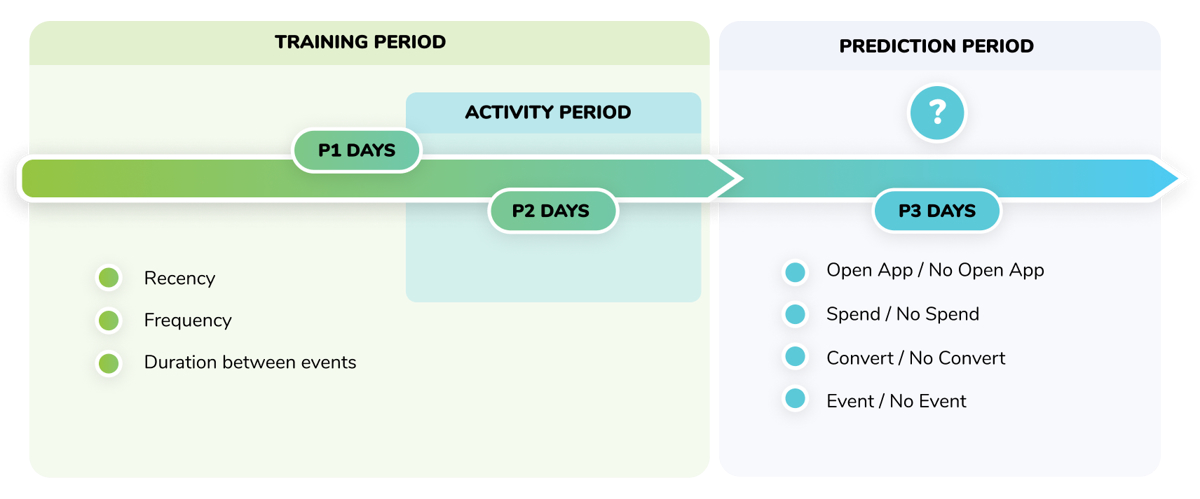
McKinsey’s research found AI-driven predictions can lift customer satisfaction by 15–20% and increase revenue conversion rates by 5–15%. We see teams that hit their targets prioritize real-time behavioral data, feed it into predictive modeling, and act on the outputs before opportunities close.
Some Netmera customers connect their behavioral data directly to their AI tool of choice via our MCP server. They query segments, surface insights, and build new segments through conversation with Claude, ChatGPT, or another MCP-compatible model. Nothing goes live without approval, so the speed of AI and the judgment of the marketer stay paired.
Why multi-tool stacks slow down behavioral segmentation
Nearly half of martech decision-makers (47%) point to stack complexity and integration issues as the main barriers to getting value from their tools.
Shocking? Hardly.
When behaviour-based segmentation runs across a fragmented stack, it looks like this: CDP stores customer data. A separate analytics tool processes it. Different vendors handle email, push notifications, WhatsApp, in-app messages, and SMS.
IT dependency adds another layer. Building segments requires SQL knowledge most marketers don’t have. Launch timelines stretch to weeks while behavioral insights sit in dashboards.
Enterprise-grade audience segmentation tools with real-time analytics solve this by collapsing the stack. With a unified customer engagement platform, like Netmera, you segment by behavior as it happens and act on it immediately. Events flow directly into campaigns, eliminating latency. Marketers build segments themselves, dropping IT dependency.
How to build and activate behavioral segments with the right customer segmentation platform
Not every customer segmentation platform delivers the depth that today’s marketing demands. The four capabilities below are what to look for when evaluating audience segmentation tools.
We know they’re essential because building Netmera across 400+ brands, most of them enterprises, means these capabilities have been tested against genuinely complex segmentation challenges for years.
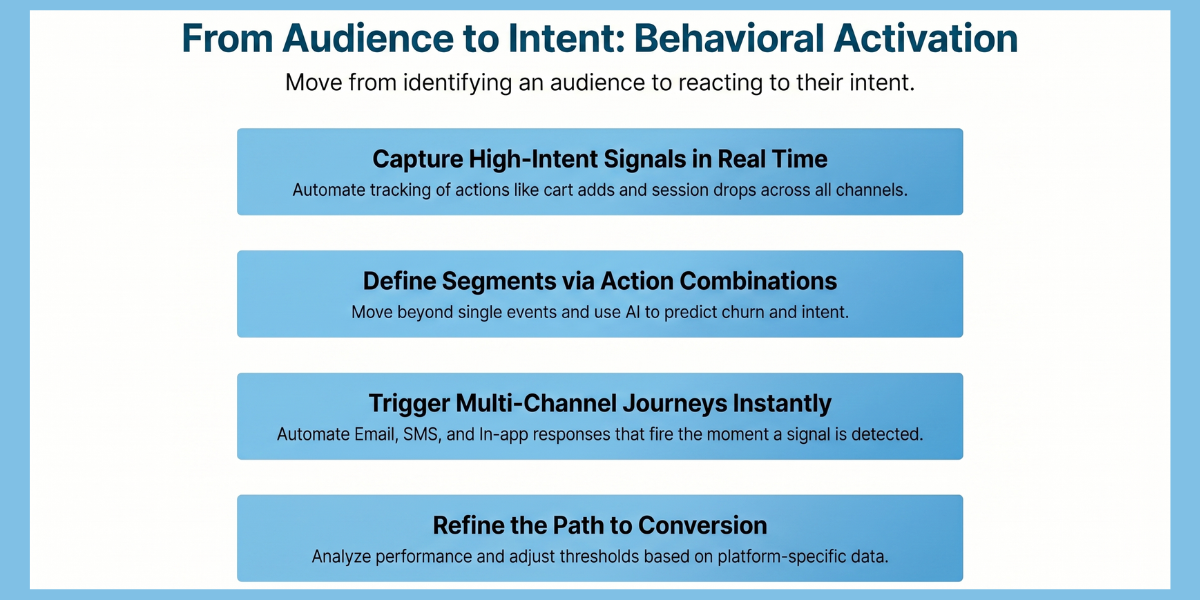
Step 1: Collect behavioral data automatically
Start by identifying which actions predict the outcomes you care about. Cart additions and product views signal purchase intent. Session frequency dropping from daily to weekly predicts churn before it shows in revenue. Feature adoption rates reveal which capabilities drive retention.
Choose the signals that connect to conversion, retention, or revenue for your specific industry, then make sure your data infrastructure captures them continuously across every channel.
In Netmera: The platform functions as a unified customer data layer connecting mobile apps, websites, CRM systems, and offline sources. Profile attributes, device metadata, and event data with full context (what, when, how much) are captured automatically.
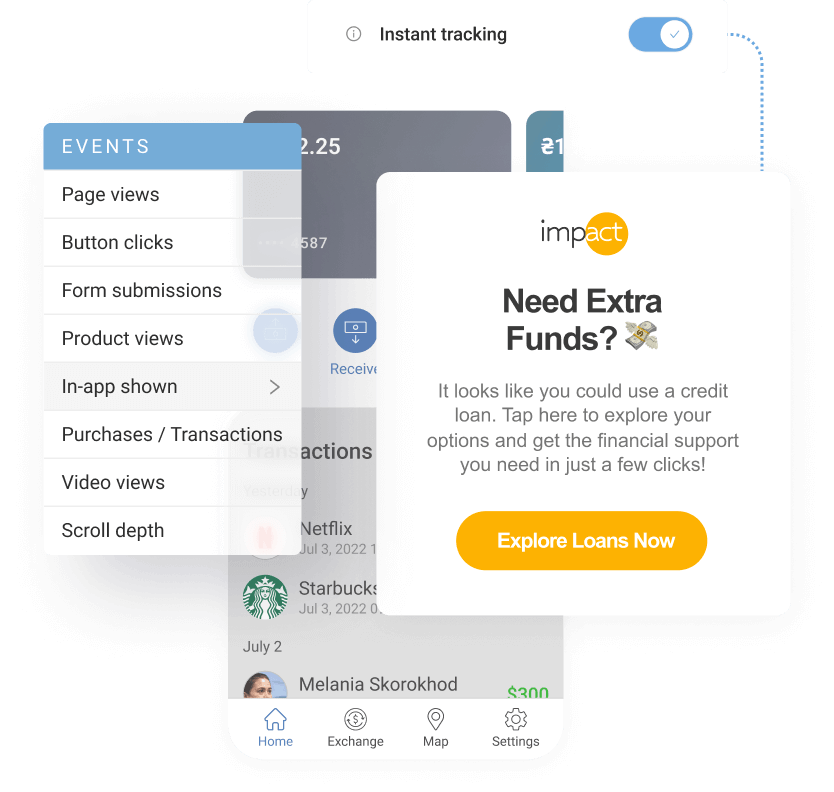
Tagless Data Capture removes the coding bottleneck: new features launch and tracking starts immediately, with behavioral signals processed in real time.
Step 2: Define segments that reflect real intent
Define segment criteria using behavioral combinations. “Abandoned cart AND viewed product 3+ times AND high lifetime value” is a meaningful segment. “Abandoned cart” alone is not.
Layer behavioral data with demographics to sharpen targeting further, and set thresholds that reflect real intent rather than one-off actions.
In Netmera: Segments update as user behavior changes, no manual intervention needed. Someone who enters your “high engagement” segment today stays there as long as their session frequency holds. Drop below the threshold and they shift to a different segment immediately.
With predictive AI, our system identifies users likely to churn based on declining engagement patterns, predicts conversion propensity from browsing behavior, and flags high-value opportunities before they materialize.
Meet UPTION. The fintech app had thousands of users showing early churn signals but no way to identify them. Using Netmera’s AI-powered churn prediction trained on six months of behavioral data, they identified at-risk users 30 days in advance, segmented them by language, and launched an automated recovery journey. The churn segment shrank by 16.6%.
Step 3: Activate across channels from a single trigger point
Match your channel to the behavioral moment. An in-app message works when a user pauses mid-form. An email with supporting documentation makes sense 24 hours later. An SMS reminder fits when a deadline approaches.
Map each behavioral trigger to the right channel and the right timing before building your journeys, so your response reaches users when the signal is still warm.
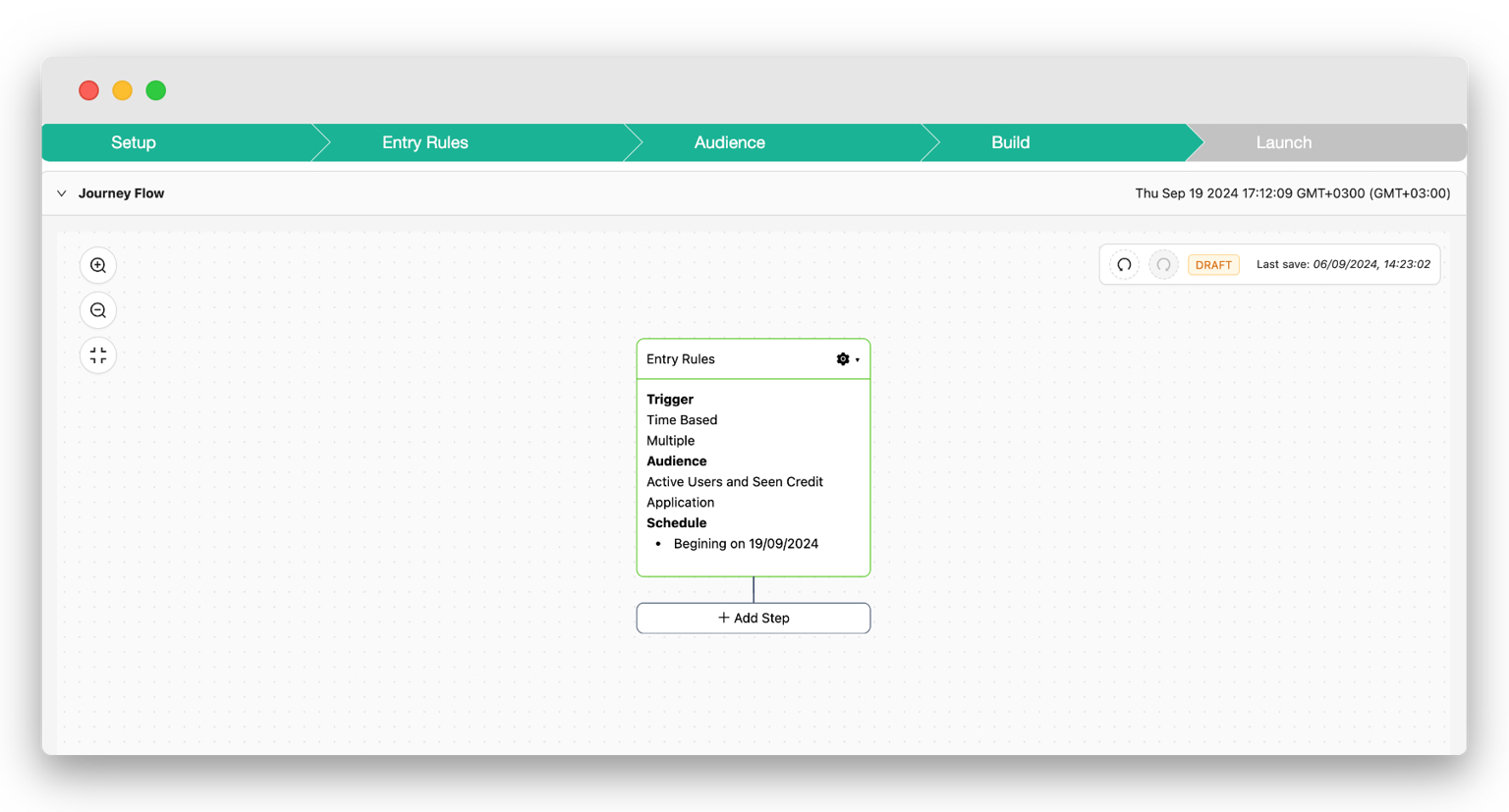
In Netmera: The no-code Journey Builder automates these responses based on behavioral segments in real time. A loan application flow, for example, can send an in-app message when users pause mid-form, an email after 24 hours with required documents, and an SMS reminder before pre-approval expires. All from one automated journey, without coordinating across separate channel tools.
Step 4: Measure from behavioral trigger to business outcome
Track the full path through customer segmentation analysis: which segment converted, which trigger initiated the journey, and where users dropped off.
Break results down by time period and platform to surface behavioral differences, like whether iOS and Android users respond differently to the same push notification. Use that data to refine your segment thresholds and campaign timing continuously.
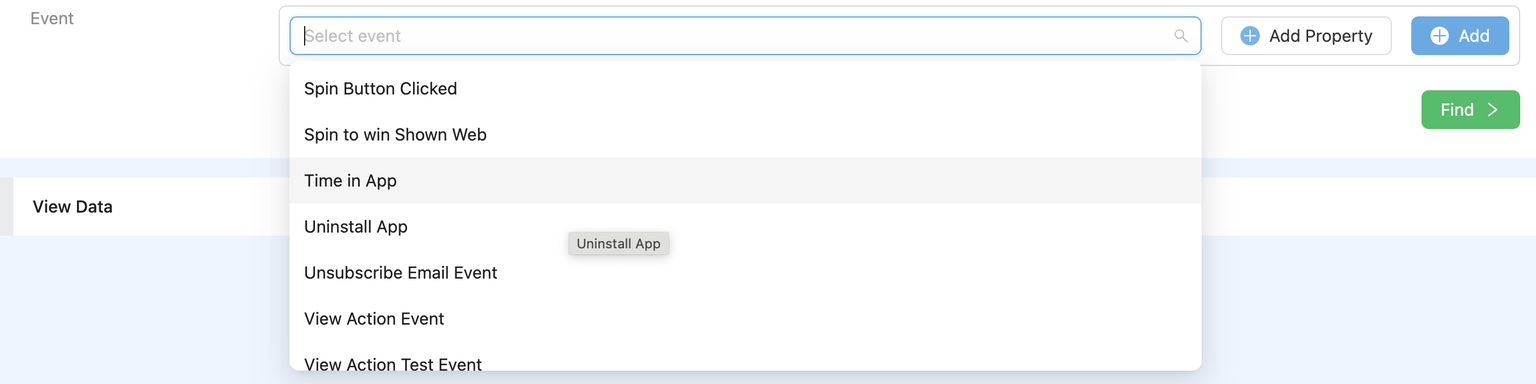
In Netmera: Real-time dashboards show which segments convert best and which behavioral triggers generate revenue. Event Insight shows what users did after clicking a message: product views, cart additions, purchases completed.
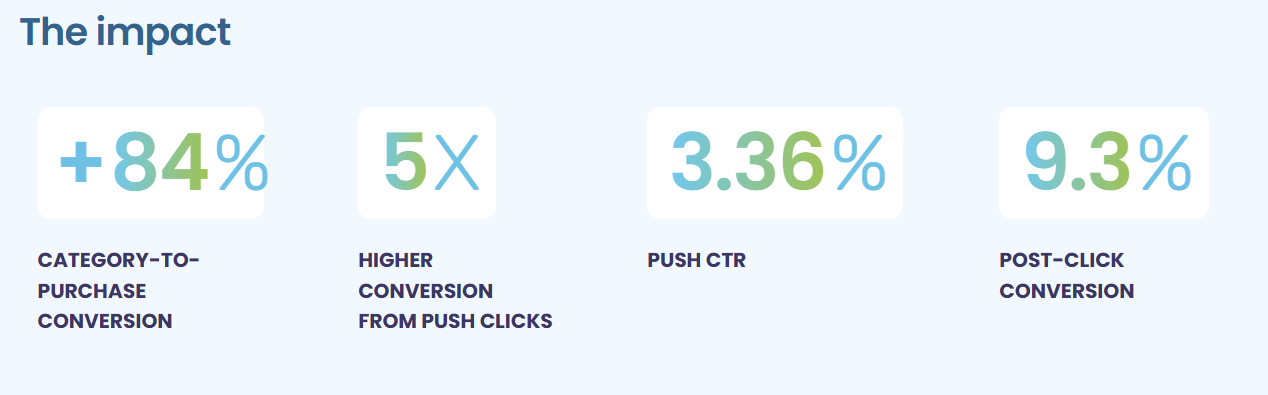
Take DCEY, one of Netmera’s ecommerce customers. Their clothing rental platform had strong category traffic but purchase completions weren’t keeping pace. Funnel analytics identified where users dropped off.
The fix: automated push notifications triggered 20 minutes after a category view, with a time-limited discount tied to the specific browsing behavior. Push-engaged users converted at 9.3%, 2.7x higher than general category viewers.
Behavioral segmentation examples in marketing
Here are examples from our customers showing how purchase activity, engagement patterns, timing signals, feature adoption, and location data drive conversions, retention, and revenue growth.
Purchase behavior: Cart abandonment recovery
Turkcell Pasaj faced high cart abandonment on their e-commerce platform. The team automated push notifications triggered by cart abandonment behavior. This behavioral response delivered a 150% increase in monthly revenue and doubled conversion rates from 4% to 8%.
Engagement behavior: Inactive user win-back
Tam Finans targeted users inactive for seven days with personalized push notifications guiding them back to financial services. The campaign increased monthly active users by 39.6%. 21% of users who clicked took the desired action.
Time-based behavior: Push notification opt-in strategy

TOD struggled with low push notification permissions. They used in-app widgets at strategic moments asking users to enable notifications. The approach included an initial “Enable Now” prompt and a follow-up for users who selected “Ask Later.” 120,000+ devices opted in, with a 40% conversion rate for immediate enablement. Purchases increased 187-190% among users after opt-in.
Feature adoption behavior: In-app messaging for visibility
DenizBank used in-app messaging with A/B testing to find optimal placement for their new Super Limit feature. Testing revealed the login screen captured attention most effectively. Applications jumped from 34K to 357K monthly, click-through rates increased 10x, card sales rose 4x, and consumer loan sales grew 6x.
Location-based behavior: Geofencing with event triggers
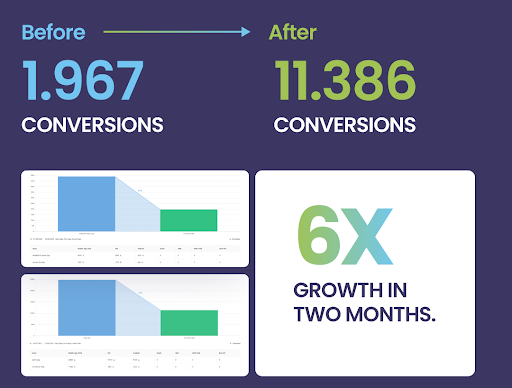
HelpSteps used event-driven segmentation to track real-time user behavior, then triggered messages when users were ready to act across multiple touchpoints: Mobile widgets, geofence reminders and emails. Conversions grew from 1,967 to 11,386 in two months, nearly six times growth.
Benefits of behavioral segmentation in marketing
Peggy Anne Salz, analyst and founder of MobileGroove, explains why behavioral segmentation has become essential: “Users aren’t uniform. Behaviour, session engagement and intent all affect whether someone will pay, stay or churn. A monetization model that works perfectly for one segment can quietly damage retention and revenue for another. That’s why segmentation has moved from optimization to necessity.”
Personalization at scale: 52% of consumers report higher satisfaction with personalized digital experiences. Behavioral segmentation delivers this personalization by targeting users based on their actions.
Higher conversion rates: Behavioral segmentation targets users based on recent actions like viewing products, pausing mid-checkout, or returning after absence. Messages reach users when intent is highest, improving conversions.
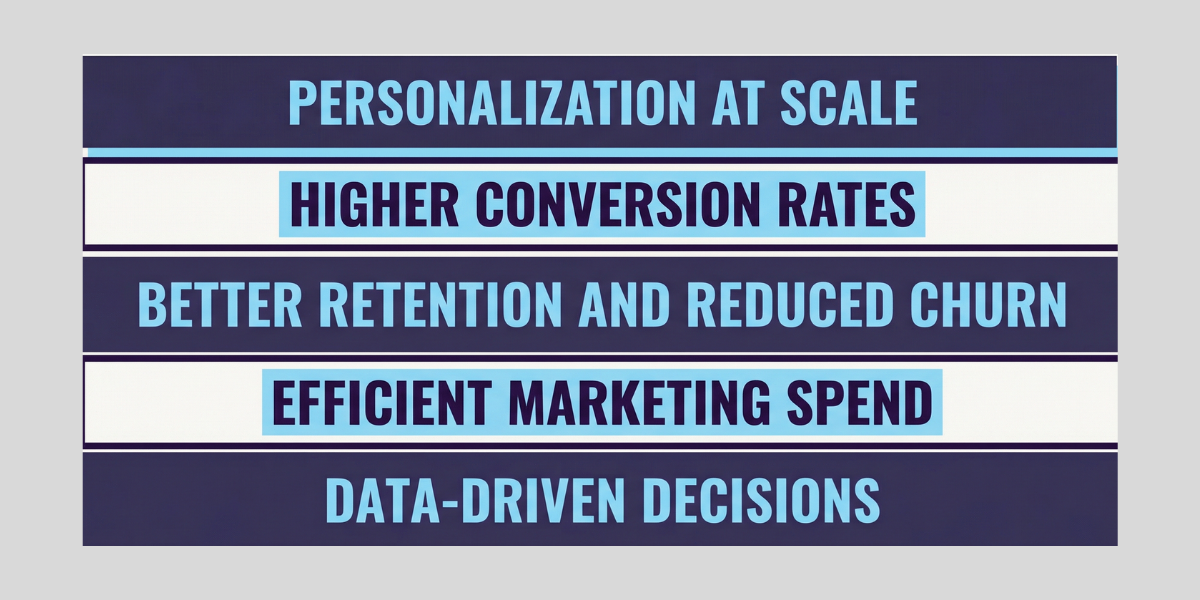
Better retention and reduced churn: Declining session frequency, reduced feature usage, and dropping engagement predict exits before users leave. Behavioral signals let you intervene early.
Efficient marketing spend: Target high-value behaviors over broad demographics. Reduce waste on irrelevant messaging while focusing resources where they convert.
Data-driven decisions: Clear connection between behavioral triggers and outcomes shows what works and what doesn’t.
Automated customer segmentation for e-commerce
E-commerce is where the full cycle, from first anonymous visit through loyalty, plays out most visibly. Worth walking through end to end.
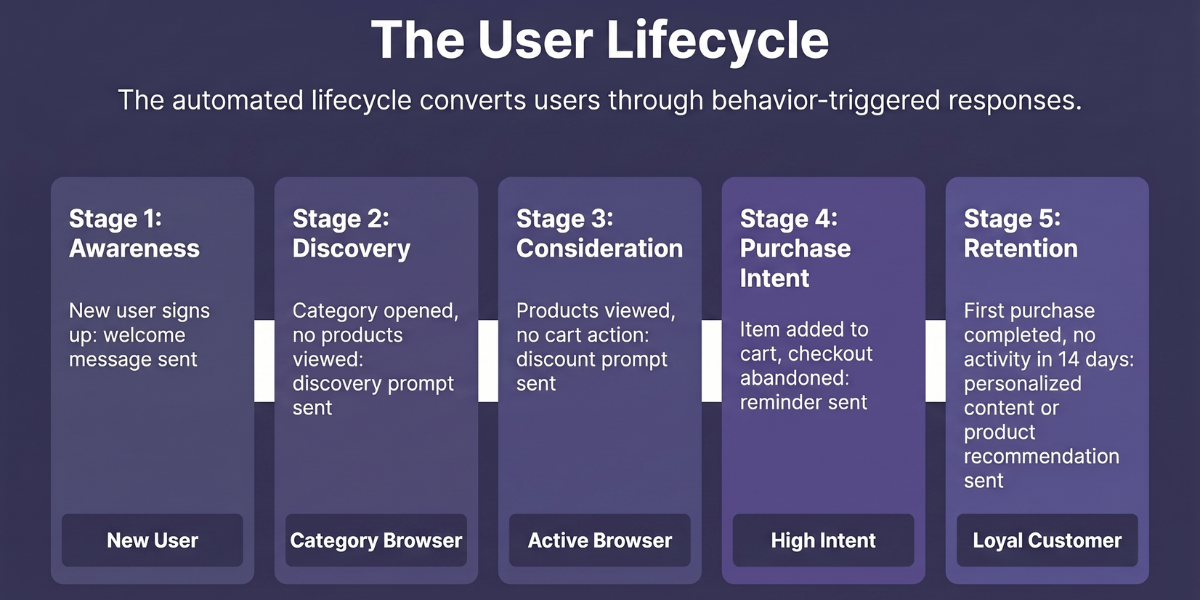
Passo started as an event ticketing app. When the team launched Passo Dükkan, their in-app marketplace, they had a real problem: users opened the app for tickets and ignored Dükkan’s offers. Rather than sending a single announcement, they built a behavioral funnel that moved users from first login to completed purchase, one segment at a time.
Stage 1: Awareness
Behavioral trigger: New user completes signup on mobile app.
Automated response: Push notification sent one hour later introducing Dükkan with a first-purchase discount.
Segment: “New User,” defined as signed up within the last 24 hours with no marketplace activity.
Stage 2: Discovery
Behavioral trigger: User browses the Dükkan category but views no individual products.
Automated response: Push sent 30 minutes later surfacing popular products as a discovery prompt.
Segment: Moves to “Category Browser” once Dükkan category is opened without product views.
Stage 3: Consideration
Behavioral trigger: User browses products but adds nothing to cart.
Automated response: Push sent 30 minutes later highlighting discounted products.
Segment: Moves to “Active Browser” once at least one product page is viewed.
Stage 4: Purchase intent
Behavioral trigger: User adds to cart but exits before checkout.
Automated response: Reminder sent 15 minutes after abandonment, linking directly back to checkout.
Segment: Moves to “High Intent” the moment a cart action is recorded.
Each stage triggered automatically based on what users did, or didn’t do. No manual campaign setup per user. CTR reached 4.15% at the cart abandonment stage, and overall revenue increased 9x against baseline.
Stage 5: Retention
Retention starts the moment the first order is confirmed. A timely message with relevant content or a personalized product recommendation keeps the relationship warm. The goal is to make a second interaction feel like a natural next step.
Ask this now: Does your customer engagement platform let you create granular segments and act on them instantly?
While writing this post, we pulled our own platform data to see which capabilities our users reach for when activating behavioral segments. Three kept showing up: AI time optimization, Journey Builder, and in-app messaging.
Makes sense when you think about it. Churn segments need to be caught at the right moment, so timing matters. High-purchase segments need coordinated multi-step flows that move users toward conversion without dropping the thread. Onboarding segments need to meet users inside the app, where the experience is still forming. Different goals, but those three capabilities cover the ground.
Teams across financial services, telecom, media, e-commerce and retail achieve comparable outcomes when they use Netmera to unify data, segments, and campaigns in one system. Find out how.
FAQs about behavioral segmentation
Behavioral segmentation groups customers by their actions, engagement patterns, and decision-making processes rather than demographics. It tracks what users do (purchases, app usage, feature adoption) to predict future behavior and enable targeted messaging.
Demographics reveal who users are through age, location, and income. Behavioral segmentation reveals what they do through purchases, engagement, and usage patterns. Behavioral data predicts future actions more accurately than demographic markers alone.
Cart abandonment recovery targeting users who left items unpurchased. Inactive user win-back campaigns for those who stopped opening apps. Push opt-in strategies timing requests when users show high engagement. Feature adoption messaging based on usage patterns.
Track purchase behavior, usage patterns, engagement signals, and journey stage actions. Unified platforms automatically capture events like transactions, session frequency, and feature adoption through SDKs. Tagless data capture eliminates manual coding for behavioral tracking.
Over 60% of global web traffic comes from mobile devices. Those mobile users open apps multiple times daily in short bursts throughout their day. This creates richer behavioral data like session frequency, in-app usage, time-of-day patterns, and location data that enable immediate response through push notifications and real-time campaign triggers.
Psychographic segmentation groups users by values, attitudes, and lifestyle. Behavioral segmentation groups users by what they do: purchases, session frequency, feature adoption, and engagement patterns. Behavioral data is observable and continuously updated, while psychographic attributes are harder to collect reliably and harder to build predictive models around. Most effective segmentation strategies use psychographics to add emotional context to behavioral segments.
Burcu Ulucay – Content Marketing, Netmera