In-app messaging: practices, examples, and what to look for in a platform
Last update: August, 2026
TL;DR: In-app messaging drives close to 3x the engagement of push. B2C teams reach that level when their in-app messaging platform runs as part of a unified infrastructure that brings customer data and engagement together.
An entertainment platform used gamified in-app widgets, which lifted daily and monthly active users 30% and pushed 28-day retention to 70%. A bank’s login-screen placement drove 10x higher click-through after testing. Real-time behavioral triggers, no-code segmentation, and cross-channel orchestration produce results like these.
“We’ve been using an in-app messaging platform for a year but couldn’t achieve the app usage adoption we target.”
We’ve heard this, or close variants, several times this year alone. Teams say users complain about getting the same messages across push, in-app, and sometimes SMS, or that in-app messages can’t personalize enough to capture their intent in the moment.
Doesn’t in-app messaging deliver? It does. Even more than push notifications, nearly three times higher. In-app messaging works best on a single customer view, coordinated with every other channel. Operating separately, without user data, is when teams start looking for a platform where engagement runs on an activation-first CDP.
Below: message-sending point solutions vs platforms that unify data and engagement; essential features to look for, and six customer journeys, from onboarding to churn prevention.
Note: Netmera unifies customer data and delivery channels, and in-app messaging is one of its strongest capabilities. Throughout this piece, “in-app messaging platform” and “customer engagement platform” are used interchangeably wherever Netmera is the subject.
What is in-app messaging (and what does it need to work)?
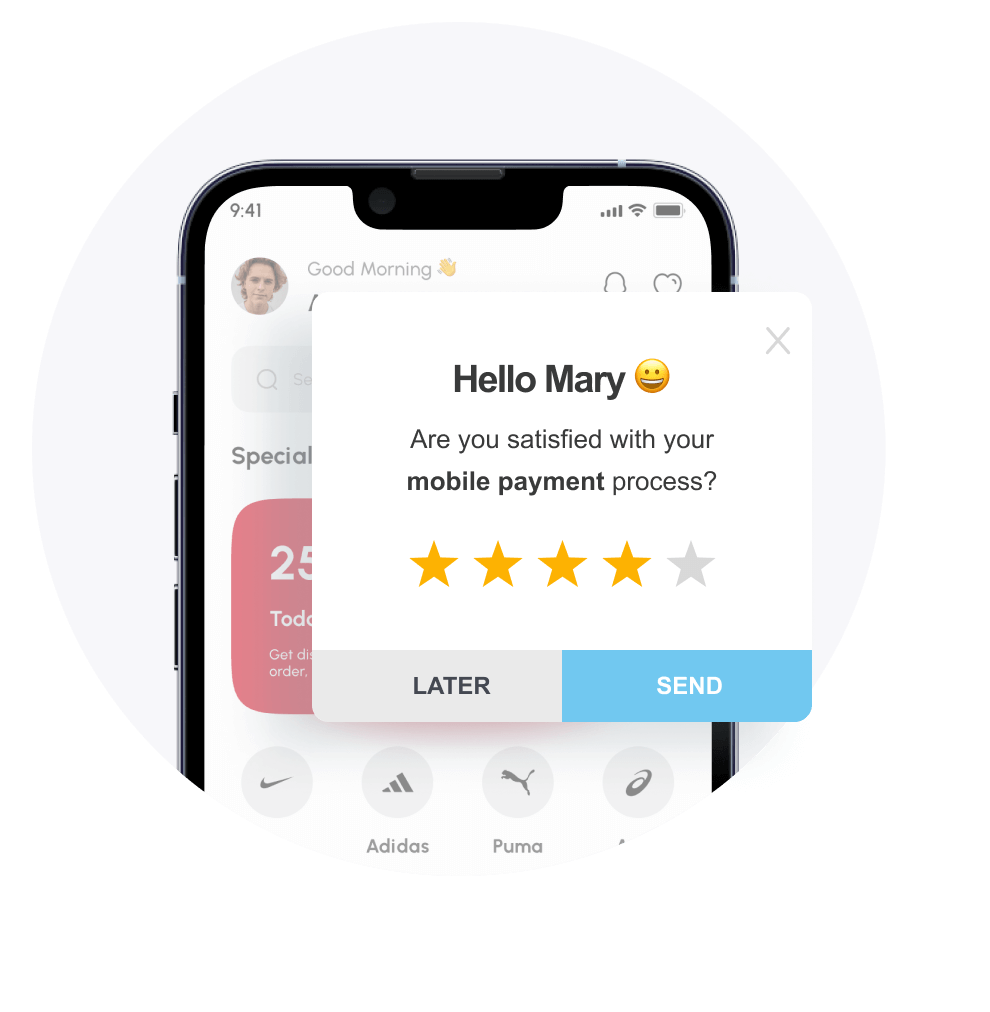
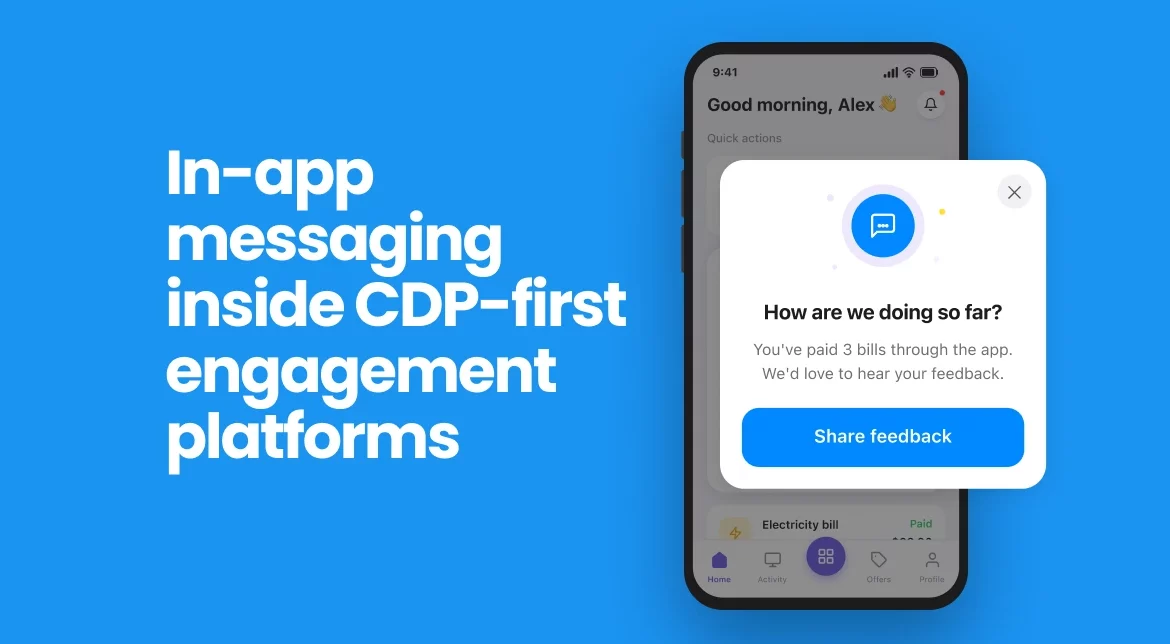
In-app messages appear while users actively use your app. They exist inside your product experience and take multiple formats such as pop-ups, banners, fullscreen overlays, and widgets.
An in-app messaging platform that unifies data and real-time tracking sees the action, evaluates the context, delivers the message. All while the user remains engaged in your app.
Six in-app messaging use cases from onboarding through re-engagement
Below are some scenarios where in-app messages deliver relevant experiences to app users, with real examples from brands using Netmera as their omnichannel customer engagement platform, across e-commerce, banking, fintech, telecom, and media.
Onboarding new users without overwhelming them
New users don’t know where to start. Single-screen tutorials don’t help at this stage, dumping information all at once.
Multi-step in-app flows solve this as users don’t have to read a wall of instructions. Netmera’s multi-view widget structures let you build these step-by-step experiences through a visual interface. Each view represents a stage in the onboarding journey, and users advance as they complete actions.
Fullscreen widgets work for initial welcome messages while tooltips handle feature discovery once users start exploring. Ezgi Gül Eriş, our Head of Customer Success, recommends using story widgets for sequential onboarding steps, but limiting them to 5 images maximum. Beyond that, attention drops and the experience becomes distracting.
Accelerating conversion with spin-to-win
Spin-to-Win, one of the most popular gamified widgets among our customers, creates the endowment effect. Users “earn” their discount through interaction, which makes them feel ownership over the reward.
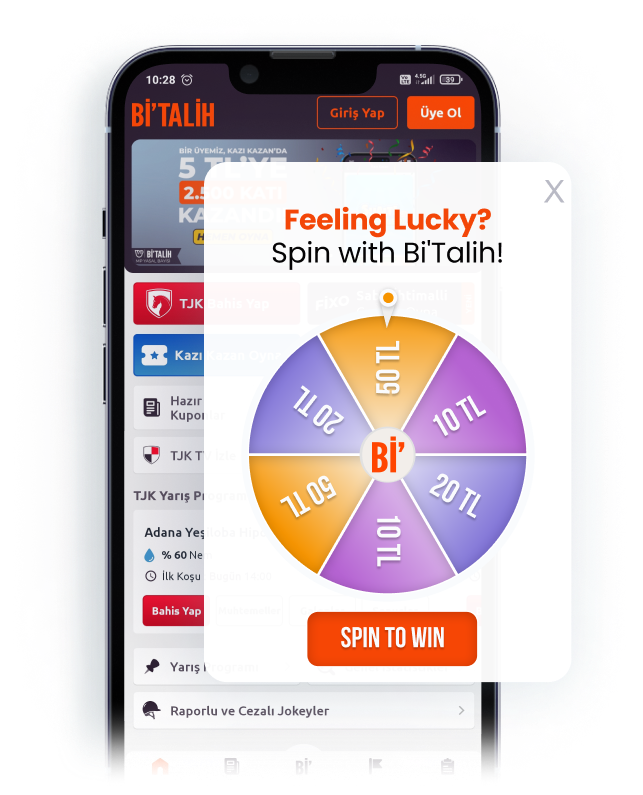
Case study: Bi’Talih integrated this approach and saw a 30% increase in both daily and monthly active users. Conversions doubled. The retention rate reached 70% after 28 days because gamification transformed promotional offers into earned rewards.
Driving feature adoption while users exploring
When a user enters a feature zone but doesn’t complete the key action within a defined timeframe, a message appears explaining the next step or highlighting the benefit.
Netmera’s “Increase App Conversion” automation type triggers off any conversion event you define, and feature adoption is one use of it. The in-app message fires automatically when that event doesn’t occur.
This drives higher feature adoption rates without generating support tickets that explain basic workflows.
Collecting feedback at the right moment
In-app messages makes feedback collection easier when triggered right after positive moments such as purchase completion, milestone reached, or successful feature use. The user just experienced value, and is more likely to share constructive input.
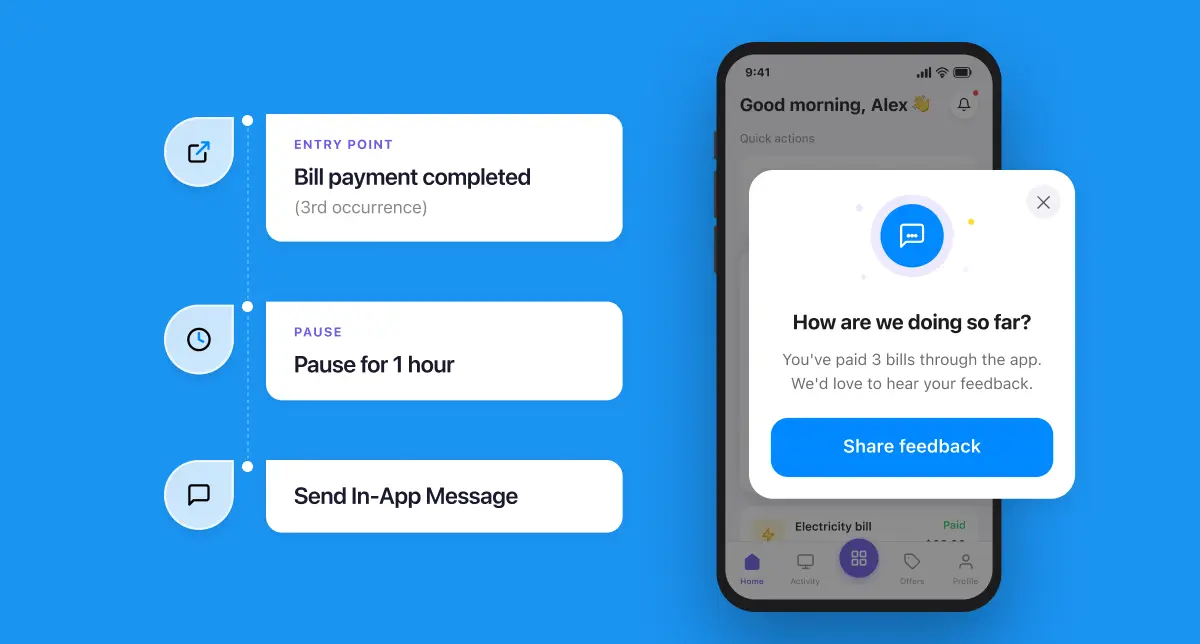
Netmera supports rating elements, slider feedback, and emoji feedback within widgets. Conditional logic routes happy users to app store reviews while dissatisfied users share specific concerns through an internal feedback form.
Case study: For beIN CONNECT and beIN SPORTS, in-app rating widgets routed 4-5 star users to app store reviews and lower scores to a feedback form, with “ask me later” taps retargeted. beIN CONNECT’s iOS rating moved from 1.8 to 4.3, Android from 3.1 to 4.7. beIN SPORTS rose from 1.5 to 4.2 on iOS, 2.7 to 4.2 on Android.
Re-engaging users at the moment they return
For win-back moments, banner or slide-out widgets work best as they guide attention without blocking the experience.
With Netmera’s Increase Retention automation, you define inactivity windows such as 7 or 14 days. Once a user meets that condition, the system waits for their next app session and delivers an in-app message triggered by the return itself. The message can reference the user’s last action, highlight new content in categories they explored, or surface features added since their last visit.
The triggering behavior doesn’t have to happen inside the app itself. Say a user browses a product through a ChatGPT app but doesn’t add it to cart. Netmera’s integration with ChatGPT apps means that browse event lands on the same unified profile, so the next time they open the app, an in-app widget can bring that product back, this time with a discount attached.
Protip: Predictive AI models historical behavior to forecast which users are likely to churn before they go inactive. Define your precision threshold, then target that segment with personalized in-app messaging ahead of the drop-off.
Driving push opt-in with in-app context
In-app messages reach every active user inside the app and prepare users before the permission prompt appears. By showing what kind of alerts they will receive and why they matter, brands help users make a more confident choice.
This works best after onboarding or when users engage with high-value content. At that point, the app has already earned attention, which makes staying connected feel natural.
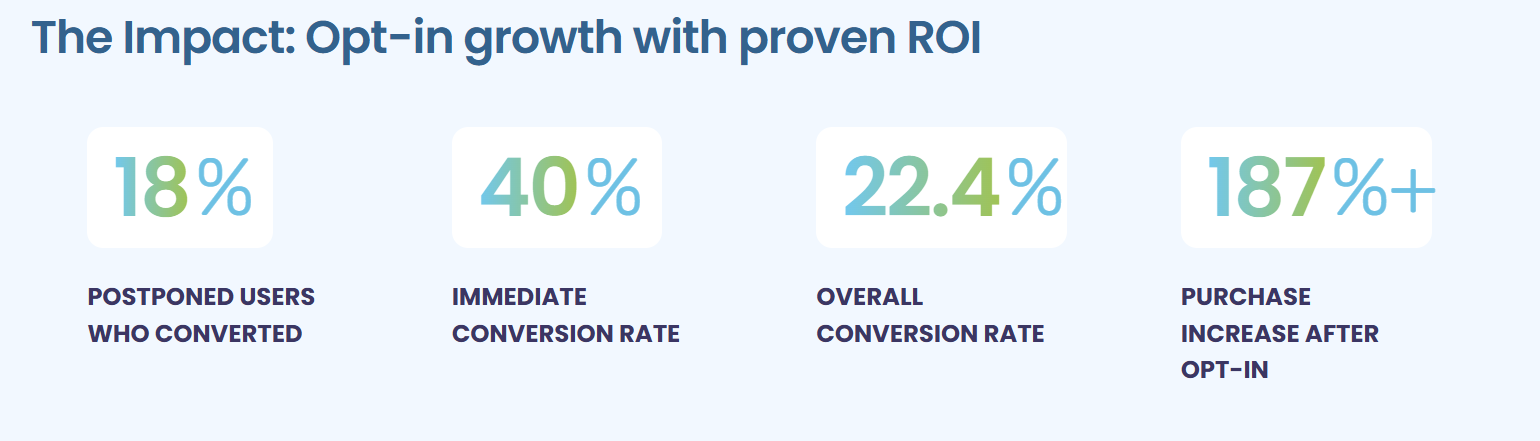
Case study: TOD, a streaming platform, used Netmera’s in-app widgets to prompt push opt-in at these moments. Over 120,000 devices opted in, and users who enabled push notifications drove a 187–190% increase in purchases compared to their pre–opt-in behavior.
What to look for in in-app messaging software
Real-time behavioral triggering
The platform should react instantly to user behavior and inactivity. Look for support across retention, conversion, and frequency-based triggers, including time-bound conditions.
Case study: Turkcell decided to run real-time in-app surveys across 39.4 million subscribers through Netmera. Surveys triggered feedback collection right after service interactions and major app feature changes. Customer effort score improved 13% over 10 months, and app store ratings rose 50%.
Advanced audience segmentation
Strong solutions unify behavioral signals with user attributes. You should be able to segment by device, app version, location, permissions, and past responses without engineering support.
Flexible message formats
Pop-ups, banners, fullscreen overlays, and widgets should all be available, with clear guidance on when each format performs best.
No-code Journey builder
Marketing and product teams need full control. A drag-and-drop builder should support creation, testing, and publishing without dependency on IT or release cycles.
Cross-channel orchestration
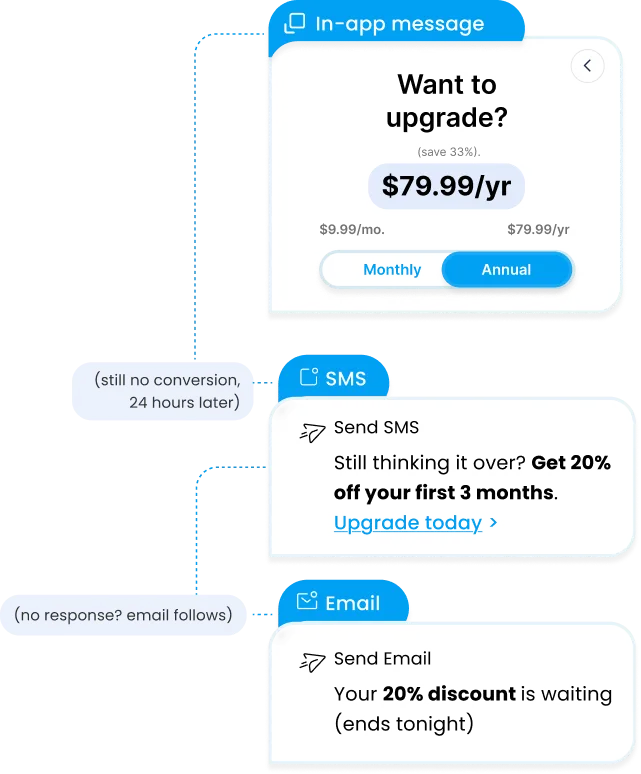
In-app messaging should work as part of a broader engagement flow. The platform must coordinate in-app messages with push, email, SMS, or WhatsApp from a single system.
Granular analytics and attribution
Look for element-level tracking that shows which messages, buttons, and CTAs drive clicks, conversions, and revenue.
Built-in message governance
Frequency caps, campaign limits, and expiration rules should be native features to protect user experience and prevent message fatigue.
AI-assisted insights and creation
The platform should apply AI both to surface insights, such as which segments are likely to churn or which messages underperform, and to help build the message itself. This includes AI support inside the platform interface as well as through MCP, so teams can generate and refine campaigns from the tools they already work in.
This checklist reflects how 100+ enterprise teams use in-app messages as part of coordinated, cross-channel journeys. Netmera supports these teams by connecting real-time data, personalized engagement, and tracking in one system, so you stop relying on multiple vendors. If this sounds like what you need, we’re happy to talk through your setup.
What are the best practices for using in-app messages to boost engagement?
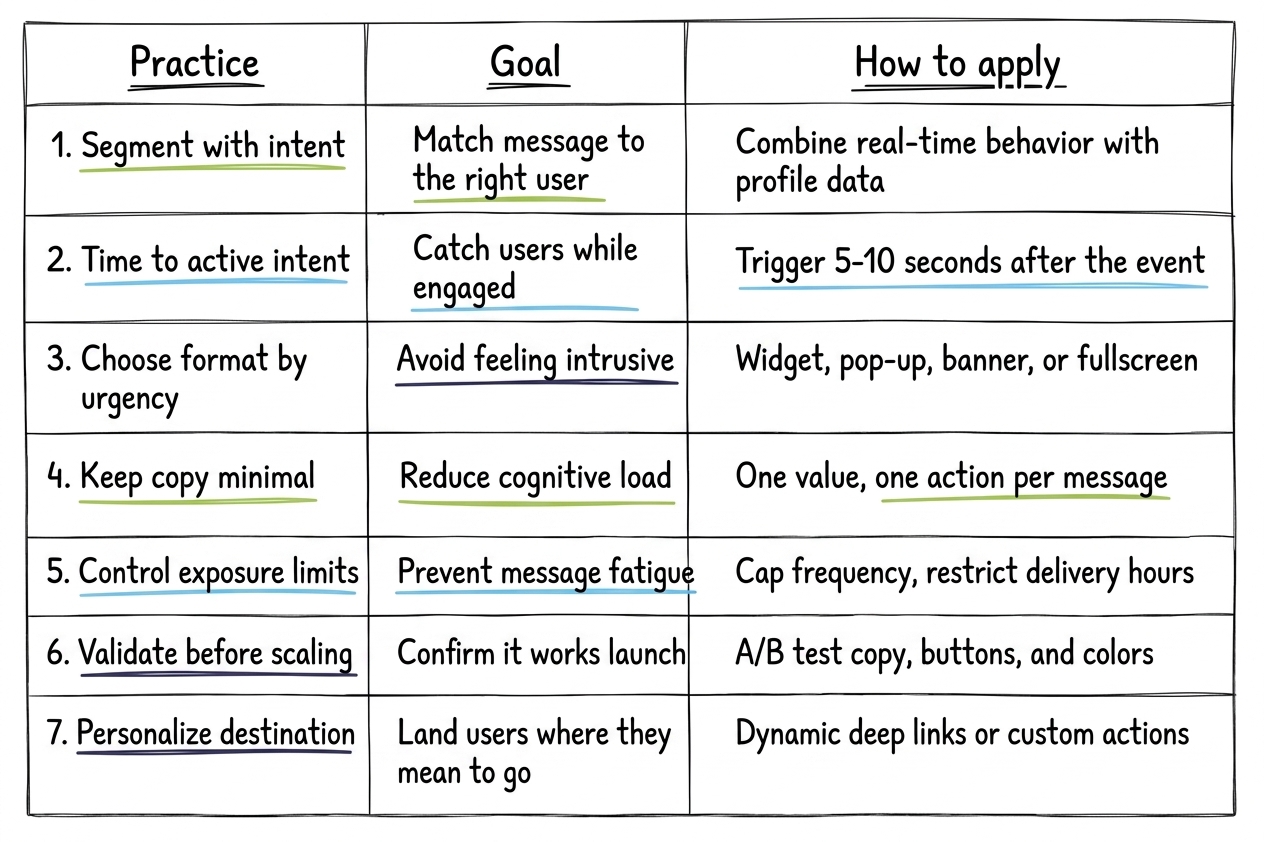
Segment with intent
Combine real-time behavior with demographics and profile attributes. Not all events captured and tracked inside the app are the same. For example, Netmera’s customers use standard, pre-defined or global custom events based on the user journey. Along with behavioral segmentation, add predictive segments to act before churn signals surface.
Time messages to active intent
Set timeframes of 5-10 seconds after the triggering event for most use cases. This captures intent while users are still engaged. Configure widgets to appear immediately when events occur for time-sensitive actions. When a screen doesn’t support instant display, the system can be set to drop future retry attempts instead of interrupting the user later on an unrelated screen.
Choose formats by urgency
Match the format to the urgency of the message to keep in-app messages from feeling intrusive. Netmera treats these as four separate layout types.
A widget drops directly into your existing app UI, useful for persistent elements like a loyalty balance. Pop-ups take over the screen for actions that need a decision now, like a limited-time offer. Banners sit at the top or bottom without blocking the app, right for the win-back nudges described earlier. Fullscreen is reserved for onboarding and rich media, where the message deserves the user’s full attention.
Keep copy clear and minimal
In-app messages should state one value and one action. Short, direct copy reduces cognitive load and prevents over-explaining.
Control exposure with limits
Set per-user frequency caps daily, weekly, or monthly. Apply total limits to manage volume across campaigns. Delivery can also be restricted to specific hours, so a banking app might only show promotional widgets on weekdays between 09:00 and 18:30 (based on the user’s time zone), to keep messages out of a user’s evening.
Validate placement before scaling
Test messaging, button placement, and brand colors before scaling. Preview widgets across different screen sizes to ensure buttons appear correctly when live. DenizBank, for example, saw login screens deliver 10× higher CTR, driving a sharp increase in applications after A/B testing.
Personalize the destination
Adapt deep links dynamically. A deep link should land the user on the exact screen that matches their intent. But the action a widget triggers doesn’t have to be navigation. It can fire a custom event, like logging a coupon claim. It can send form data straight to a backend. It can even open a second widget, chaining a short prompt into a full detail view.
Ecommerce example: Building a wishlist abandonment journey with in-app messages
A shopper browsing an ecommerce app saves four products to their wishlist across two sessions: a hoodie, sneakers, a backpack, and a watch. They leave without adding any items to the cart.
2 hours later, a push notification follows: “Your wishlist items are waiting. Get 10% off today.” The shopper ignores it.
After 24 hours, an SMS arrives with a deep link: “Still thinking about the [Hoodie Name] and [Sneakers Name]? Tap to view your wishlist and save 10%.” Product names reflect the shopper’s actual saved items.
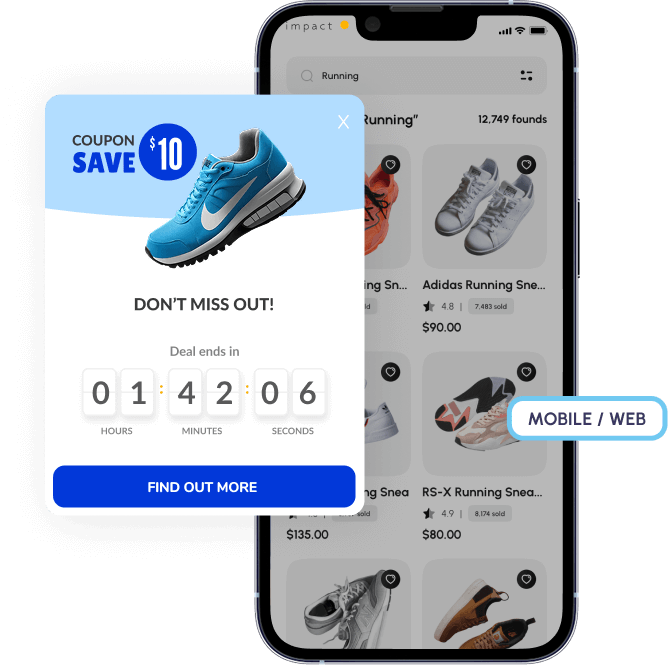
The shopper taps through and lands on the wishlist page. An in-app pop-up appears instantly, showing the four saved products, a countdown timer, and a clear CTA: “Move to cart. 10% off expires in 1 hour.”
Two items move to the cart. The purchase is completed.
Push notifications vs in-app messaging: When to use each channel
Push notifications bring users back. They require device-level permissions, which are increasingly difficult to obtain as compared to the delivery rate for in-app messages.
Both channels should complement each other. Imagine this: Push with a deep link drives an app open and lands users on a specific page. An in-app widget appears immediately, prompting the next action based on what brought them there. Push says “come back.” In-app says “now that you’re here, do this.”
Benefits of in-app messaging powered by real-time data
100% deliverability: In-app messages reach all active users while push requires opt-in that almost 50% of iOS users decline.
Behavioral relevance: Actions trigger messages when users complete or skip specific steps, so the context matches their exact moment and expectations.
Higher engagement: Gamification increases engagement 48% through interactive elements like spin-to-win.
Cross-channel coordination: In-app prepares users for push opt-ins, coordinates with email and SMS.
Proven retention lift: Properly implemented in-app messaging boosts retention 30%.
Why data-unified platforms deliver stronger in-app messaging results
In scenarios like the journey above, teams can use a journey builder to automate the entire flow based on defined events. Each step triggers from user behavior in real time and runs once it’s set, without ongoing technical work.
With point solutions, in-app messages, push, and SMS live in separate tools. That fragmentation forces manual coordination and often results in mistimed or irrelevant messages.
Unified customer engagement platforms like Netmera solve this by running in-app messaging on the same user data and orchestration layer as every other channel. Messages stay aligned with opt-in status, engagement history, and channel preferences, leading to more consistent in-app experiences and stronger results.
See how Netmera connects in-app messaging to complete customer engagement workflows.
FAQs on choosing an in-app messaging platform
An in-app messaging platform delivers notifications inside mobile apps while users actively engage. Messages trigger based on real-time user behavior, delivering contextual guidance at the exact moment users need it.
In-app messages appear while users navigate your app and reach 100% of active users. Push notifications require opt-in permissions and bring users back to your app from outside.
In-app messages drive onboarding, feature adoption, conversion acceleration through gamification, feedback collection, user re-engagement after inactivity, and push notification opt-in by explaining value before requesting permissions.
Evaluate real-time behavioral triggering, advanced audience segmentation without coding, multiple message formats, no-code builders, cross-channel coordination, granular analytics, and built-in frequency caps to prevent message fatigue.
Real-time data triggers messages based on what users just did, delivering context at the exact moment they need guidance. This increases relevance and engagement compared to scheduled messages sent to everyone.
Burcu Ulucay – Content Marketing, Netmera