Netmera’s MCP server: Connect your AI tools to drive user engagement
Last update: June 2026
TL;DR: Netmera now has an MCP server that connects AI tools like Claude and ChatGPT directly to your Netmera account. Ask questions about campaign performance, segments, and user behavior in plain language and get answers sourced from your live data. On the write side, you can draft campaigns, create segments, and manage journeys through your AI tool, with guardrails in place before anything goes live.
Picture a Monday morning. Your CMO asks which push campaigns drove the most revenue last week. Instead of pulling up four tabs, exporting a report, and piecing together an answer over the next 30 minutes, you ask your AI tool: “Which campaigns drove the most revenue last week?” The answer comes back in seconds, drawn from your Netmera panel.
Netmera now has an MCP server that connects to AI tools like Claude, ChatGPT, and any other model that supports MCP. The term model context protocol (MCP) is circulating fast, because it actually changes something, but coming across explanations aimed at marketers rather than developers is still not easy.
This post walks through what MCP means for marketers and customer teams, how Netmera’s MCP server works, and what concretely shifts in your workflow when you connect it to your AI tool of choice.
What is model context protocol and why does it matter for marketing teams?
MCP, short for Model Context Protocol, is an open standard introduced by Anthropic in late 2024. OpenAI, Google, and Amazon adopted it by mid-2025.
BCG describes it as a standardized link that greatly reduces the headaches of connecting large language models to tools and data. To us, that’s one of the clearest one-line definitions available.
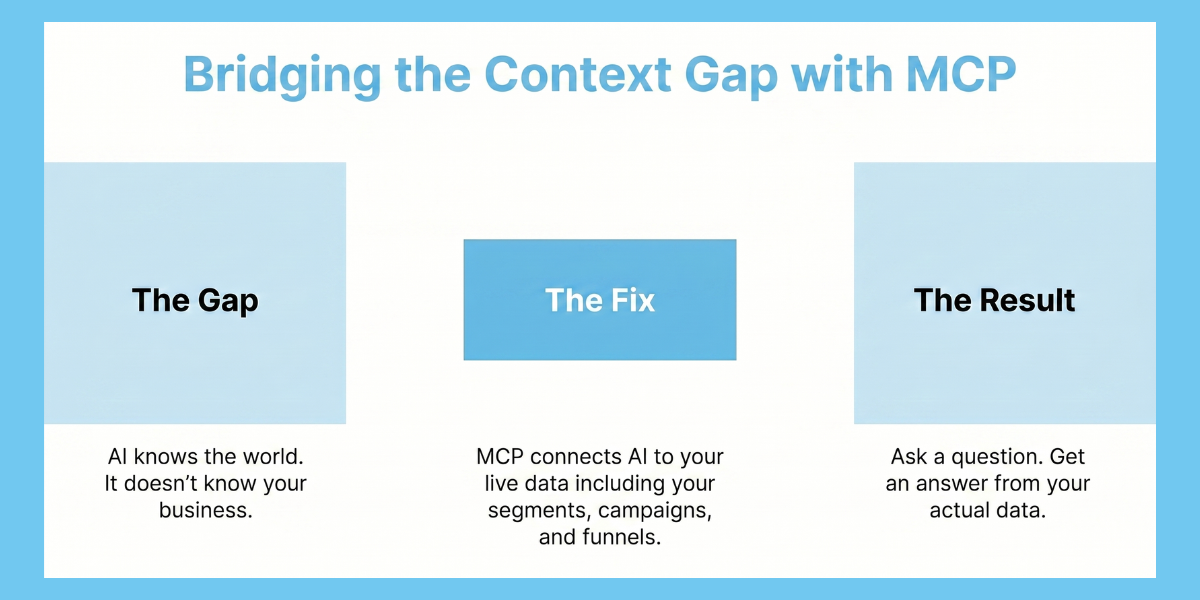
The core problem MCP solves: AI assistants like Claude are trained on public knowledge. They don’t know your segments, your campaigns, or how your onboarding funnel performed last quarter. MCP creates a secure, structured connection between the AI and your workflow, so when you ask a question, the answer comes from your user data.
What this means if you’re a marketer
Most teams spend significant time just retrieving information. Export a report, build a summary, share it in a meeting. MCP compresses that cycle. You ask Claude or ChatGPT “Which push campaigns drove the most revenue last month?” and get an answer sourced directly from your platform data, almost in the time it takes to type the question.
Gartner predicts that 40% of enterprise applications will feature task-specific AI agents by end of 2026, up from less than 5% in 2025. MCP server marketing automation is the layer that makes those agents useful inside your tools.
How Netmera’s MCP server works for marketing automation
The connection runs in three parts. You, asking questions or giving instructions inside your AI tool. The Netmera MCP server, acting as the bridge. And your Netmera account, where the actual data and campaigns live.
Through that connection, your AI tool can access campaign reports, segment data, user profiles, push performance, funnel analytics, and in-app event histories. The scope is extensive, and the full function reference is in Netmera’s documentation.
Access is controlled by the API permissions you configure. AI stays within whatever you authorize. Sends to audiences above 100,000 users require direct confirmation from you before anything moves forward.
One distinction worth naming: Netmera’s MCP server marketing automation supports both read and write-level actions, with built-in guardrails at each step. Some competitor implementations are read-only. That’s a meaningful difference in what you can accomplish inside a single conversation with your AI assistant.
Connecting your MCP-compatible AI to Netmera
Setup takes minutes, but a few things are worth knowing before you start.
What you need
– Access to the Netmera app you want to connect
– An MCP-compatible AI tool (Claude, ChatGPT, Cursor, or similar)
– The right permission level in your Netmera account
Each token works for one Netmera app only. Your AI tool also inherits your existing Netmera panel permissions, so it cannot do anything your user account cannot do.
Read vs. write access
| Scope | What it allows | When to use it |
|---|---|---|
| mcp:read | Reporting, analytics, lookups, and inspection | Start here. Safe for exploration with no risk of changes. |
| mcp:write | Everything in read, plus create, update, send, pause, and resume actions | When you’re ready to draft campaigns or run approved actions. |
Start with mcp:read. You get full access to your data and reporting without exposing any write actions until you deliberately choose to.
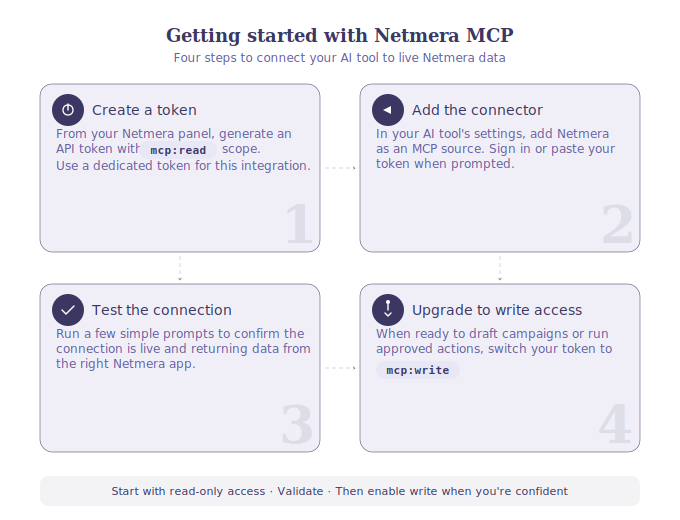
Getting connected
1. Create a token with mcp:read scope from your Netmera panel.
2. Add Netmera as a connector or MCP source in your AI tool’s settings. Sign in or paste your token when prompted.
3. Test with a few simple prompts to confirm the connection is working and returning live data from the right app.
4. Upgrade to mcp:write when you’re ready to draft campaigns or run approved actions.
Good first prompts for step 3: “What is the health status of my app today?” / “How many users are in the VIP segment?” / “Show daily revenue for the last 30 days.”
For full setup instructions, see our documentation.
Claude or ChatGPT: Which AI tool works best with Netmera
Both connect to Netmera’s MCP server, but the setup experience differs. Claude offers a more direct connector flow with fewer manual steps and native MCP support, making it the easier starting point. ChatGPT works well if your team is already in the OpenAI ecosystem and has access to Plus, Pro, or Team plans, though MCP setup requires Developer Mode and OAuth-only authentication.
The table below shows how the two compare on the details that matter most for setup and day-to-day use.
| Feature | Claude | ChatGPT |
|---|---|---|
| Setup Experience | Very easy | Easy |
| Custom Connector Support | Native support | Requires Developer Mode |
| Security Model | Verified flow | Unverified custom connectors |
| Authentication Support | OAuth + Basic | OAuth only |
| Debugging Experience | More detailed | More limited |
| Subscription Requirement | Free plan sufficient | Plus / Pro / Team required |
| MCP Maturity | Production-ready | Beta / Developer Mode |
Both platforms keep your existing Netmera permissions in place during MCP usage. Connect only to trusted MCP servers, as support is still evolving across AI platforms.
For step-by-step setup with screenshots, see our Claude setup guide and ChatGPT setup guide.
AI integration for customer engagement: what teams can do with Netmera’s MCP server
This is where AI integration for customer engagement moves from concept to daily practice. Three categories cover most of what marketing, product and CX teams need from a connected AI assistant.
Ask questions, get answers from your live data
The most immediate change is in how you access performance information. Instead of navigating dashboards and building reports, you ask directly:
“Which campaigns had the highest click rate last month?” “What’s my push opt-out trend over the last 30 days?” “How is my onboarding funnel converting right now?”
AI pulls from Netmera’s campaign reports, funnel analytics, and real-time data to answer these. All of it becomes conversational through the MCP integration.
Understand your users and segments in a single conversation
Through a connected AI tool, you can look up individual user profiles, browse event histories, check device breakdowns, and surface how specific segments are growing over time. If a cohort dropped off after onboarding, you can ask what behavioral signals preceded it.
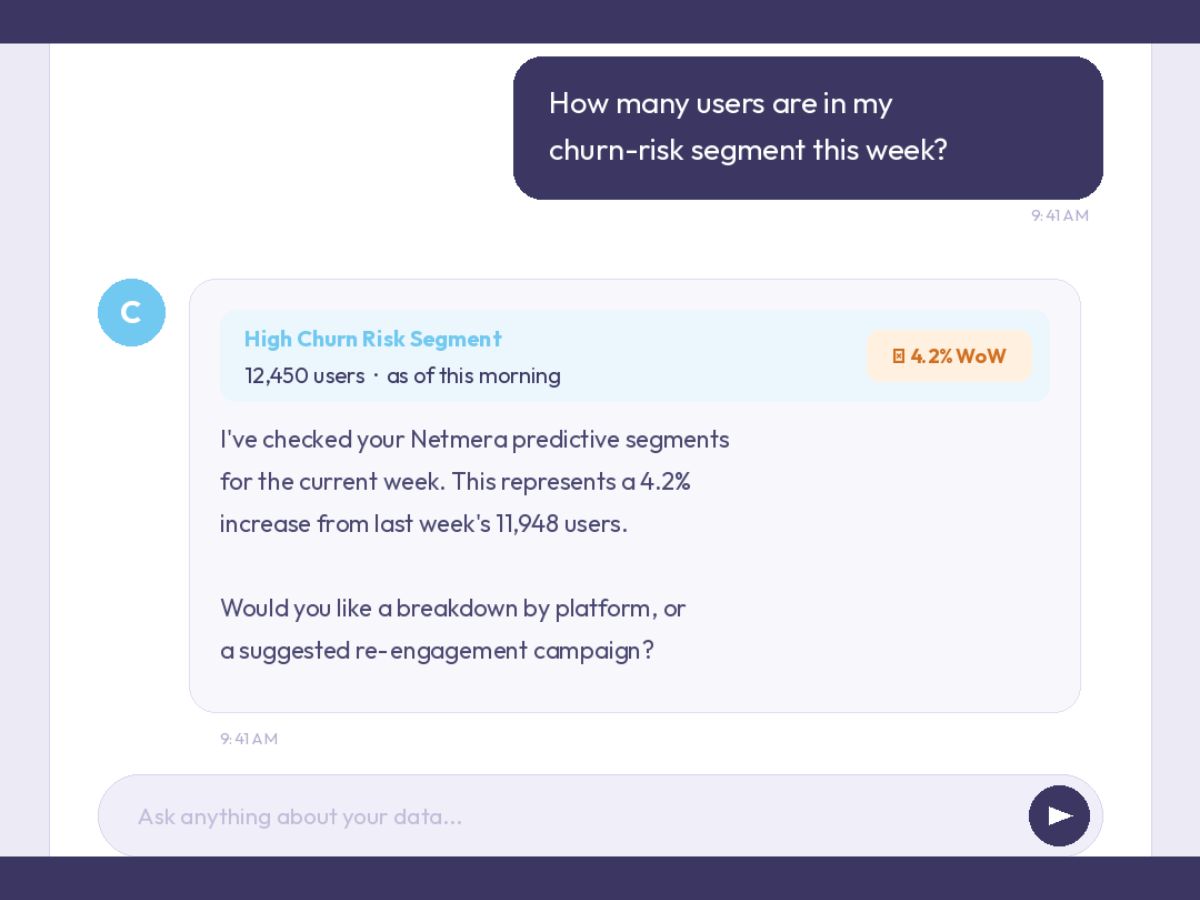
This extends to Netmera’s predictive AI segments as well. You can ask your AI model: “How many users are in my churn-risk segment this week?” or “Which predictive segments have grown the most in the last 14 days?” You get a direct answer drawn from live data.
For teams in banking, telecom, retail, ecommerce, and media, this means investigating user-level patterns without waiting on a data analyst or pulling raw exports manually.
Take action, with the right guardrails in place
This is the agentic AI marketing layer, where the AI tool can draft a campaign, create a segment, pause an automation, or send a test message.
Such types of write-level actions work differently from read queries. Your token needs ‘mcp:write’ scope enabled, and campaign sends always require a preview before anything goes out. Audiences above 100,000 users are blocked from direct AI execution, and Netmera returns a panel link instead, keeping final control with you.
For the complete list of callable functions, see Netmera’s available API functions reference.
How your daily work is shifting
The MCP integration removes several steps from how marketing and CX teams access data and act on it. Here is what it looks like across four common workflow moments.
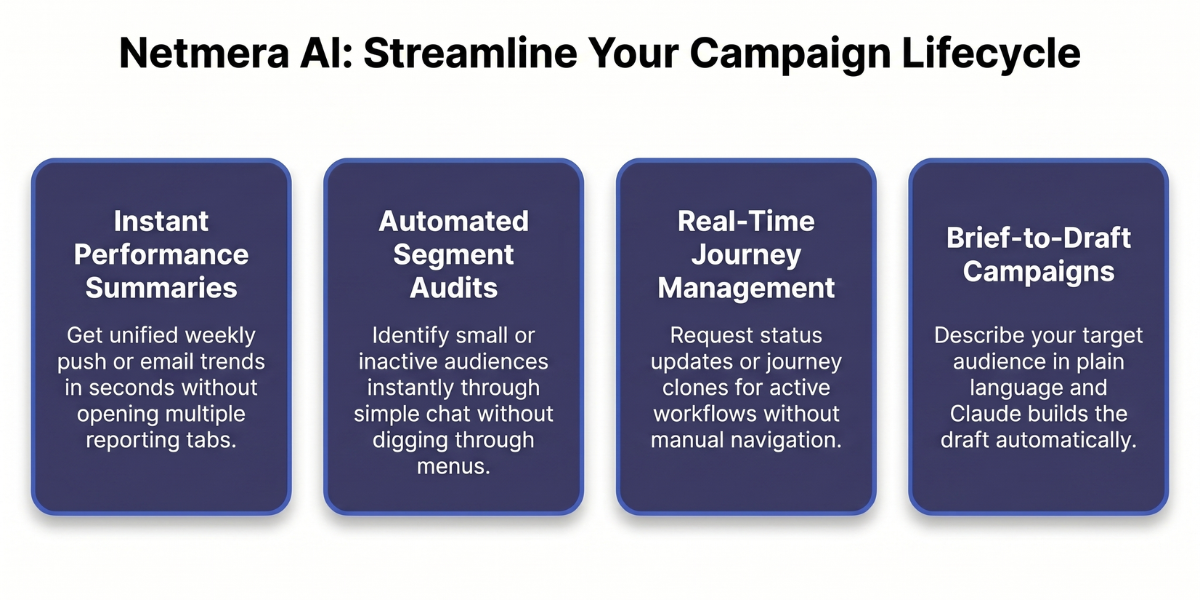
Performance review
You used to open campaign reports, pull delivery data separately, and piece together a weekly summary before any real conversation could happen.
Now you ask: “Summarize app performance for the last seven days” or “Compare push and email performance for the last two weeks.” The numbers, the trend, and the channel breakdown come back in one response, sourced from your Netmera account.
Segment audit
Checking whether your segments are still relevant, finding ones with outdated conditions, or spotting audiences that overlap required navigating multiple tabs and knowing exactly where to look.
Now you ask: “List all segments with fewer than 500 users” or “Show me segments that haven’t been used in a campaign this month.” AI tools like Claude reads across your customer engagement platform and returns what you need without the manual search.
Journey and workflow management
Keeping track of active journeys, paused automations, and workflows due for a refresh has always been easier to postpone than to do.
Now you ask AI to list all active workflows, check the status of a specific workflow, or clone last quarter’s re-engagement flow as a new draft. Changes still go through your panel for review. AI prepares; you decide.
Campaign drafting
Starting a new campaign used to mean an open builder and decisions made from scratch.
Now you brief in plain language: “Create a push draft for users who completed registration but haven’t made a transaction in 10 days.” AI builds the draft, pulling from your segment conditions and channel configuration. You review, adjust, and approve before anything goes live.
For years, marketing and product teams have been using Netmera to work with their customer data and run campaigns without depending on development resources. MCP server marketing automation extends this flow. Instead of moving between screens or rebuilding context, they can now ask, explore, and act on their data in one continuous process.
A note on where MCP stands right now
97 million SDK downloads for MCP were recorded monthly by late 2025. 10,000+ active MCP servers are now available across industries.
That said, MCP is still a maturing standard and saying so clearly is more useful than pretending otherwise. Security protocols are still catching up. Thoughtworks flagged real risks around unverified MCP servers and what they called tool poisoning. And AI outputs, however accurate they appear, should be verified before acting on them at scale.
Nixalkumar Patel, a senior enterprise AI and digital commerce strategist, argues that as AI agents move into live customer workflows, defining what they are authorized to do becomes the real governance challenge. “Permission boundaries are where customer promise, business policy and system access meet.”
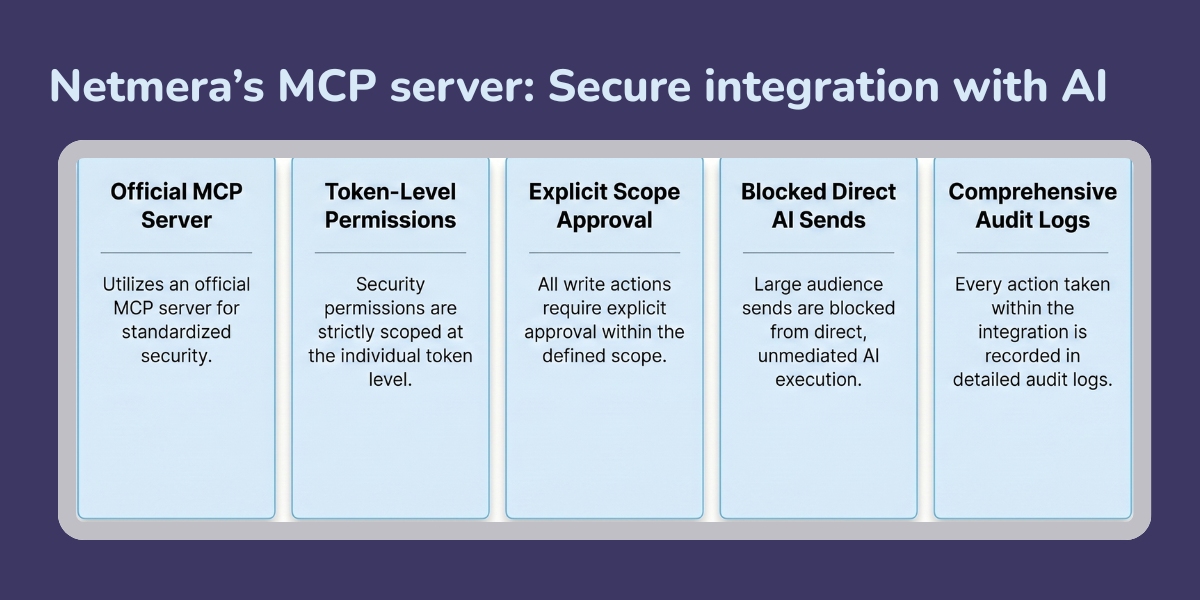
Netmera’s implementation is built with these concerns in mind:
– The integration uses an official MCP server.
– Permissions are scoped at the token level.
– Netmera data is not uploaded to your AI model. The AI receives only the results of the tools called during the active conversation.
– Personally identifiable information may be returned in masked form on user-level queries, so sensitive fields stay protected even when you’re investigating individual profiles.
– Write actions require explicit scope approval.
– Large audience sends are blocked from direct AI execution.
– Every action is recorded in audit logs.
Use official MCP servers from named vendors. Control your token permissions carefully. And treat AI’s outputs as a strong starting point, not a final answer, until you have verified them against your own data.
Netmera’s MCP server is available now. The function set will grow as the standard matures and more workflows are mapped to conversational queries.
Teams that build familiarity with this way of working will see benefits without waiting long. The technology is impressive, but what changes things is when asking direct questions and getting direct answers in one uninterrupted conversation becomes a habit. Work moves faster and more efficiently.
Explore Netmera’s MCP documentation to see the full setup guide.
FAQs on Netmera’s MCP Server
Model Context Protocol is an open standard that lets AI assistants like Claude connect directly to business tools and read live data from them. Without it, AI works from general knowledge only. With it, AI can access your actual campaigns, segments, and performance data and answer questions based on what’s happening in your account right now.
Some MCP implementations only let AI assistants read data. Netmera’s MCP server supports both read and write-level actions. That means Claude and the likes can draft a campaign, create a segment, pause an automation, or send a test message, not just retrieve reports. Write actions require explicit scope approval and campaign sends always require a preview before anything goes out.
Quite a lot. On the read side: summarize campaign performance, compare channels, check segment sizes, surface push opt-out trends, review funnel drop-offs, and look up individual user profiles. On the write side: draft a campaign, clone a journey, create a segment, or pause an active workflow. The full function reference is in Netmera’s documentation.
Setup requires access to your Netmera panel and an AI environment that supports MCP connectors. Beyond that, day-to-day use is conversational. You ask questions and give instructions in plain language. No developer support needed for standard analysis and campaign drafting tasks.
Netmera’s implementation is built with enterprise requirements in mind. Access is controlled at the token level, so the AI tool only reaches what you authorize. Write actions require explicit scope approval. Sends to audiences above 100,000 users are blocked from direct AI execution. Every action is recorded in audit logs. For teams with strict data residency requirements, Netmera’s on-premises deployment option means the integration can run within a closed security perimeter.
The most immediate shift is in how teams access information. Tasks that used to mean opening multiple panels, exporting data, and reformatting it before anyone could read it become direct questions to your AI assistant. Performance reviews, segment audits, journey status checks, and campaign drafts all move faster. For teams that have been using Netmera to work independently from development resources, MCP server marketing automation extends that same independence into the analysis and reporting layer.
Burcu Ulucay – Content Marketing, Netmera