Picking the Right Journey Orchestration Software That Integrates Data and Automates Workflows
Marketing and product teams know they need customer journey orchestration. The concept is familiar. What is still difficult is building journeys that react to real behavior and prove revenue impact.
The gaps show up fast. Customer data sits in separate systems while journeys run on fixed schedules instead of signals. Metrics track engagement but cannot tie actions to revenue.
This post explains where most orchestration tools fail, which capabilities matter for automated revenue journeys, and how teams build converting flows in Netmera without writing code.
3 Reasons Customer Journeys Don’t Convert
Your data lives in silos
When customer data is scattered across mobile apps, websites, CRM systems, and analytics tools, you’re operating blind.
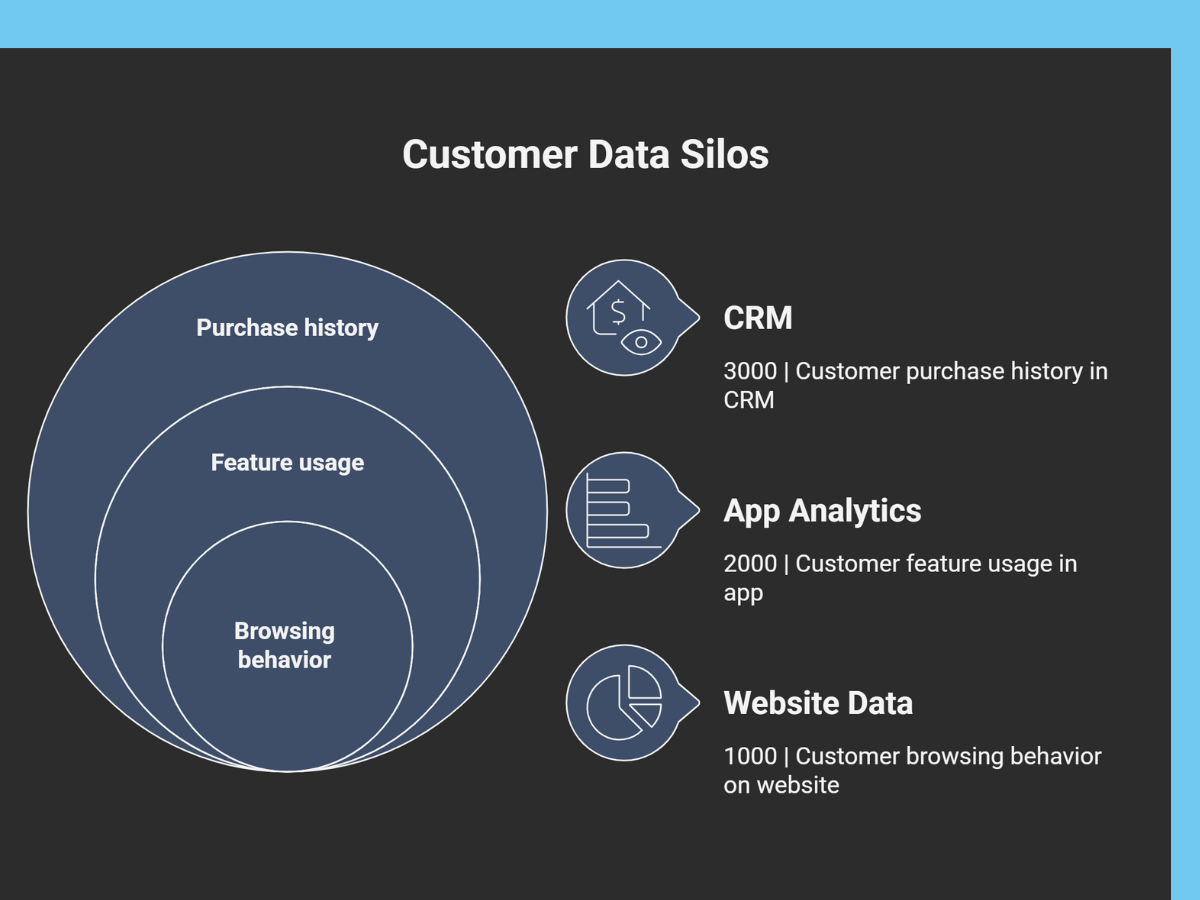
Your CRM shows purchase history, app analytics track feature usage, and website data captures browsing behavior. But none of them talk to each other, so you never see the complete customer picture or what drives their decisions.
At a financial services company we worked with, users were abandoning transactions due to friction in the payment flow, but the team had no visibility until they manually reviewed session logs hours later. Once they unified data sources and could see the complete user journey in one place, they identified friction points immediately and automated in-app messages. It worked: click-through rates rose 55% and conversions doubled.
Your journeys can’t adapt in real-time
Static email sequences run on time delays. Send an email 24 hours after signup, and follow up 48 hours later. The calendar controls everything, regardless of what users do.
Behavioral responses, on the other hand, adapt to what users just did. Opening an email, clicking a notification, browsing a specific product? The user’s action determines the next step.
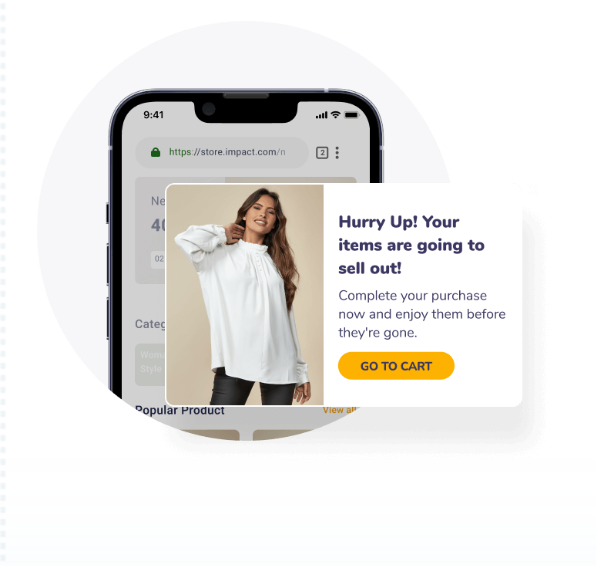
Take cart abandonment as an example. Average cart abandonment rate is 70.22% (based on 49 independent studies) according to Baymard Institute.
One of our customers faced exactly this with their e-commerce platform. High cart abandonment rates were draining revenue. Netmera’s real-time monitoring revealed the window: users who abandoned carts would convert if reached timely.
After switching to behavior-based triggers with automated push notifications sent to those who left an item in the cart, revenue increased 150%. Conversion rates doubled from 4% to 8%.
See how Turkcell Pasaj doubled conversions with real-time cart recovery
You can’t prove journey ROI
Sends, opens, and click-through rates don’t tell you how much revenue the campaign generated or where users dropped out of the conversion funnel.
A leading bank experienced this firsthand. Loan application volume was up but actual applications were down. The team knew something was wrong but couldn’t identify where users were abandoning the flow.
Without funnel visibility, they were guessing. Was it the initial form? The credit check step? The contract signing process?
After implementing Netmera’s funnel analysis, the answer surfaced immediately. Android users with outdated devices couldn’t view or sign contracts due to a continuous loading screen. With targeted push automation, they restored the 10% conversion rate. Bounce rates dropped 41%. Loan utilization increased to 35%.
The Capabilities That Make Automated Journey Platforms Effective
We built Netmera to solve these exact challenges our customers were facing with their previous platforms. The capabilities below address data silos, static flows, and missing ROI proof directly.
Combined CDP: unify your data and act in real-time
Unified customer data consolidates information from mobile apps, websites, CRM systems, and other sources into a single profile that updates as events happen. This solves both data silos and static flows at once.
Netmera’s Tag Manager and tagless data capture automatically track behavioral data from websites and apps. No developers required to manually instrument tracking code.
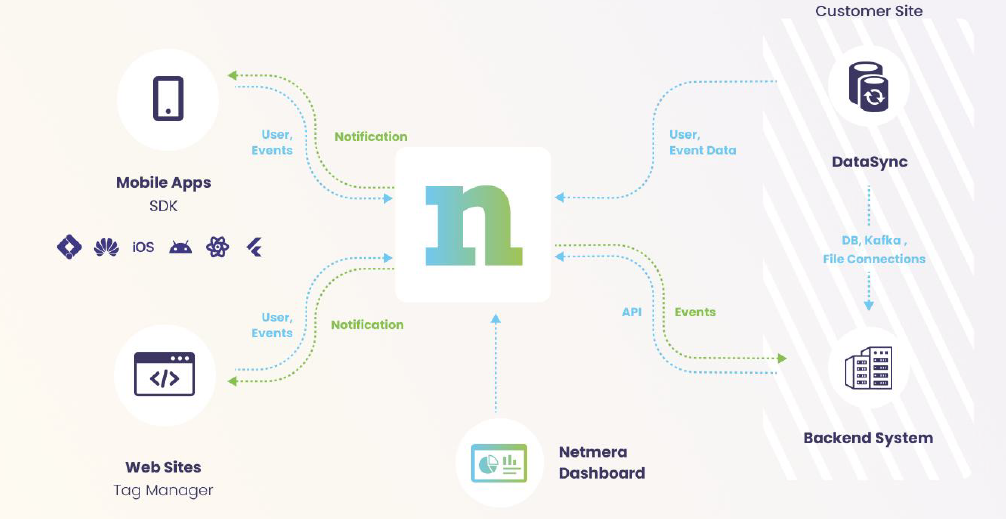
Real-time event triggers detect the moment something occurs, such as cart abandonment, app opens, and credit applications. Our platform sees these events instantly and can act on them without delay. Because all channels can be fed into one unified profile, you can orchestrate email, push, SMS, in-app messages, and geofencing from a single journey.
A leading fashion rental company we partnered with used Netmera Journey to turn first opens into registrations. Instead of running separate push and email campaigns, one automated flow checked consent, picked the right channel, and delivered timely reminders. Out of more than ten thousand entries, 14 percent completed registration.
Branching logic: respond to user behavior
Netmera’s dynamic branching adapts journeys based on user actions. Each triggers a different next step.
A leading music streaming app built a welcome journey triggered at first open. Users without an ID received targeted prompts to complete signup, then moved into a premium upsell path. The flow reached nearly 500K users. Six percent completed the full journey, creating a measurable revenue lift. Six percent completion may look modest, but at this scale it translates into tens of thousands of newly activated users moving straight into monetizable actions.
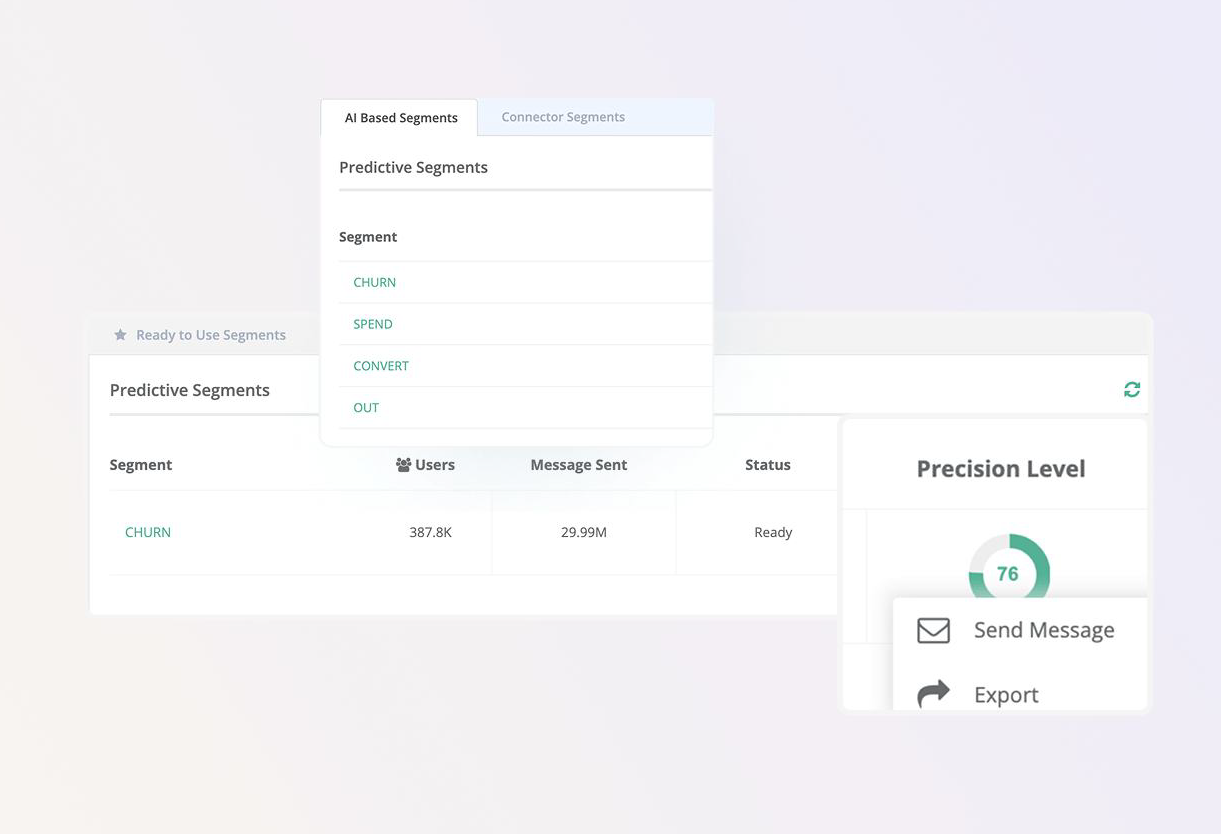
Netmera’s AI-powered predictive segments go beyond rules-based logic. The system identifies users likely to churn, convert, or become high-value based on behavioral patterns including recency, frequency, and event duration.
Pushes that arrive precisely when each user is ready to see them? Possible. Best Time Delivery analyzes 60 days of activity to find when each person typically engages with your app. It calculates their optimal hour for every day of the week. New users receive messages during your app’s peak hours until enough data builds up. Open rates go up because messages land during proven high-activity windows.
Analytics: connect every journey to revenue
41% of marketers report they cannot effectively measure marketing across channels, according to Supermetrics’ 2025 Marketing Data Report based on data from 200 marketers globally and analysis of 6,000 businesses.
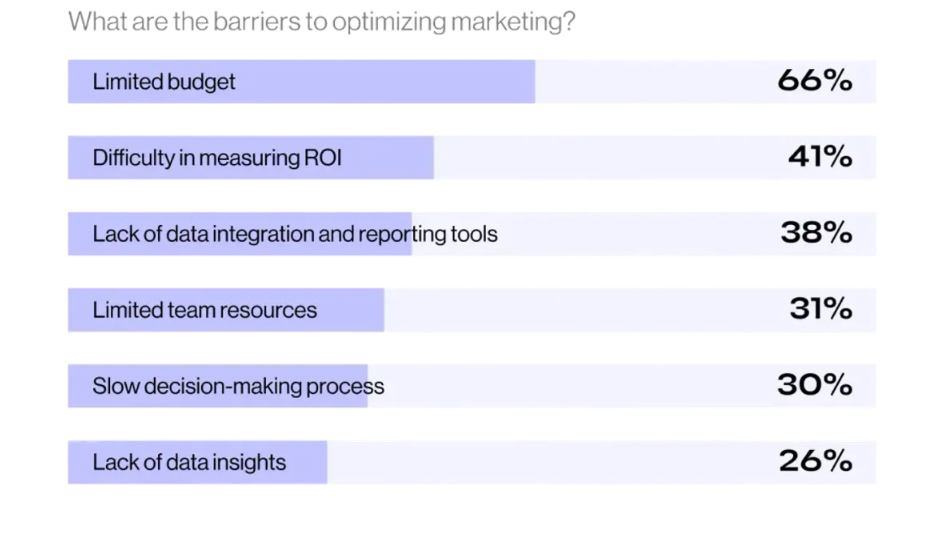
Source: Supermetrics
With Netmera, journey-level revenue tracking shows which steps drive conversions and where revenue leaks. Step-by-step conversion rates reveal how many users enter, proceed, or drop off at each stage, with Funnels visualization displaying the user path at a glance.
Export capabilities download user-level data for non-converters, feeding retargeting campaigns so you reach them through different channels.
With Netmera’s Funnels, instantly spot where your customers drop off.
How to Build Revenue-Generating Customer Journeys
This blueprint breaks down how to build and launch journeys in Netmera across five steps, with practical guidance at each stage.
Setup: define your goal and conversion event
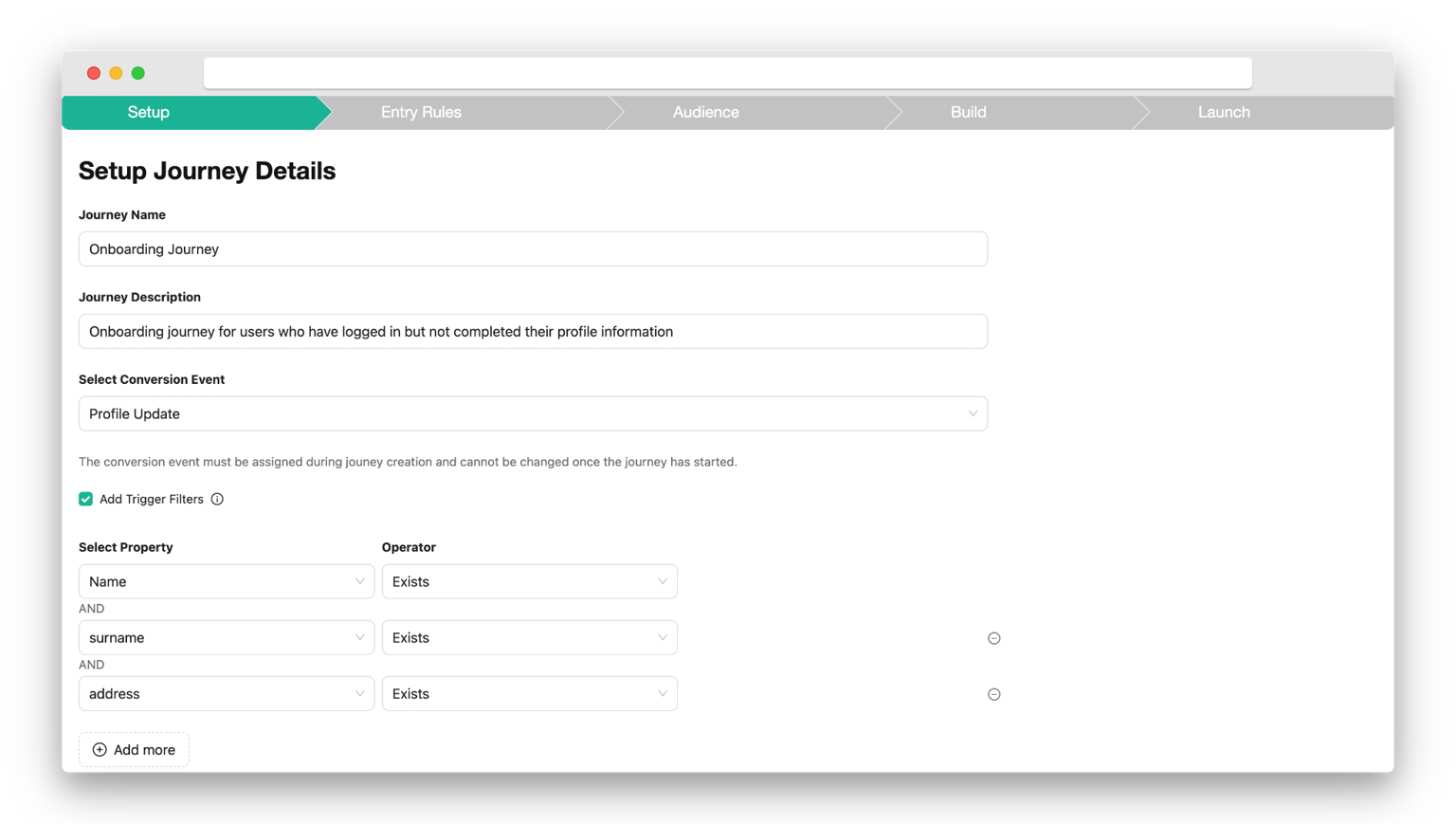
Start by naming your journey and describing its purpose, then choose your conversion event. Purchase completed? Form submitted? Credit application approved? This event becomes your success benchmark. Netmera tracks conversions in real-time, so you see which journeys drive results and which need adjustment.
Add trigger filters if you want to narrow the scope. For a cart abandonment journey, trigger only when cart value exceeds $50. For credit applications, filter by loan amount. These conditions focus the journey on high-value opportunities.
Entry rules: set time-based or behavior-based triggers
Time-based triggers work for scheduled campaigns like birthday messages or monthly check-ins. Action-based triggers respond to behavior like cart abandonment, app installs, or purchases.
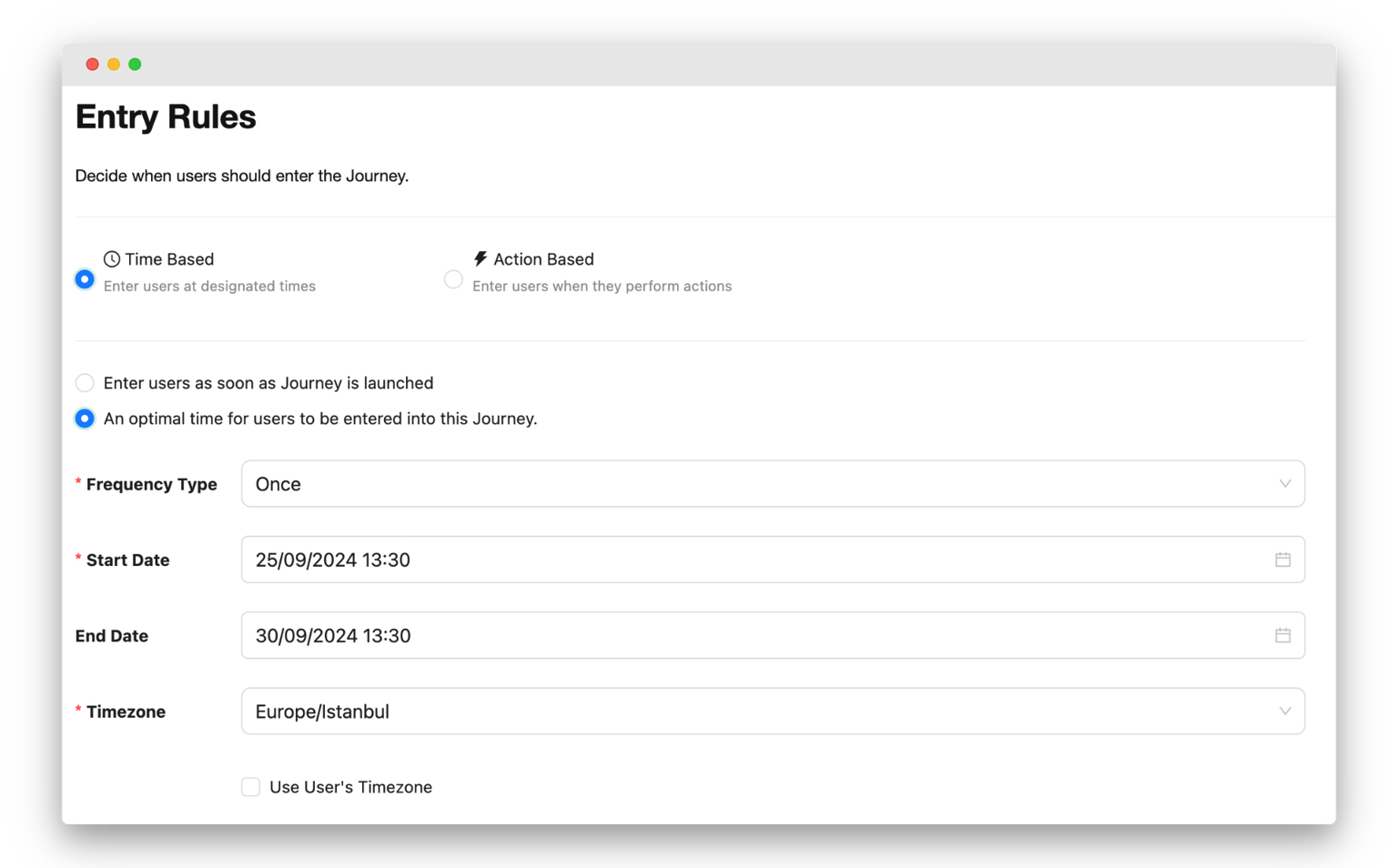
Action-based triggers typically convert better because they respond to a clearer intent. A user who just abandoned a $200 cart is more likely to convert than someone who hasn’t opened the app in ten days.
Set eligibility rules to control how often users can enter. A cart recovery journey, for example, might allow re-entry after 7 days while an onboarding journey runs once per user.
Audience: target specific segments or all users
Choose which segments enter the journey. New users? Returning customers? At-risk accounts? Add multiple segments using AND/OR logic to refine targeting.
If you don’t select segments, the journey applies to all users. This works for broad campaigns but limits personalization. Segment-based journeys perform better because they match messaging to user context.
Build journey: design multi-step flows with branching
Use Netmera’s no-code builder to design your journey visually. Add delays between steps to control pacing. Insert user branches to split paths based on segments or behavior. Check interactions to see if users engaged with previous messages.
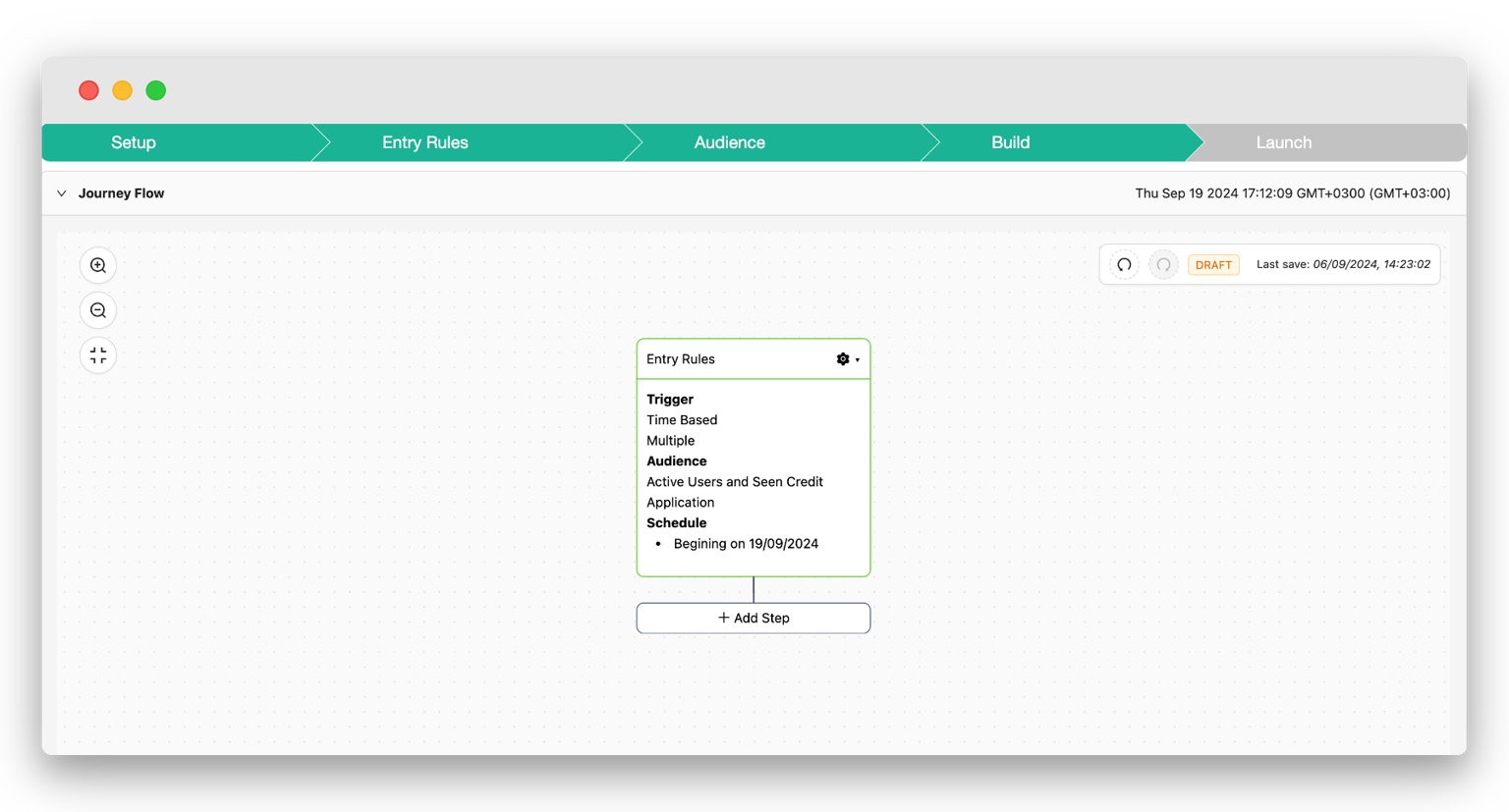
Journey variables personalize content at scale. Instead of writing separate messages for every product, use {ProductName} to dynamically insert what’s in each user’s cart. The platform pulls data from the triggering event automatically.
Add channels where they make sense. Push for immediate alerts, email for detailed content, or SMS for time-sensitive updates. Each message previews across devices before you launch.
Launch: monitor performance and optimize in real-time
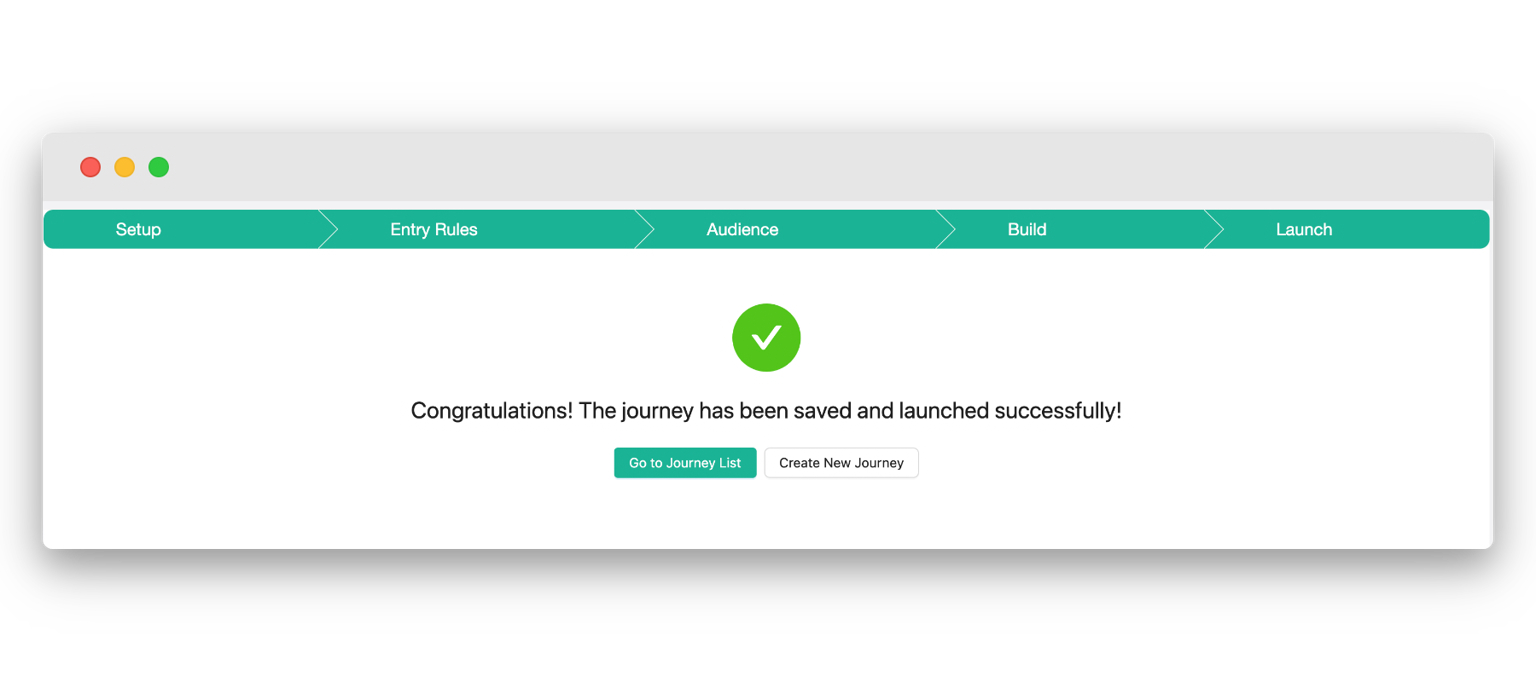
Before launching, verify your conversion event, test messages on actual devices, and confirm segments are correct. Once live, Netmera’s journey analytics show entry counts, drop-offs, and conversions per step as they happen.
Spot drop-off points immediately. Adjust messaging or timing based on data, then iterate. Export user-level data for non-converters and retarget them through different channels.
Check our user guide for a more nuanced description of journey building.
Choosing an automated journey software: what to look for
Not all platforms handle journey automation the same way. Some bolt channels together without truly unifying data. Others require developers for every change. And many track engagement without connecting to revenue.
Infrastructure requirements
✓ Unified customer data with real-time updates across all channels.
✓ Zero IT dependency with no-code builder and tagless data capture.
✓ Omnichannel support. Email, push, SMS, in-app messages, geofence, and WhatsApp should all live in one platform.
Orchestration capabilities
✓ Event-based triggers that respond to actual behavior.
✓ Dynamic branching. Journeys should adapt to what users do next.
✓ Journey variables for true personalization.
✓ AI-powered predictive segments and optimal timing.
Analytics requirements
✓ Financial KPIs like revenue per journey and conversion rates.
✓ Funnel visualization showing exact drop-offs at each step.
✓ Real-time dashboards. Adjust campaigns while they run based on what’s happening.
✓ Export capabilities for retargeting users who exit.
You’ve seen how these capabilities work for modern customer engagement. Data management, cross-channel communication, and analytics. That’s Netmera’s foundation in one platform, and it’s how our users launch targeted, personalized journeys without developer resources.
You can build journeys that convert too.
Journey Orchestration FAQs
A combined CDP removes blind spots. When all behavioral, transactional, and profile data live in one place, you see the full context. Teams can act instantly when someone abandons a cart, triggers a payment error, or returns after a long absence.
Not with Netmera. A visual builder, tagless data capture, and built-in segmentation let marketers build and launch complex flows without engineering support.
Netmera combines a CDP, real-time triggers, journey logic, and analytics in one platform. One flow can orchestrate email, push, SMS, and in-app messages based on consent and behavior.
Unified data, no-code automation, omnichannel support, event-driven triggers, predictive segmentation, and revenue-focused analytics.
How to Choose the Best Push Send Time Based on User Behavior
Your campaign had the right audience, the right offer, and even a 12% click-through rate. The next one with the same segment, stronger visuals, and an improved message only reached 4%. Everything else looked identical on the dashboard: same send time, same channels, same strategy.
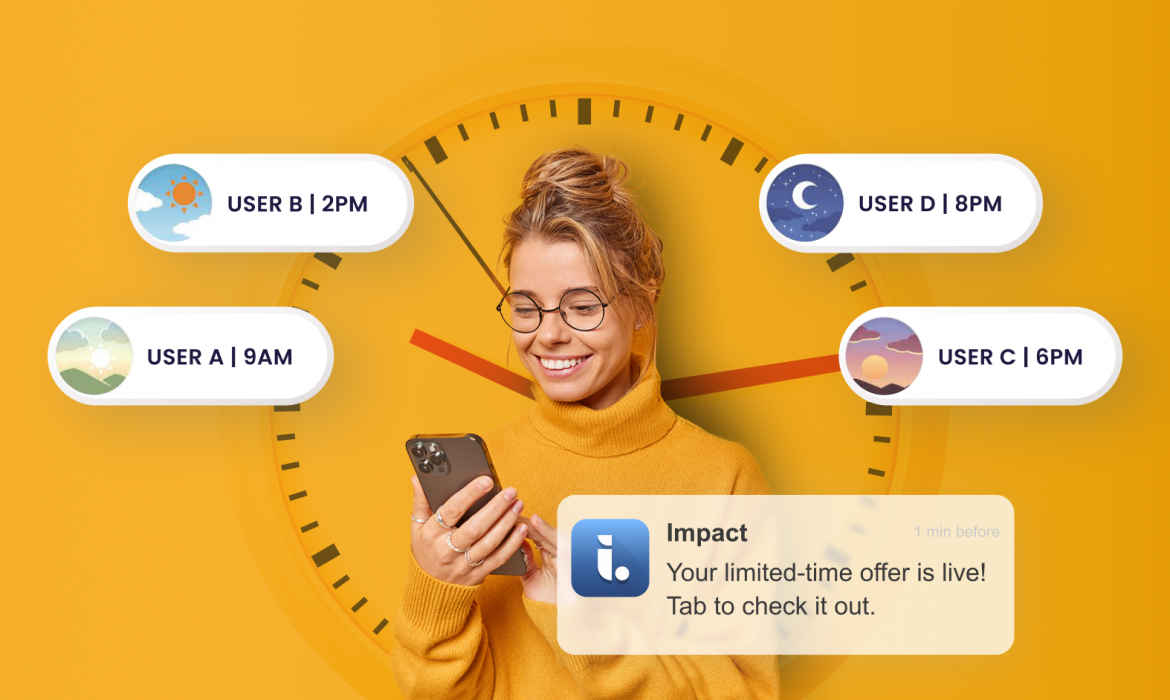
Let’s figure out why this happened. Campaign A reached users during their peak engagement windows. Campaign B, however, went out at 2 PM to people who usually open notifications after 9 PM or hit early risers at midnight.
Even the best campaign can lose impact when timing is off. Aggregate data hides these individual timing; you see “sent at 2 PM” but miss that half your audience isn’t available then.
That’s where Best Time Delivery, Netmera’s AI-powered optimization feature, comes in. Instead of using one global delivery time, it automatically determines the optimal hour to send a push notification for each user — every day of the week — so your message always arrives at the perfect moment.
Instead of relying on a single global delivery time, it automatically determines the optimal hour to send a push notification to each user, on each day of the week. By analyzing users’ historical in-app activity, it identifies the precise moments when they are statistically most active and most likely to engage.
Why Send Time Matters for Mobile Engagement
In the world of mobile engagement, even a few hours can make the difference between a conversion and a missed opportunity. A user who ignores a message at 9 a.m. might eagerly open it at 8 p.m., when they’re relaxed and scrolling through their phone.
With Best Time Delivery each message meets the user at their peak engagement window. Instead of interrupting, it synchronizes with their natural behavior, creating communication that feels relevant and personal.
According to research, 71% of consumers say they’re more likely to engage with messages that feel personally relevant. And 89% of U.S. companies report that personalization on their websites or apps directly drives higher revenue.
Timing, however, is the missing piece that turns personalization into performance.
Best Time Delivery completes the personalization puzzle because you reach users when they are ready to engage.
For marketers, CX leaders, product managers, and app owners, this means getting more results from the same budget by eliminating wasted sends and truly resonating with their users.
How To Implement Best Time Delivery To Your Campaigns
Activating Best Time Delivery in your push campaigns is simple and fully automated once enabled.
1. Create or Edit a Push Campaign
Start by navigating to the Campaign Scheduling step within your campaign setup.
2. Select Best Time Delivery
In the Delivery Time section, choose Best Time as your delivery option. This allows Netmera’s AI to determine the optimal send hour for each individual user, based on their behavioral data.
3. Adjust Fallback Behavior (Optional)
You can customize how the system behaves when the user’s calculated best time has already passed:
- Enable “Send Instantly if Best Time Has Passed” to deliver the notification immediately if the optimal time window has already expired.
- Leave it disabled if you prefer to skip users whose eligible send time has passed, ensuring only timely deliveries.
4. Finalize and Publish
Once everything is set, review your configuration and publish your campaign.
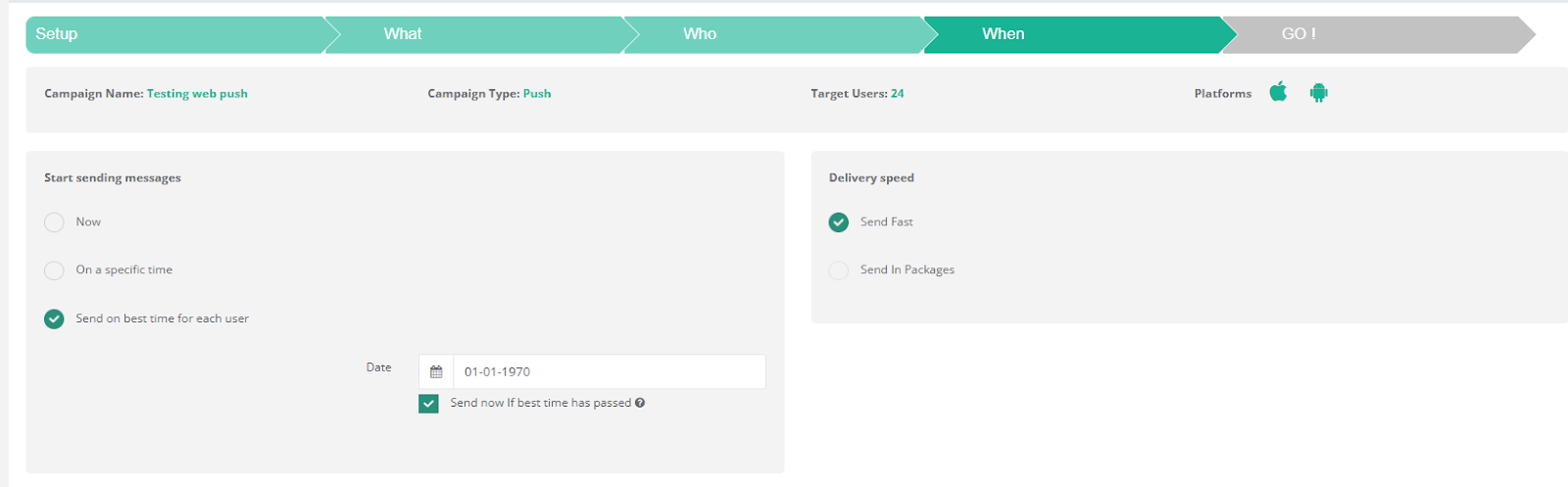
Netmera’s interface shows the setup for a push notification campaign, including scheduling options for delivery, with a focus on “send on best time for each user”.
From this point, Best Time Delivery automatically manages timing for each user, so every message is delivered at the right moment.
Key Terms Explained
| Term | Definition |
| Time in App | The event type used to measure user time within the last 60 days to calculate best times. |
| AM Best Time | The hour between 00:00 and 11:59 when the user is most active. |
| PM Best Time | The hour between 12:00 and 23:59 when the user is most active. |
| Daily Best Time | The single hour (between AM and PM peaks) when the user is most active for that weekday. |
| App Global Best Time | The hour of the day when most users are active for that weekday. Applies when user data is unavailable or if all AM/PM or daily best time periods have passed for the user. |
| Send Instantly if Best Time Has Passed | A campaign setting that delivers messages immediately if a user’s calculated best times and app global best time have already passed. |
| Quiet Hours | Time periods during which push notifications should not be sent. All best times are ignored during these hours. |
Four Different Industries, Four Different Stories of Perfect Timing
Every user follows a different rhythm. Some prefer to open your app with their morning coffee, others scroll late at night, and a few check in between meetings during working hours. Netmera’s Notification Delivery Logic ensures each of these users receives messages at the time that fits their unique pattern using a clear, step-by-step hierarchy powered by its AI features.
To make it easier to visualize, let’s take a look at four professionals from different industries each with their own schedule, behavior, and timing.
The Morning Scroller (E-Commerce Manager)
Selin manages an e-commerce app that sells lifestyle products. Every morning around 8:30 a.m., before diving into meetings, she checks the app dashboard and reads customer reviews.
When a campaign is scheduled, Netmera identifies her Daily Best Time and if the campaign timing aligns with that window, the notification is sent exactly at that hour.
That’s why Selin sees the new “Morning Flash Sale” notification right as she’s sipping her first coffee and engagement follows naturally.
The Evening Browser (Finance Professional)
Robert works in financial consulting, and his days are packed with calls, reports, and deadlines. By the time he finally checks his phone, it’s usually after 9 p.m.
When the campaign goes out earlier in the day, his Daily Best Time has already passed. But Netmera spots that his PM Best Time is still active, so the notification is sent late in the evening, exactly when Robert’s scrolling through apps to unwind.
The Occasional Traveller (Travel Blogger)
Emily is a travel content creator who’s always on the move — boarding planes, exploring hidden cafés, or hiking off the grid. Because she travels so often, she hasn’t opened the app in over two months. With no recent activity data available for her weekday, Netmera uses the App Global Best Time, the hour when most users are active to deliver her notification.
Even though Emily’s personal rhythm is unpredictable, the message still lands at a statistically optimal time for her region, giving the campaign a fair chance to reengage her when she’s back online.
The Missed Window (EdTech Entrepreneur)
Kerem runs an education startup and rarely checks his learning app during busy weekdays. By the time the campaign runs, his Daily, AM, and PM Best Times have already passed.
In this case, Netmera won’t deliver the notification unless the fallback behavior is enabled.
If “Send Instantly if Best Time Has Passed” is active, the message goes out immediately, ensuring no opportunity is lost even for users like Kerem who live by unpredictable schedules.
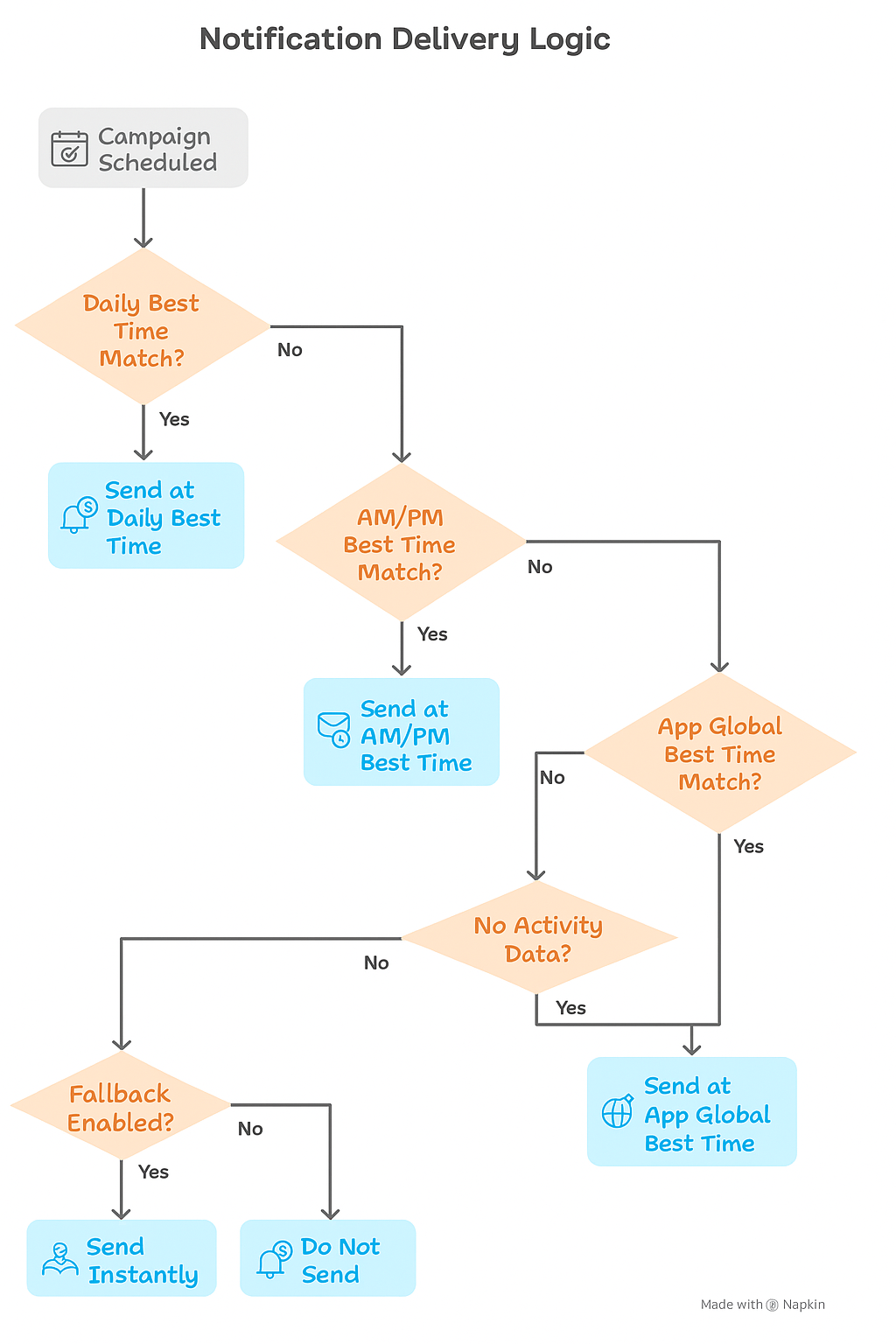
This flowchart illustrates the notification delivery logic, prioritizing daily, AM/PM, and app global best times, with a fallback option
So behind the scenes, each of these cases follows the same underlying logic
Daily → AM/PM → Global Time → No match → Fallback. Your notifications reach users when they’re most likely to engage, or wait for a better moment instead of disrupting them.
Personalized messaging + Timing across channels = Maximum App User Growth
Recent McKinsey research emphasizes that personalization, when combined with optimal timing, is becoming the key differentiator for high-growth brands.
Netmera’s AI-based Predictive Segments use behavioral data from events like purchases, clicks, and notifications to shape customized campaign strategies and predict future user actions. By continuously learning from behavioral patterns and identifying real-time correlations, Netmera helps re-engage inactive users and group audiences according to both their interests and your business goals.
Best Time Delivery automatically determines the optimal hour to send each push notification so your message reaches users when they’re most likely to engage. With Personalized Push and Dynamic Content, brands can remind users of things they care about like items left in the cart, price drops, or expiring offers without sounding repetitive.
Using Netmera’s omnichannel engagement platform, you achieve consistent messaging across push, web, WhatsApp, SMS, and email. Tagless Data Capture automatically tracks and records user behavior like page transitions and views on mobile and web, which means almost zero development work and faster, targeted campaigns.
Together, these features enable marketing and growth teams to deliver what customers want: personalization that’s relevant, timely, and consistent powered by AI and data.
Want to optimize your send times? Contact us.
FAQs
Q1: How often is Best Time recalculated?
Best Time is recalculated continuously using the last 60 days of Time in App data. As user behavior evolves, their optimal delivery times update automatically — no manual action required.
Q2: Does Best Time work the same for all weekdays?
No. Best Time is calculated separately for each day of the week. A user’s most active hour on Monday may differ from Friday, and Netmera always uses the most accurate time for that specific weekday.
Q3: What happens if a user has no activity data?
If a user has no recorded activity in the past 60 days, their personal best time can’t be calculated. In this case, the App Global Best Time is used as a fallback. If no global time applies, the user is skipped unless the “Send Instantly if Best Time Has Passed” option is enabled.
Q4: What if the calculated best time falls within Quiet Hours?
If a user’s best time (Daily, AM, PM, or Global) falls within defined Quiet Hours, the message won’t be sent at that time. If no valid alternative remains, the user is skipped unless “Send Instantly if Best Time Has Passed” is active and the current time is outside quiet hours.
Q5: Can I use Best Time with other scheduling options?
No. Best Time is a delivery-time setting, not a campaign trigger. You must choose either a fixed delivery time or Best Time. When selected, Netmera automatically handles delivery timing for each user.
Q6: Does Best Time affect reporting?
No additional reporting is created for Best Time. Deliveries made using Best Time appear in standard push campaign reports, and you can compare open or click rates with fixed-time campaigns to evaluate performance.
Q7: Is Best Time available for all campaign types?
Currently, Best Time Delivery supports Push and Web Push campaigns. It’s not available for SMS, Email, or other channel types.
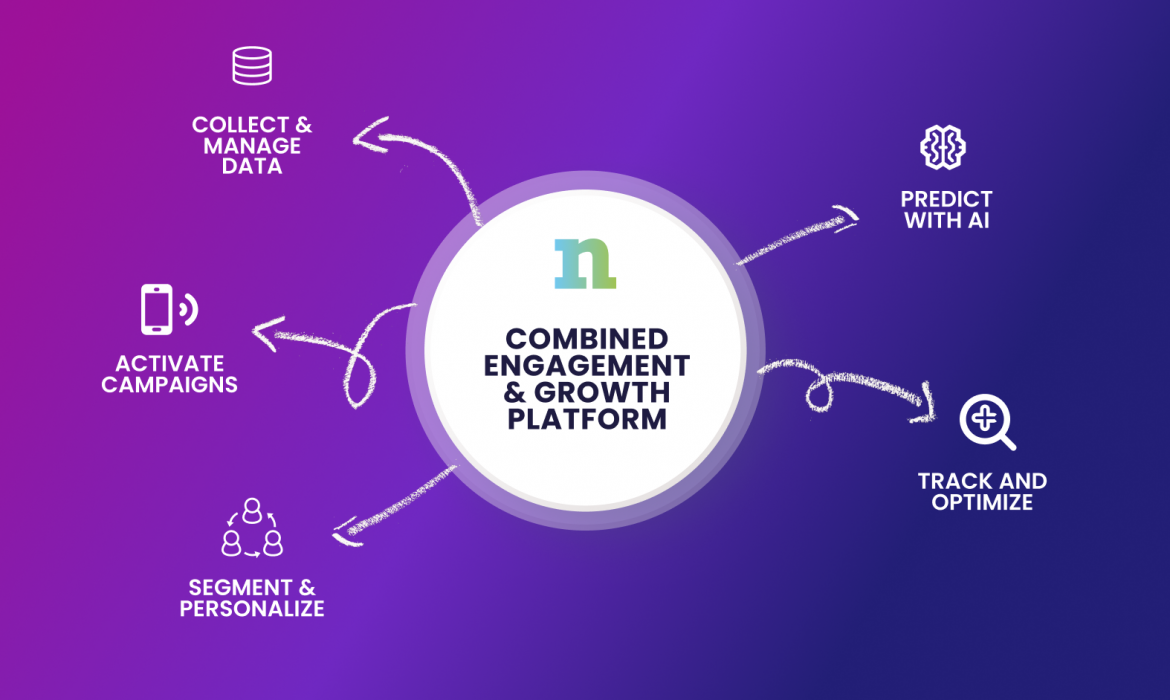
CDP vs Engagement Platform: What Combined Capabilities Deliver and Who Needs Them
Traditional CDPs store your data. Combined platforms stores your data and launches campaigns across email, push, SMS, WhatsApp, and in-app channels immediately.
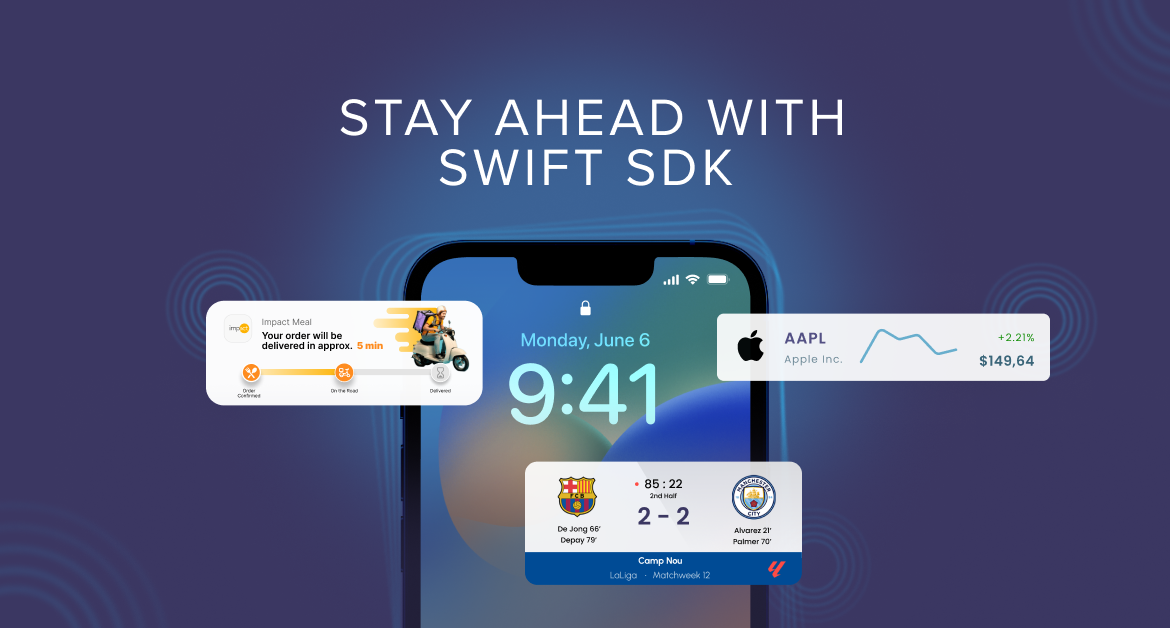
Objective-C to swift: your iOS SDK migration and new engagement features
We’re upgrading our iOS SDK to strengthen how you connect and engage with your customers.
This migration keeps you connected to what Apple builds for iOS and what your customers expect from mobile experiences. Lock screen notifications, WhatsApp campaigns, deferred deep linking and a faster performance. These capabilities stay accessible when you migrate to the Swift SDK.
The Objective-C SDK becomes legacy on October 8, 2026. New iOS features release only on Swift, and migrating positions your team to launch new iOS engagement features Apple introduces going forward.
Mobile engagement capabilities available through Swift
Live activities: Instant updates on lock screens
Live Activities let you reach your customers on their lock screens with order status, payment confirmations, and delivery alerts.
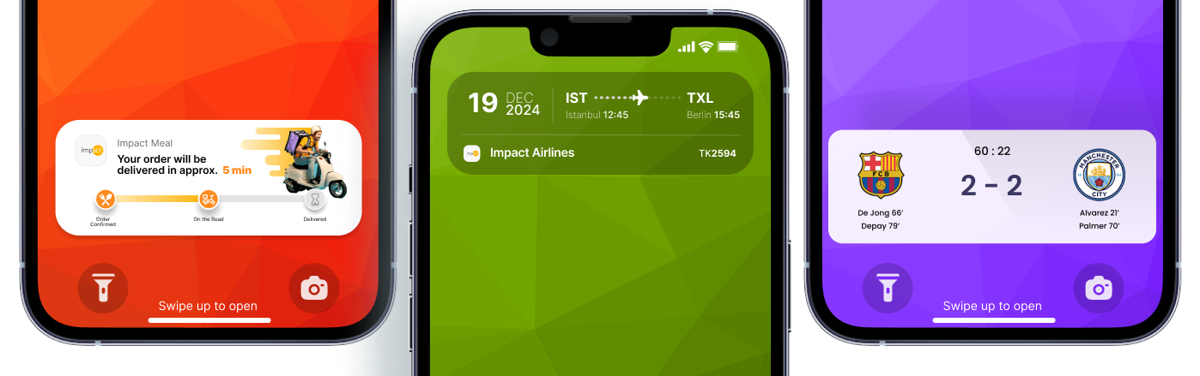
Building Live Activities from scratch takes months of developer work. Netmera’s prebuilt tools let your team implement them in hours. Your marketing team moves faster without waiting on engineering resources. These real-time messages require the Swift SDK, and migrating brings this capability to your campaigns.
WhatsApp campaigns through SDK integration
WhatsApp works as a high-engagement channel where customers check messages constantly. The transition to Swift SDK makes WhatsApp integration more reliable with the SDK’s cleaner architecture and better maintenance. This means more consistent campaign delivery and simpler troubleshooting when you need it.WhatsApp is one of Netmera’s newest channels, and our partners are already using it to recover abandoned carts, send payment alerts, and deliver time-sensitive offers. See what you can build with WhatsApp campaigns.
Deferred deep linking for smoother user acquisition
This mobile app SDK feature reduces drop-off in user acquisition campaigns. When a customer clicks an ad for a specific product, installs the app, and immediately sees that product, the path to purchase shortens.
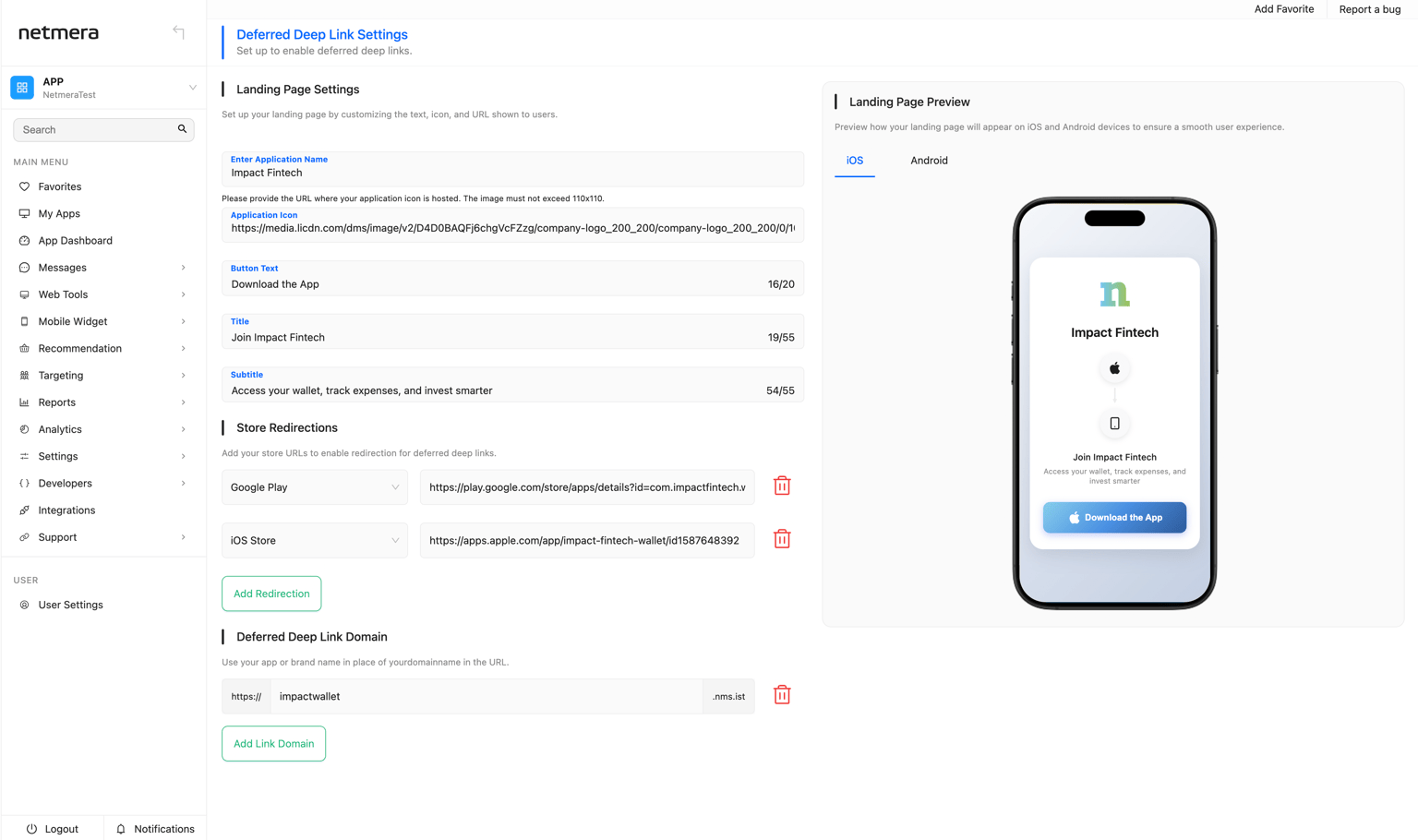
We’ve seen a consistent pattern with marketing and product teams: they want deferred deep linking for owned channels like SMS and email, not just paid ads. They want to track attribution without asking developers to build custom links for every campaign. We built deferred deep linking to solve this. One link works across SMS, email, web popups, and QR codes. It adapts automatically whether the user has your app installed or needs to download it first.
How will these features affect mobile engagement in your sector?
Live Activities, WhatsApp campaigns, and deferred deep linking create specific opportunities based on your sector’s customer communication challenges.
E-commerce & retail
A customer orders a product online and checks your app multiple times daily for updates. With Live Activities, order status appears without opening the app: ‘Out for delivery. Arrives by 3 PM.’ Support tickets about delivery status decrease.

WhatsApp campaigns improve cart recovery. Send a personalized message with product images and a direct checkout link.
Deferred deep linking smooths new customer acquisition. A friend shares a product link. The recipient clicks, installs your app, and lands on that product page. The path from recommendation to purchase shortens.
Banking & Fintech
A customer’s payment gets declined. WhatsApp delivers a secure alert: “Payment declined. Update your card details here.” They see it immediately and act. Failed transactions decrease.
Live Activities show transfer status on lock screens: “Transfer processing” shifts to “Transfer complete. $5,000 sent to John Smith.” Customers get confirmation without logging in repeatedly.
Deferred deep linking works for pre-approved offers. Send an SMS to customers without your app. They click, install, and land directly on the loan application with information pre-filled. (Looking for more banking use cases? Check them on our website.)
Telecoms
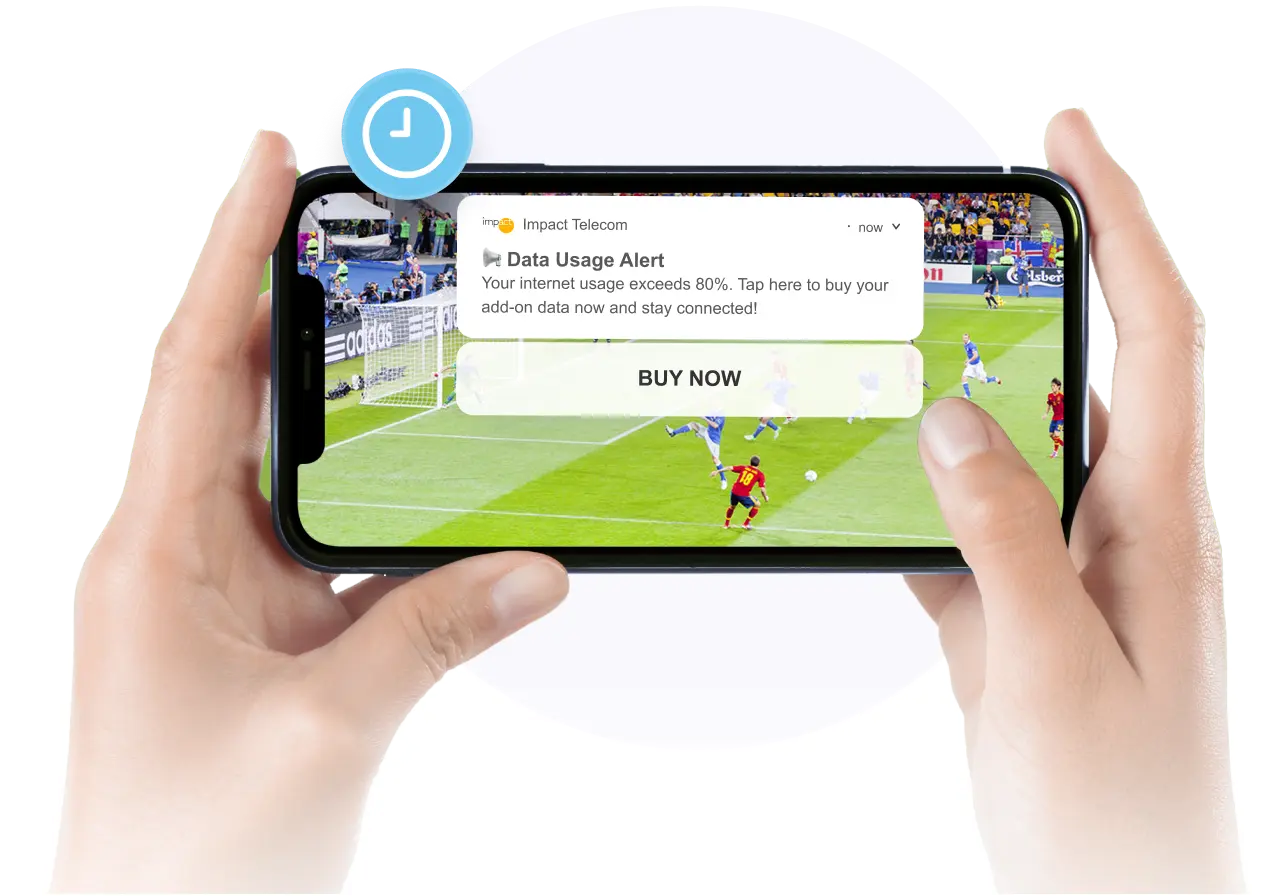
Live Activities send data usage alerts as persistent notifications: “You’ve used 80% of your data. Upgrade now to avoid interruption.” Customers upgrade before hitting limits.
WhatsApp delivers retention offers based on usage patterns. The conversation happens in a channel customers check frequently.
Deferred deep linking supports acquisition campaigns. Non-customers click an SMS link, install your app, and land on the plan comparison page. Attribution connects campaigns to new activations.
These features work across other sectors too. Media companies send live sports scores to lock screens (just as our customer Mackolik does). Travel brands update flight status as it changes.
The pattern stays consistent: reach customers with timely information where they already look.
What else improves with the Swift SDK
Beyond the new engagement features, the Swift SDK improves campaign performance, app acquisition, and how efficiently your development team maintains the platform.
Performance improvements for smoother campaigns
The Swift SDK delivers faster and more reliable push notification delivery, which matters most for time-sensitive campaigns like flash sales, limited inventory alerts, or breaking news.
The modular architecture creates smaller app sizes. Users download faster. Fewer abandon the install process. Your app acquisition campaigns convert better because the technical barrier drops.
Technical benefits for development teams
Swift Package Manager handles SDK installation and updates automatically. No manual setup required. Enhanced diagnostics and monitoring capabilities improve troubleshooting efficiency. Development teams spend less time debugging and more time building features.
What iOS SDK migration means for your marketing operations
Existing campaigns, automations, and customer journeys run through Netmera continue operating during and after migration. Marketing teams don’t rebuild workflows or recreate segments. Campaign performance history stays intact. Customer data and profiles remain unchanged. Development teams handle the technical implementation. They update the SDK in your mobile app, test the integration, and update any custom event code. Swift Package Manager simplifies this process with automatic installation and updates.
The coordination happens in two focused phases: planning the migration timeline around your campaign calendar, and a testing period once implementation completes.
Securing resources for your Swift SDK migration
Teams often need to build a business case to get migration approved and prioritized. Different stakeholders in your organization care about different aspects of this update.
When you need approval or resources for migration, frame the value based on who you’re talking to.
For marketing leadership:
Your competitors are testing lock screen notifications and WhatsApp campaigns now. Migrating positions your team to execute these tactics throughout 2026 and beyond. The investment is 2-4 weeks of developer time for months of competitive advantage in mobile engagement.
For budget approvers:
Developer time (internal or agency) is a one-time cost measured against ongoing access to new features through the iOS Swift SDK. After October 8, 2026, staying on Objective-C means losing access to all future features.
For development teams (in-house or agency):
Swift Package Manager simplifies SDK installation and updates with no manual setup required. Netmera provides detailed migration documentation, and support is available throughout the process via support@netmera.com.
Getting Started: Your 30-Day Migration Roadmap
This roadmap serves as a guide, not a requirement. Your ideal migration window depends on your campaign schedule, development capacity, and business cycles. Adjust the timeline to fit your team’s priorities and resources.
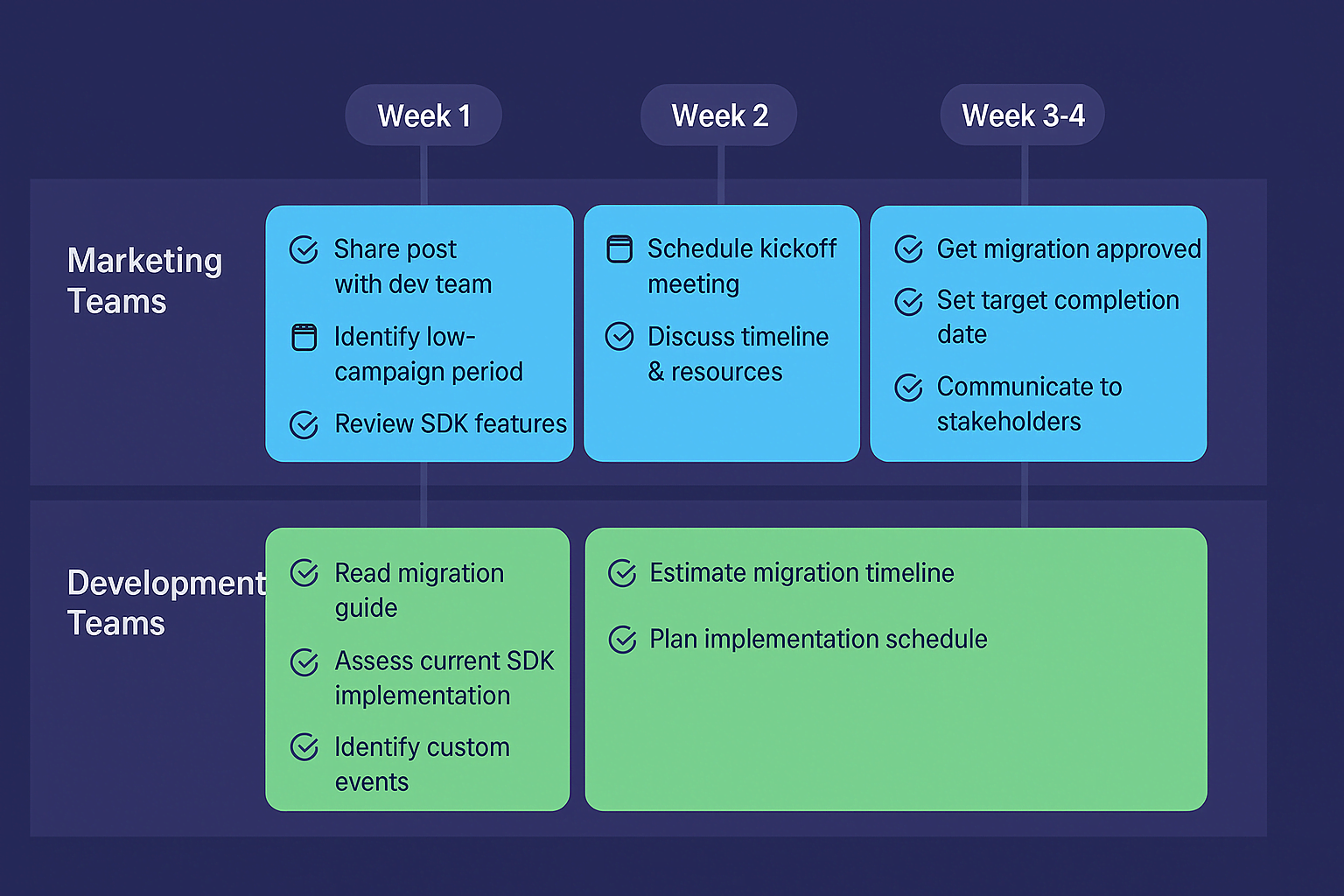
For Marketing Teams
This week:
Share this post with your development team or agency. Identify your next low-campaign period for potential migration timing. Review Swift SDK features: Live Activities, WhatsApp campaigns, deferred deep linking.
Within two weeks:
Schedule a kickoff meeting with developers. Discuss timeline and resource availability. Review Netmera’s migration documentation together.
Within one month:
Get migration approved and scheduled. Set a target completion date. Q1 or Q2 2026 provides comfortable timing. Communicate the timeline to stakeholders.
For Development Teams
Start here:
Read Netmera’s Swift SDK migration guide. Assess your current Objective-C SDK implementation. Identify custom events that need code updates. Estimate your migration timeline based on your app’s complexity.
Key Migration Resources
Documentation:
Support:
- Email: support@netmera.com
Your Swift SDK Migration Questions Answered
No. New features release only on the Swift SDK. Your current Objective-C capabilities continue working, but access to new iOS engagement features requires migration to Swift.
1-2 weeks for standard implementations. 2-4 weeks for apps with extensive custom events.
The Swift SDK gives you access to Live Activities, WhatsApp campaigns, and deferred deep linking. It also provides access to every new iOS engagement feature Apple releases going forward.
Migration is supported with detailed documentation. Your agency receives the same guide and support access as in-house teams. Contact support@netmera.com for technical questions.
No. All customer data, segments, and performance history remain intact.
Yes. You can migrate gradually or all at once, whatever fits your team’s resources and timeline.
Choosing the Right Deferred Deep Linking Partner After Firebase’s Sunset
With deferred deep linking, users land exactly where your campaign directed them so installs become immediate engagement.
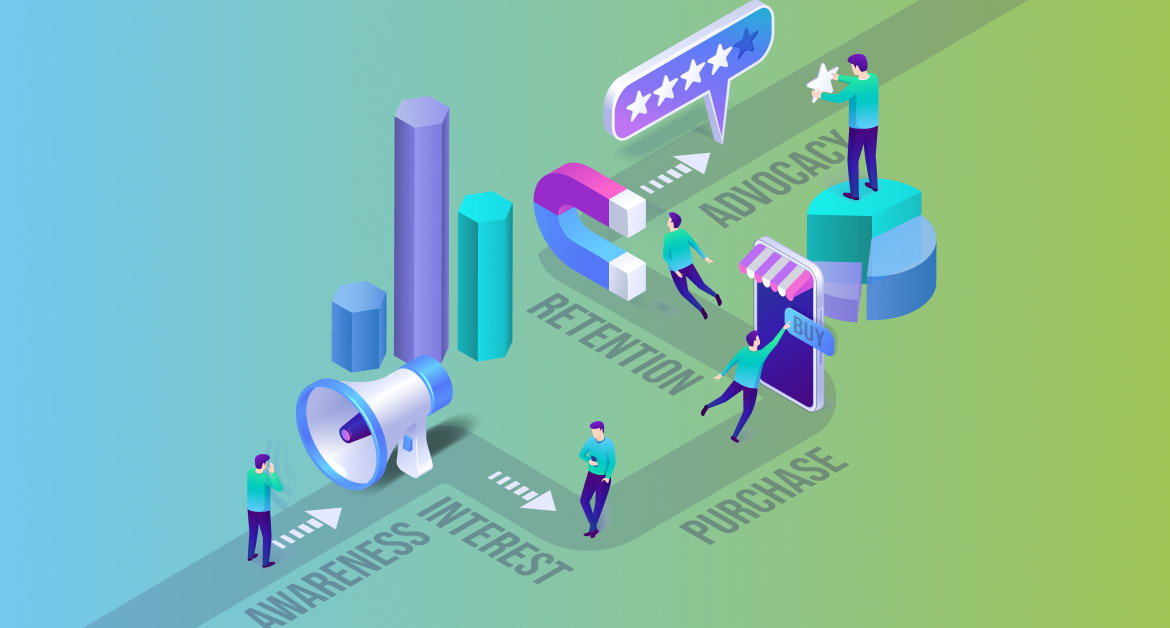
Customer journey stages: The 5 phases from awareness to advocacy
If you work for a marketing team in a company that sells a product or a service, then you know how hard it is to convert browsers into customers.
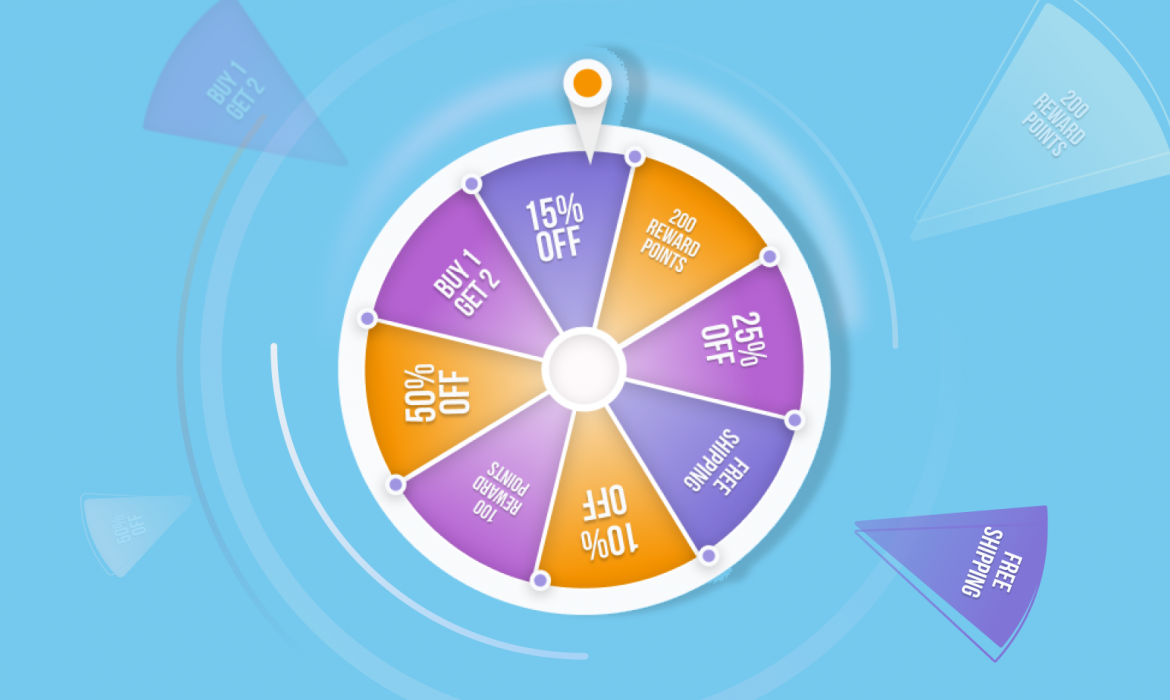
Spin-to-Win Best Practices: Boost Engagement with Gamified Popups and Mobile Widgets
This post shows how to apply the best spin-to-win practices on both web popups and mobile app widgets. You’ll see the core psychology, the design choices that lift results, the industries that benefit, and the ways to tie each spin outcome to automated journeys.
Essential Mobile App Metrics for Engagement, Retention, and Revenue
Discover essential mobile app metrics for engagement, retention, and revenue. Learn how to analyze user behavior with funnels and real-time analytics to drive growth.
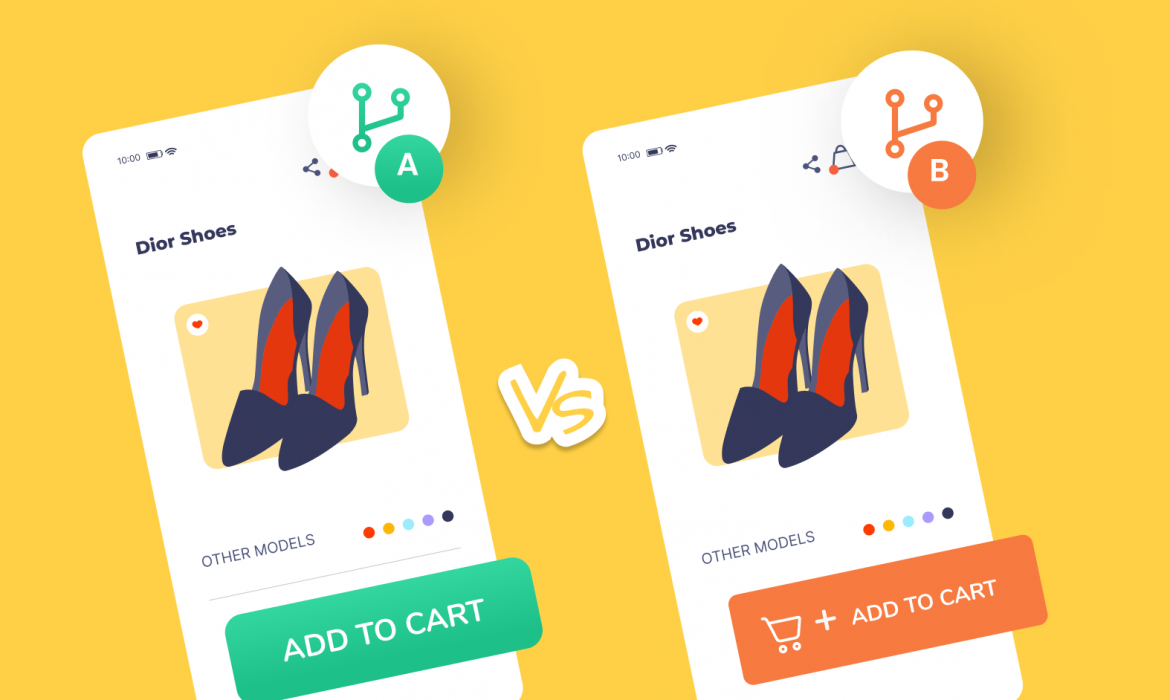
A/B Testing for Push Notifications: What to Test and How to Measure Results
Discover what to test in push notifications, how to measure results, and which A/B testing features drive conversions for mobile and web campaigns.