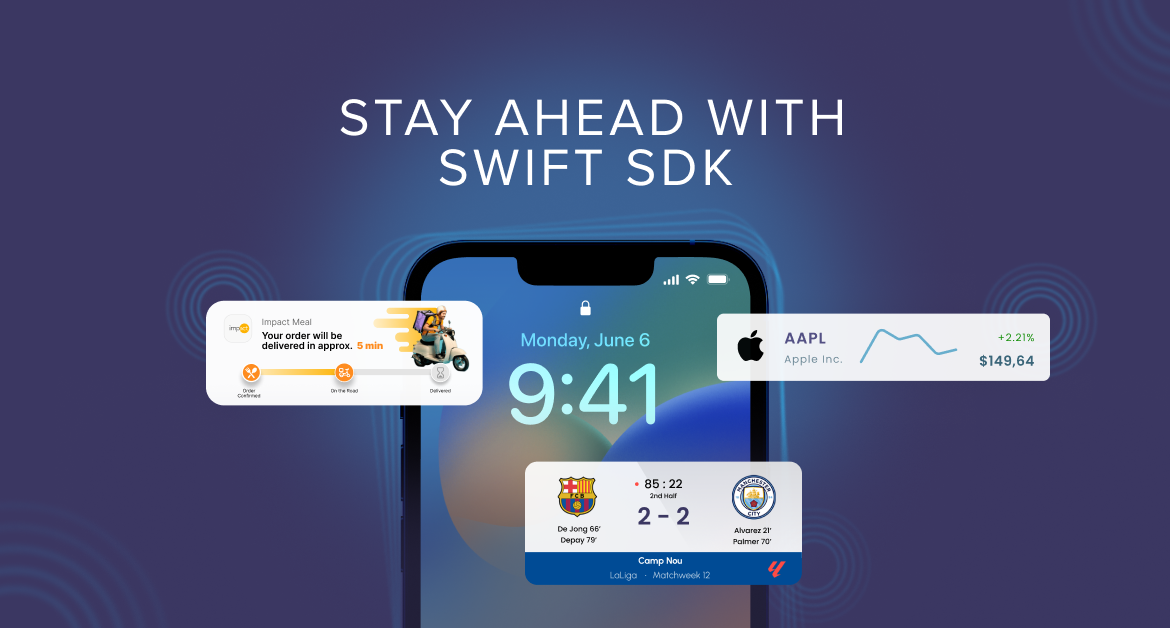
From Objective-C to Swift: Your iOS SDK migration and new engagement features
Last update: Oct, 2026
Status: Our customers’ migration to the Swift SDK has been a success, and the Swift SDK is now Netmera’s current iOS SDK. As of October 8, 2026, the Objective-C SDK is in legacy status, with security patches continuing through December 2026. This post stays online as a record of the migration plan and timeline.
We’re upgrading our iOS SDK to strengthen how you connect and engage with your customers.
This iOS SDK migration moves your Netmera integration from Objective-C to Swift, Apple’s modern development language. The complete process takes up to 6-8 weeks (or less) from planning through launch depending on your app’s complexity, and existing campaigns continue running throughout the process. Once complete, your team gains immediate access to Live Activities, enhanced WhatsApp campaigns, and deferred deep linking.
The Objective-C SDK becomes legacy on October 8, 2026, with security patches continuing through December 2026. New iOS features release only on Swift, and completing your iOS SDK migration positions your team to launch new iOS engagement features Apple introduces going forward.
Why iOS SDK migration matters for mobile engagement teams
Teams that delay migrating to iOS Swift SDK lose access to new features permanently after October 2026. Your app continues functioning with existing capabilities, but you cannot implement Live Activities, enhanced WhatsApp campaigns, or future iOS features Apple introduces. Your competitors who migrate gain engagement advantages you cannot match without completing the transition.
The migration also improves campaign performance through faster push delivery, smaller app sizes, and higher reliability. Check Apple’s Developer Guide on Swift for more information.
| Capability | Objective-C SDK (Legacy) | Swift SDK |
|---|---|---|
| Live Activities | Not available | Full support |
| WhatsApp campaigns | Limited | Enhanced integration |
| Deferred deep linking | Not available | Full support |
| New iOS features (2026+) | No access | Ongoing access |
| Performance | Standard | Faster push delivery, smaller app size |
| Maintenance | Manual updates | Automatic via Swift Package Manager |
Mobile engagement capabilities available through Swift
Live activities: Instant updates on lock screens
Live Activities let you reach your customers on their lock screens with order status, payment confirmations, and delivery alerts.
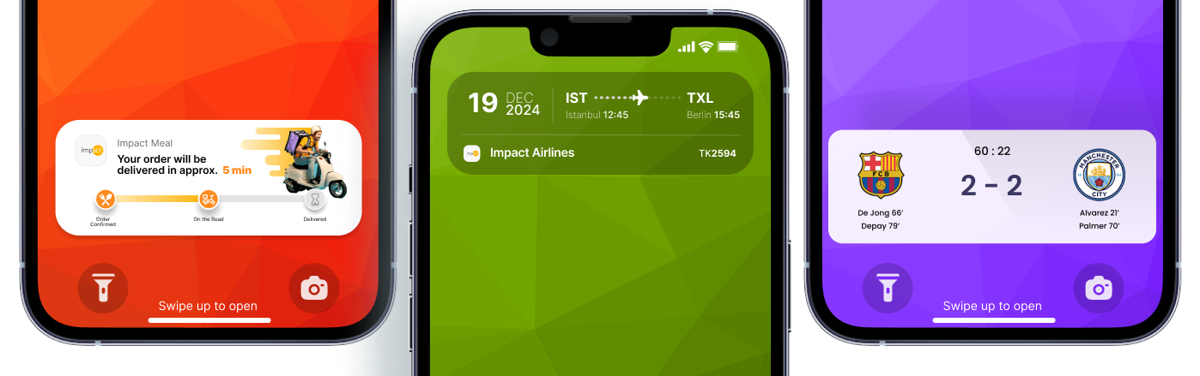
Building Live Activities from scratch takes months of developer work. Netmera’s prebuilt tools let your team implement them in hours. Your marketing team moves faster without waiting on engineering resources. These real-time messages require the Swift SDK, and migrating brings this capability to your campaigns.
WhatsApp messaging for high-engagement conversations
WhatsApp works as a high-engagement channel where customers check messages constantly. The transition to Swift SDK makes WhatsApp integration more reliable with the SDK’s cleaner architecture and better maintenance. This means more consistent campaign delivery and simpler troubleshooting when you need it.WhatsApp is one of Netmera’s newest channels, and our partners are already using it to recover abandoned carts, send payment alerts, and deliver time-sensitive offers. See what you can build with WhatsApp campaigns.
Deferred deep linking for smoother user acquisition
This mobile app SDK feature reduces drop-off in user acquisition campaigns. When a customer clicks an ad for a specific product, installs the app, and immediately sees that product, the path to purchase shortens.
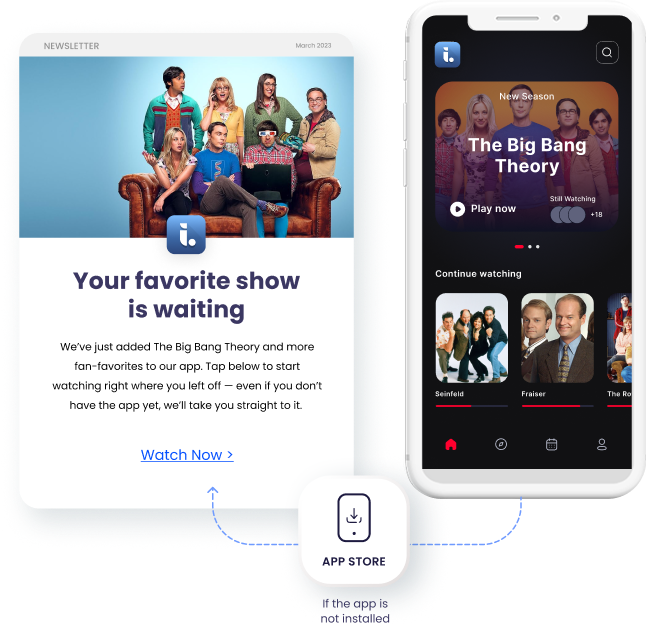
We’ve seen a consistent pattern with marketing and product teams: they want deferred deep linking for owned channels like SMS and email, not just paid ads. They want to track attribution without asking developers to build custom links for every campaign. We built deferred deep linking to solve this. One link works across SMS, email, web popups, and QR codes. It adapts automatically whether the user has your app installed or needs to download it first.
How will these features affect mobile engagement in your sector?
Live Activities, WhatsApp campaigns, and deferred deep linking create specific opportunities based on your sector’s customer communication challenges.
E-commerce & retail
A customer orders a product online and checks your app multiple times daily for updates. With Live Activities, order status appears without opening the app: ‘Out for delivery. Arrives by 3 PM.’ Support tickets about delivery status decrease.

WhatsApp campaigns improve cart recovery. Send a personalized message with product images and a direct checkout link.
Deferred deep linking smooths new customer acquisition. A friend shares a product link. The recipient clicks, installs your app, and lands on that product page. The path from recommendation to purchase shortens.
Banking & Fintech
A customer’s payment gets declined. WhatsApp delivers a secure alert: “Payment declined. Update your card details here.” They see it immediately and act. Failed transactions decrease.
Live Activities show transfer status on lock screens: “Transfer processing” shifts to “Transfer complete. $5,000 sent to John Smith.” Customers get confirmation without logging in repeatedly.
Deferred deep linking works for pre-approved offers. Send an SMS to customers without your app. They click, install, and land directly on the loan application with information pre-filled. (Looking for more banking use cases? Check them on our website.)
Telecoms
Live Activities send data usage alerts as persistent notifications: “You’ve used 80% of your data. Upgrade now to avoid interruption.” Customers upgrade before hitting limits.
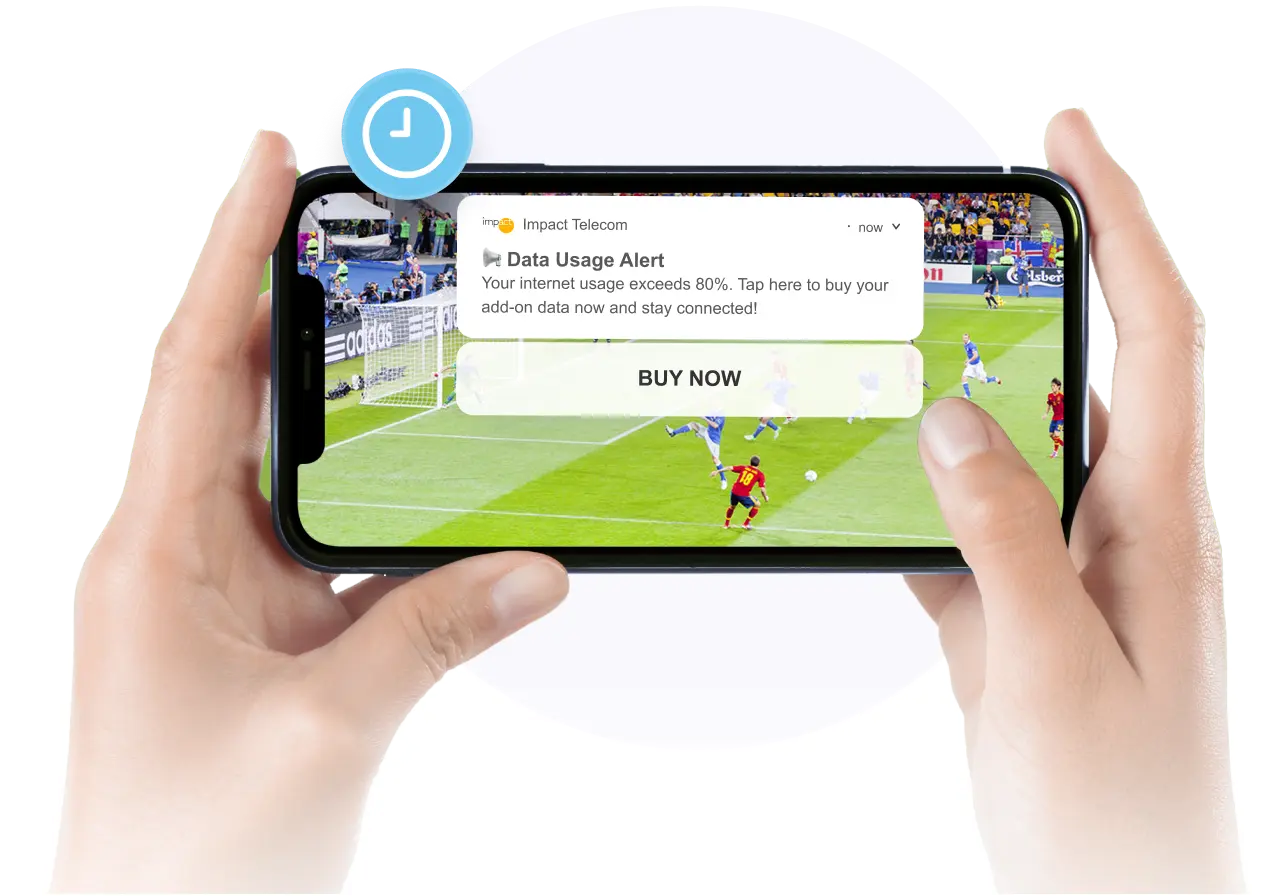
WhatsApp delivers retention offers based on usage patterns. The conversation happens in a channel customers check frequently.
Deferred deep linking supports acquisition campaigns. Non-customers click an SMS link, install your app, and land on the plan comparison page. Attribution connects campaigns to new activations.
These features work across other sectors too. Media companies send live sports scores to lock screens (just as our customer Mackolik does). Travel brands update flight status as it changes.
The pattern stays consistent: reach customers with timely information where they already look.
What else improves with the Swift SDK
Beyond the new engagement features, your iOS SDK migration to Swift improves campaign performance, app acquisition, and how efficiently your development team maintains the platform.
Performance improvements for smoother campaigns
The Swift SDK delivers faster and more reliable push notification delivery, which matters most for time-sensitive campaigns like flash sales, limited inventory alerts, or breaking news.
The modular architecture creates smaller app sizes. Users download faster. Fewer abandon the install process. Your app acquisition campaigns convert better because the technical barrier drops.
Technical benefits for development teams
Swift Package Manager handles SDK installation and updates automatically with no manual setup required. Fast setup with minimal code means development teams implement the SDK in hours. Built-in Netmera-Config.plist support streamlines configuration across development, staging, and production environments.
Enhanced diagnostics and monitoring capabilities improve troubleshooting efficiency. Development teams spend less time debugging and more time building features.
Reduced dependencies and enhanced reliability
The Swift SDK reduces third-party dependencies compared to the Objective-C version, creating a smaller, more reliable package. With enhanced offline queueing, your messages reach users even when connectivity drops temporarily. Campaigns maintain delivery consistency regardless of network conditions.
What iOS SDK migration means for your marketing operations
Existing campaigns, automations, and customer journeys run through Netmera continue operating during and after migration. Marketing teams don’t rebuild workflows or recreate segments. Campaign performance history stays intact. Customer data and profiles remain unchanged. Development teams handle the technical implementation. They update the SDK in your mobile app, test the integration, and update any custom event code. Swift Package Manager simplifies this process with automatic installation and updates.
The coordination happens in two focused phases: planning the migration timeline around your campaign calendar, and a testing period once implementation completes.
Securing resources for your Swift SDK migration
Teams often need to build a business case to get migration approved and prioritized. Different stakeholders in your organization care about different aspects of this update.
When you need approval or resources for migration, frame the value based on who you’re talking to.
For marketing leadership:
Your competitors are testing lock screen notifications and WhatsApp campaigns now. Migrating positions you to execute these tactics throughout 2026 and beyond. The planning and implementation process takes 6-8 weeks total for months of competitive advantage in mobile engagement.
For budget approvers:
Developer time (internal or agency) is a one-time cost measured against ongoing access to new features through the iOS Swift SDK. After October 8, 2026, staying on Objective-C means losing access to all future features.
For development teams (in-house or agency):
Swift Package Manager simplifies SDK installation and updates with no manual setup required. Netmera provides detailed migration documentation, and support is available throughout the process via support@netmera.com.
Using Flutter or React Native? This update applies to you too
This post focuses on iOS, but Flutter SDK 3.x and React Native SDK 2.x users migrate as well. Both SDKs align their iOS layer with the Swift-based Netmera SDK, so the underlying shift is the same.
The changes across both platforms:
– iOS infrastructure moves fully to the Swift SDK
– updateUser is replaced by identifyUser and updateUserProfile
– setBaseUrl and setApiKey are removed; configuration now works through Netmera-Config.plist
– Generic custom events and WhatsApp permission management are added
The Dart API is also updated in both cases, so your development team should review the platform-specific guide before starting.
Flutter SDK 3.x Migration Guide — Flutter-specific migration and changelog
React Native SDK 2.x Migration Guide — React Native-specific migration
Getting started: Your planning and migration timeline
Starting your migration in Q2 or early Q3 2026 gives your team comfortable room before the October deadline. This roadmap assumes you’re beginning the process with 4-7 months of buffer time, allowing you to choose low-campaign windows and avoid rushing implementation.
This Objective-C SDK migration to Swift roadmap serves as a guide, not a requirement. Your ideal migration window depends on your campaign schedule, development capacity, and business cycles. Adjust the timeline to fit your team’s priorities and resources.
Phase 1: Planning & Approval (Weeks 1-4)
| Week | Marketing Teams | Development Teams |
| 1 | Share post with dev team. Identify low-campaign period. Review Swift SDK features. | Read migration guide. Assess current implementation. Identify custom events. |
| 2 | Schedule kickoff meeting. Discuss timeline. Review documentation. | Estimate migration timeline. |
| 3-4 | Get approval. Set completion date. Communicate to stakeholders. | Plan implementation approach. |
For Marketing Teams
This week: Share this post with your development team or agency. Identify your next low-campaign period for potential migration timing. Review Swift SDK features: Live Activities, WhatsApp campaigns, deferred deep linking.
Within two weeks: Schedule a kickoff meeting with developers. Discuss timeline and resource availability. Review Netmera’s migration documentation together.
Within one month: Get migration approved and scheduled. Set a target completion date. Q3 or early Q3 2026 provides comfortable timing. Communicate the timeline to stakeholders.
For Development Teams
Start here: Read Netmera’s Swift SDK migration guides (links to the guides are below, in “Key migration resources” section). Assess your current Objective-C SDK implementation. Identify custom events that need code updates. Estimate your migration timeline based on your app’s complexity.
Phase 2: Implementation (Weeks 5-7)
| Week | Marketing Teams | Development Teams |
| 5-7 | Stay available for questions about campaign logic, segment definitions, and expected user flows. | Install Swift SDK. Update configuration and initialization. Regenerate custom events and profile attributes. Conduct initial technical testing. |
Development team focus:
– Remove legacy Objective-C SDK and install Swift SDK via Swift Package Manager. Flutter and React Native teams: see your platform-specific guide for equivalent steps (See “Key migration resources” below).
– Reconnect configuration (API keys, environment details)
– Update initialization, push handling, user identity, and custom events
– Regenerate custom events and profile attributes from Netmera dashboard
– Conduct initial technical testing (push delivery, event tracking)
Timeline: Standard implementations: 1-2 weeks. Apps with extensive custom events: 3-4 weeks.
Marketing team role during this phase: Stay available for questions about campaign logic, segment definitions, and expected user flows.
Phase 3: Testing & Launch (Week 8)
| Activity | Marketing Teams | Development Teams |
| Testing | Confirm segments populate correctly. Verify journeys trigger as expected. Test existing automation flows. | Verify push notification delivery. Check event tracking accuracy. Ensure identical performance to pre-migration. |
| Launch | Existing campaigns continue without interruption. New Swift SDK capabilities available immediately. | Swift SDK goes live. Monitor performance. |
Testing period (3-5 days):
– Development teams verify push notification delivery and event tracking accuracy
– Marketing teams confirm segments populate correctly and journeys trigger as expected
– Test existing automation flows to ensure identical performance
Launch: Once testing validates campaign performance matches pre-migration behavior, the Swift SDK goes live. Existing campaigns continue without interruption. New Swift SDK capabilities (Live Activities, enhanced WhatsApp, deferred deep linking) become available immediately.
Key migration resources
Your iOS SDK migration timeline should account for planning, technical implementation, and testing periods. The complete process takes 6-8 weeks from initial planning through launch. Starting your iOS SDK migration in Q1 or Q2 2026 provides comfortable timing before the October 2026 legacy deadline.
Documentation:
- Swift SDK Integration Guide
- Swift SDK Migration Guide — Step-by-step technical documentation for native iOS
- Flutter SDK 3.x Migration Guide — Flutter-specific migration
- React Native SDK 2.x Migration Guide — React Native-specific migration
Support:
- Email: support@netmera.com
Your Swift SDK migration questions answered
No. New features release only on the Swift SDK. Your current Objective-C capabilities continue working, but access to new iOS engagement features requires migration to Swift.
6-8 weeks total from planning through launch. Standard implementations require 1-2 weeks of development time, while apps with extensive custom events need 3-4 weeks.
The Swift SDK gives you access to Live Activities, WhatsApp campaigns, and deferred deep linking. It also provides access to every new iOS engagement feature Apple releases going forward.
Migration is supported with detailed documentation. Your agency receives the same guide and support access as in-house teams. Contact support@netmera.com for technical questions.
Core data stays protected. User identification, push opt-in status, and other critical records are retained. Some in-memory event data is not stored and won’t persist across the migration. Campaign history is unaffected.
Yes. You can migrate gradually or all at once, whatever fits your team’s resources and timeline.
Apple’s iOS ecosystem evolves constantly, and the Objective-C SDK cannot support new features like Live Activities and enhanced WhatsApp integration. iOS SDK migration to Swift ensures your team maintains access to current and future iOS engagement capabilities while maintaining the reliability and performance customers expect from mobile experiences.
Burcu Ulucay – Content Marketing, Netmera