Automatic data capture: skip the ticket queue, launch campaigns same day
Last update: July 2026
TL;DR: Manual event tagging creates weeks-long delays between spotting opportunities and launching campaigns. Tagless data capture removes the wait by automatically tracking user behavior, letting marketing teams build segments and trigger omnichannel campaigns the same day they identify the opportunity.
A product manager spots users abandoning checkout at the payment screen. They want to test a fix by displaying a trust badge or security message right at that moment to reduce hesitation. But first, someone needs to add tracking for that drop-off point. Two weeks pass and the tag finally goes live, but the quarterly promotion that made the test urgent has ended.
Things turn out quite differently if tagless data capture handles the tracking. Screen views and user actions get captured without manual efforts. You map events once, then immediately use them to build audience segments, analyze user paths, and launch campaigns across channels. Within hours of spotting the opportunity.
Why manual event tagging slows campaign launches
You want to target users who view pricing three times without converting. First, file a ticket. Wait for the developer to add the tag. QA tests it. Deploy happens two to four weeks later if nothing else takes priority.
Marketing velocity operates on a timeline where opportunities appear and disappear in days, while IT moves in sprint cycles measured in weeks.

This mismatch shows up directly in how campaigns get built and tested. Consider A/B testing, one of the most effective ways to improve conversion rates. It becomes impractical when each variant requires a two-week setup process. Teams are forced to stick with safe campaigns instead of testing ideas that could drive growth.
The friction compounds when you look at what happens after initial setup.
App and web updates change how elements are named in the codebase. Manual tags don’t adjust automatically, and teams discover the data gap only when they need that specific metric for a campaign. By then, you’ve lost weeks of behavioral data.
iOS and Android teams use different naming conventions for identical user actions, creating fragmented data that tracks devices instead of customers. You can’t build unified audience segments when the same behavior registers as two separate events. Cross-platform campaigns require manual reconciliation between data sources.
How automatic event detection works in Netmera
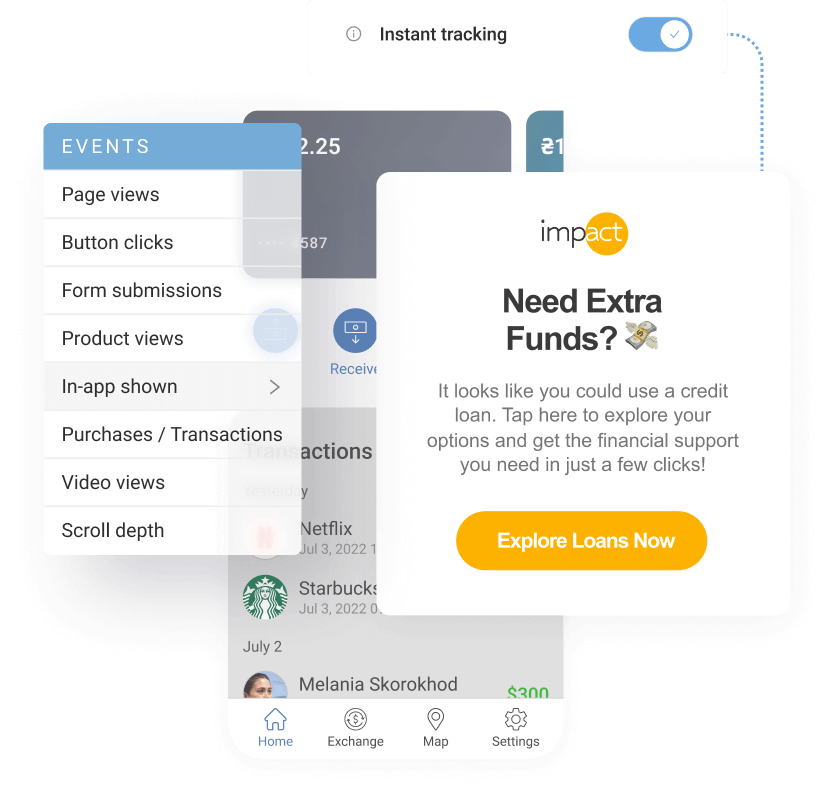
Tagless data capture automatically detects and collects screen views and user interactions without requiring manual code implementation for each new event. Before going into setup details, we’ll clarify the core components that Netmera’s tagless data capture tracks:
Screen views show navigation paths through your app. Think of them as chapters in a book: Home → Product List → Product Detail → Cart. They reveal where users go.
Actions capture interactions within those screens. Tap “Add to Cart.” Select a filter. Click search. These are the sentences within each chapter, showing what users do at each step.
Campaign triggers depend on accurate events
An event is any action a user takes in your app or website. “User viewed pricing page.” “User added item to cart.” “User completed checkout.” These are the building blocks of user behavior.
Events power segments and trigger campaigns. Netmera, as an omnichannel customer engagement platform for personalized messaging, uses events to drive every campaign action and audience decision. With tagless data capture, every interaction can be recorded automatically from day one.
Review candidate events, assign clear names and publish
With proper testing, the system captures the right events before rolling them out to your entire user base. Connecting your test devices to Netmera by following the steps below simulates app usage in a controlled environment to detect and log potential screen and action events for mapping.
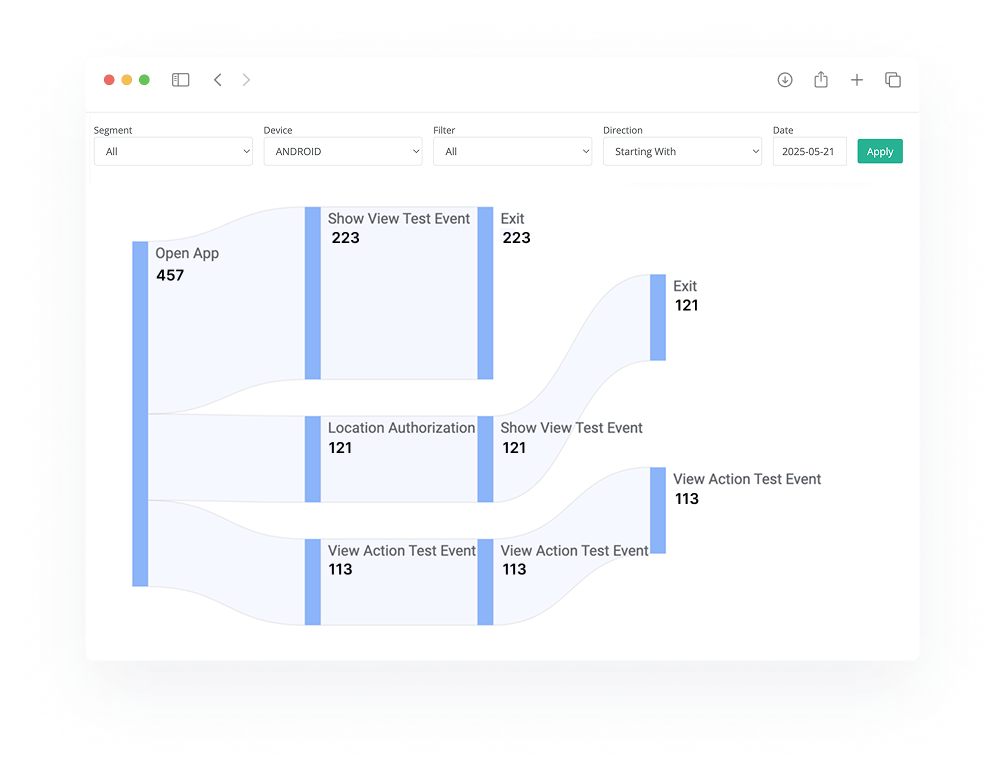
Enable tracking toggles for Views, Actions, and Values in Settings
Register test devices to simulate user flows (via email invite, user details or device ID)
Interact with your app naturally while the system generates candidate event paths based on your actions
Review unmapped events in the dashboard and assign clear, consistent names
Match cross-platform paths to unify Android and iOS tracking
Publish mappings to activate tracking for all users
You decide which user behaviors get tracked based on your campaign goals and business priorities. Browse products, add items to cart, start checkout. Netmera captures these actions as candidate events. You review the list, decide “Yes, track this checkout tap for everyone” or “No, skip this,” then assign clear names and publish.
Setting up test devices takes minutes through email invite or device ID registration in the Netmera panel and teams can configure tracking themselves without technical support.
Why match equivalent paths across iOS and Android
Mapping is the process of assigning consistent, readable names to the paths Netmera automatically captures.

In the Unmapped Views section, you assign a screen name that reflects the purpose (something like “Product Detail View” or “Checkout Step 2”) that your team can recognize in reports and campaigns.
We explained earlier how iOS and Android teams create fragmented data with different naming conventions. Mapping solves this by letting you group equivalent paths from both platforms into a single mapping. Thanks to a single mapping, your analytics show customer behavior instead of device-specific actions. Once you publish these mappings, the events become immediately available for segmentation and journey triggers throughout the platform.
React Native apps get the same treatment. Screen views and tap interactions are captured automatically, with no code changes required, matching what iOS and Android already support. Manual event definitions become largely unnecessary, and integration takes noticeably less developer time.
Turn captured behavior into campaign actions
Most tagless solutions solve half the problem. You build segments in one platform, create omnichannel campaigns in another while analyzing results happens in a third. This fragmented approach means time-consuming data transfers, campaigns built on incomplete customer profiles, and results that get lost between systems. Keeping data in a warehouse and layering activation tools on top is one way teams try to solve that same fragmentation, with different tradeoffs.
Netmera isn’t one of those solutions that leave you with data but no way to act on it.

Capture: Tagless automatically collects screen views and actions
Organize: Map events once, use them across the platform
Analyze: Understand user paths and drop-offs via Funnels and User Path Analytics
Segment: Feed events directly into audience targeting, journeys, and predictive AI Activate: Launch campaigns based on real behavior, measure results in real-time, iterate.
An example here. If you capture a cart abandonment event in the morning, you can launch a recovery campaign that afternoon. The same behavioral data that shows you the abandonment immediately powers the segment that triggers the campaign, thus bringing your more engagement and conversions.
Teams often get confused about whether to use a CDP as a point solution with separate vendors for campaigns and analysis, or go with a combined customer engagement platform that has a built-in CDP. We broke down the trade-offs in this blog post.
Trigger push, in-app, email, and SMS journeys from user actions
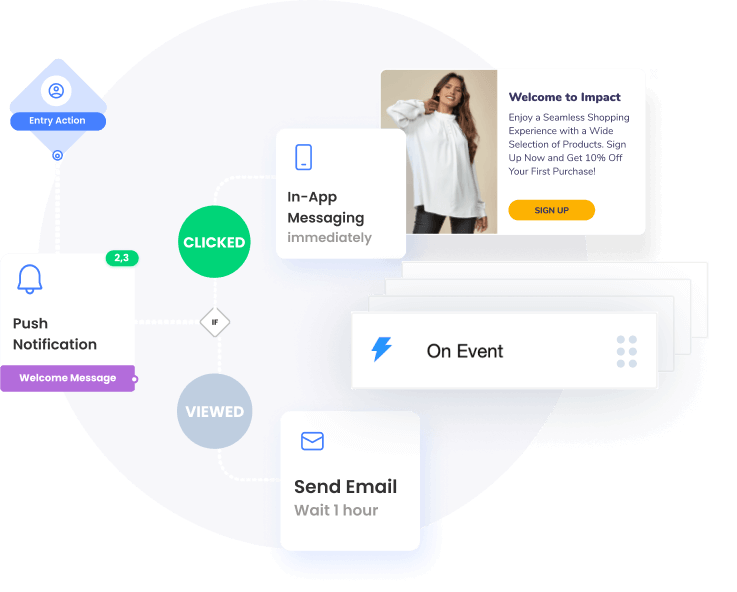
Brands using Netmera’s no-code journey builder can design automated campaign flows that respond to behavioral triggers without developer support. Events trigger automated campaigns across channels in real time.
Here’s one example: when “Cart Addition” fires but no purchase follows within two hours, the recovery journey launches automatically with a push notification, then email, then SMS sequence. You control the timing by setting the trigger for two hours, four hours, or any interval that fits your strategy. Channels used vary based on your user attributes and the opt-in statuses.
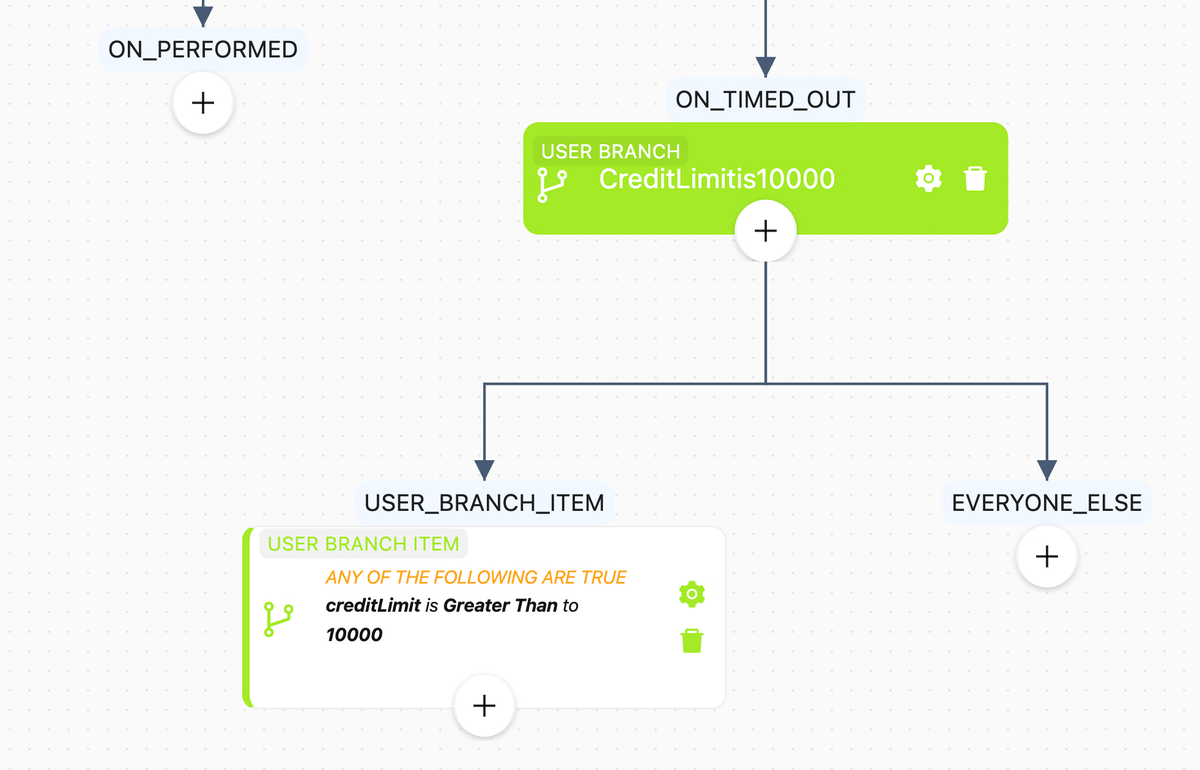
The advantage comes from multiple factors working together.
- You respond to user behavior in real time based on where customers are in their journey.
- Branching logic adjusts the next message based on their actions.
- Campaigns reach users across channels from a single platform.
Speed, targeting precision, omnichannel reach, and scalability combine to help you capture the moment when customer intent is highest.
If deciding on the right journey orchestration platform is on your roadmap, check our blog post on how to build coherent journeys and what to look for in orchestration software.
Forecast conversions with behavioral pattern analysis
The AI analyzes recency (when users last acted), frequency (how often they engage), and duration between events to detect patterns manual segmentation misses. Tagless data capture speeds this process by feeding the AI accurate behavioral data automatically (what users did in the past, what they’re doing now) without requiring manual tagging cycles.

Teams use these insights to build predictive segments like high churn risk or likely converters, then launch targeted campaigns across in-app, push, email, SMS, and WhatsApp from Netmera. Our AI text writer helps create campaign copy quickly based on their industry, tone preferences, and language choice, removing writer’s block from the workflow.
How banks, e-commerce, and media companies apply behavioral automatic tracking
Regardless of the industry, marketing and product management teams need to track customer behavior and act on it fast. How this plays out varies by sector.
Banking: Recover abandoned loan applications
According to Signicat, nearly 70% of users abandon their online applications in some stages of the process. Banks and fintechs aren’t exceptions.
Using Tagless data capture, they can identify friction points in User Path Analytics, then trigger personalized follow-up journeys. “You’re almost there!” or contextual support offered at the moment users hesitate.
DenizBank, for example, used Netmera’s funnel analysis to identify where users abandoned loan applications, then fixed technical issues and retargeted affected users with push notifications. This story shows how the bank restored their application completion rate to 10% and increased loan utilization to 35%.
E-commerce: Automate cart recovery at scale
Baymard Institute research shows the average documented online shopping cart abandonment rate sits at 70.22%.
Product views, time spent on product pages, cart additions, and what happens after items get added—tagless capture records all of this without needing codes. The automated recovery journey triggers based on user permissions and opt-in status.
After having started using Netmera, Turkcell Pasaj saw a 150% increase in monthly revenue from cart recovery campaigns. Their conversion rate doubled from 4% to 8%.
Media: Content optimization based on viewing behavior
Streaming platforms need to know which shows keep subscribers watching and which ones cause cancellations. Waiting weeks for developers to add tracking for every new show or feature creates a competitive disadvantage.
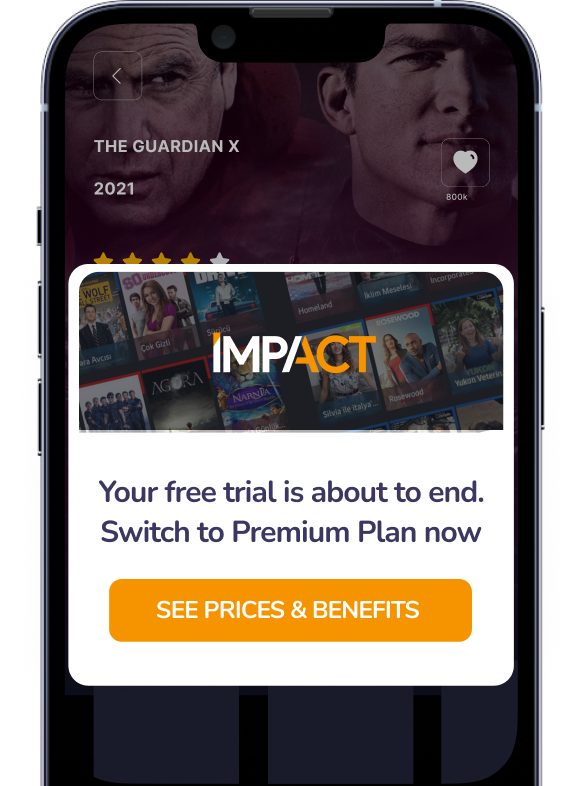
Using tagless capture lets media corporations see which shows get binge-watched and where viewers drop off. Platforms create personalized playlists, refine recommendations, and trigger re-engagement campaigns when users show churn signals.
beIN CONNECT, one of our long-term customers, used behavioral segmentation to prevent churn and win back customers. They saw new subscriptions increase 3x, active users grow 15%, and retention improve 10%.
Technical barriers removed, campaign speed restored
Before wrapping up, remember the core advantages: behavioral data captured automatically, events mapped once and used across campaigns, segments built without IT tickets, journeys launched the same day you spot the opportunity.
When we launched tagless data capture as a feature, our goal was to remove the technical barriers between insight and action. Today, hundreds of customers across banking, retail, telecom, travel, and media use it to combine quick, accurate data capture with real-time segmentation and omnichannel campaigns to reach their conversion and retention goals.
For setup details, see our user guide. If you’re ready to see how tagless data capture works for your campaigns, contact our team for a demo.
FAQs on Netmera’s Tagless Data Capture
Tagless data capture automatically collects screen views and user actions without requiring developers to write code for each event. Manual tracking needs a developer to add tags for every behavior you want to measure, which typically takes 2-4 weeks per implementation.
No. Marketing and product teams can configure tagless tracking independently through the Netmera panel. You register test devices via email invite or device ID, simulate user flows, review candidate events, assign clear names, and publish mappings without filing IT tickets.
Netmera’s tagless data capture works for both mobile apps (iOS, Android, React Native) and web applications.
Tagless capture automatically tracks product views, cart additions, and checkout exits without waiting on developers to instrument each step. You see abandonment patterns immediately, build segments of users who added items but didn’t purchase, and trigger recovery journeys across in-app, push, email, and SMS based on exact drop-off points.
Burcu Ulucay – Content Marketing, Netmera