Email Marketing: From Segmentation to Cross-Channel Orchestration
Last update: March 2026
Email has been declared dead at least a dozen times. “Inboxes are crowded.” “Attention is short.” And yet it remains one of the highest-returning channels in digital marketing (statistics below), with the most direct access and the longest shelf life in the customer journey.
Because it carries weight. Order confirmations, personalized recommendations, follow-ups that arrive at the right moment. Customers save emails. They return to them.
But that shelf life doesn’t happen by accident. It requires behavioral data that updates in real time, automation that responds to what customers do, and coordination across every channel they touch. The six email marketing best practices below cover what it takes to build an email program that performs at that level in 2026.
Reader’s alert: If you’re already clear on strategy and benefits, skip ahead to the tactics.
Email’s Role in Complete Customer Journeys: Benefits and Returns
Direct inbox access: Your message reaches customers directly, without an algorithm deciding whether it’s worth showing.
Lifecycle nurturing: Guide customers from awareness to purchase through automated sequences that build trust over time.
Owned audience: Unlike social followers or ad audiences, your subscriber list belongs to you. Platform changes and rising ad costs don’t affect it.
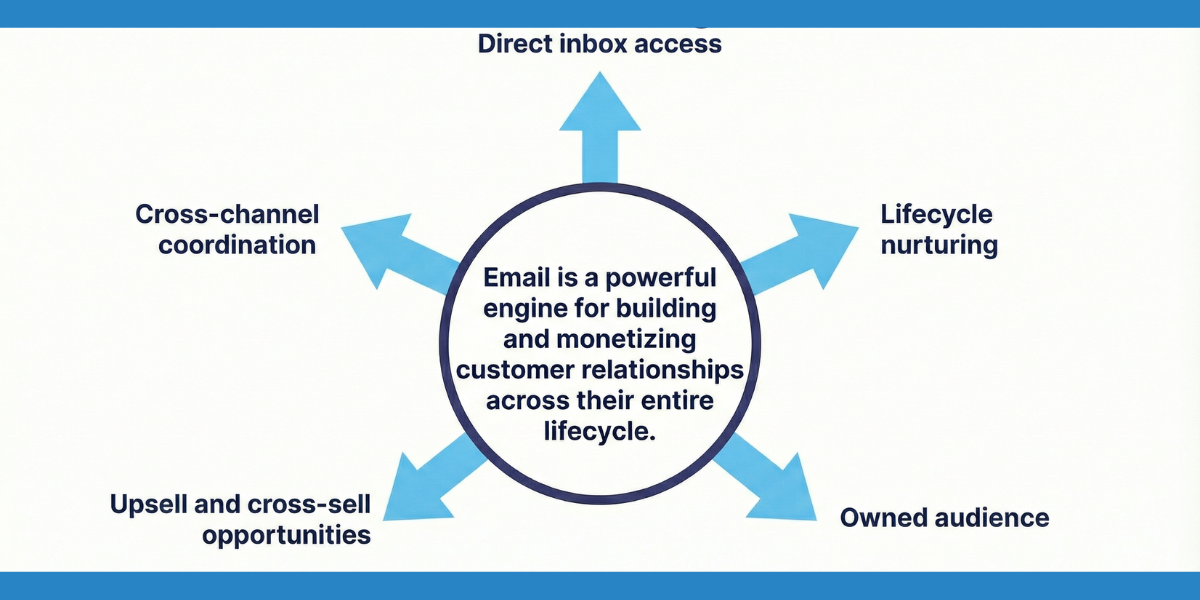
Upsell and cross-sell engine: Recommend complementary products or upgrades at optimal moments in the customer journey.
Cross-channel coordination: Reinforce what customers see in-app and on your website for consistent experiences.
Email delivers $36 to $42 in returns per dollar spent for business-to-consumer companies. The channel reaches 4.5 billion email users globally in 2025, projected to exceed 4.8 billion by 2027 (source).
The ROI potential exists. The question is whether your strategy, tactics, and platform are set up to capture it. Time to figure it out.
Developing an Effective Email Marketing Strategy
Match email types to funnel stages. Awareness subscribers need education. Mid-funnel prospects respond to social proof. Bottom-funnel users need personalization and urgency. (Read our post on customer journey stages, from awareness to advocacy, including AI-agent-driven shopping experiences and e-commerce journey mapping.)
Decide which lifecycle stages to tackle first. Start where revenue impact is clearest such as cart abandonment, onboarding, or win-back, then expand once those flows are measured.
Define email’s role in your channel mix. Email’s role in your channel mix needs a clear boundary. Which messages belong in email, which go to push or SMS, and where do they work together? Without that clarity, channels repeat each other instead of building on each other.
Set your measurement framework upfront. An email with a 40% open rate that drives no revenue is a different problem than one with a 10% open rate that converts well. Know what each campaign needs to achieve, and which metric proves it.
The quality of every decision above depends on one thing: behavioral data that updates in real time across every touchpoint. Without it, segmentation is guesswork and personalization is static. The six practices below show how to build on that foundation.
Six Best Practices for Email Marketing Campaigns
Segment Audiences Using Behavioral Data and Predictive Patterns
In our work with e-commerce and retail companies, we’ve seen teams build segments that combine recent behavior with profile attributes. “A user views running gear repeatedly but hasn’t purchased it in 60 days AND typically buys during seasonal sales AND browses mobile more than desktop.” That combination reveals specific intent.
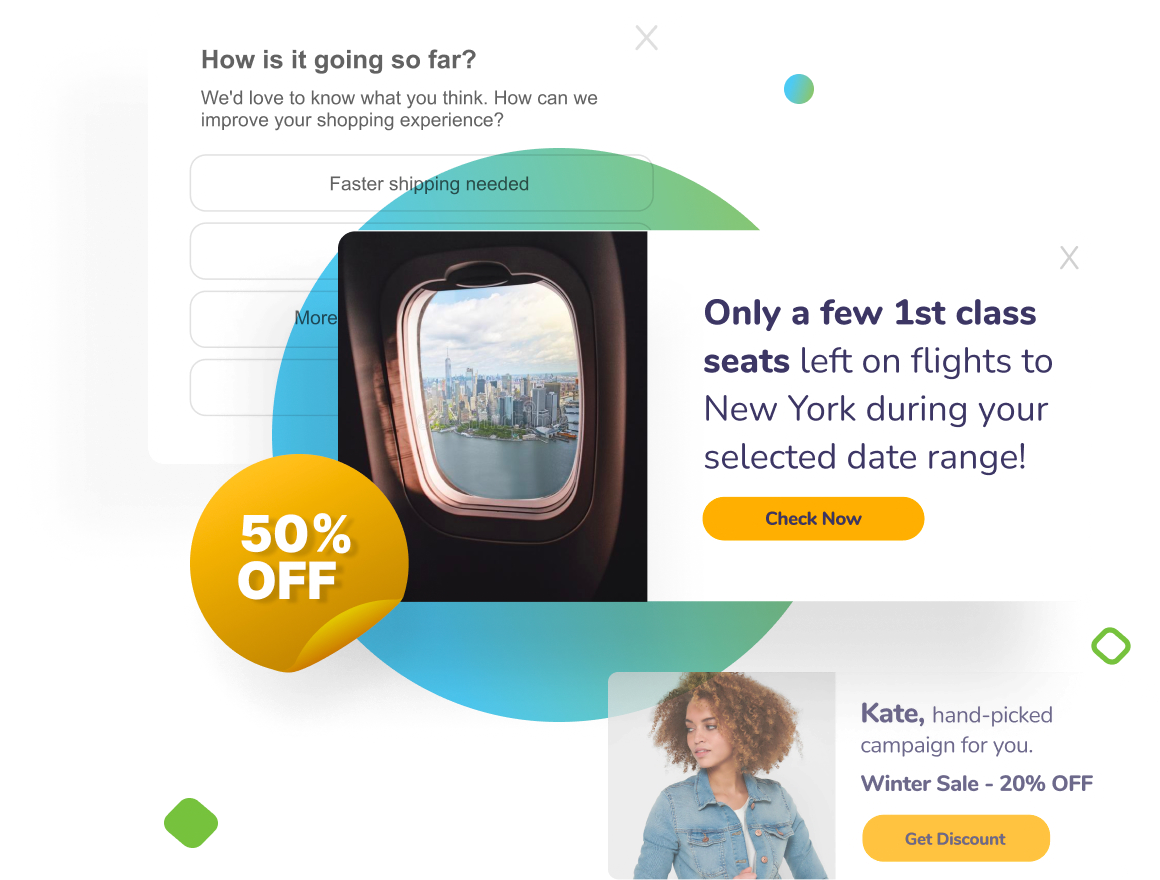
Netmera collects behavioral events automatically through its SDK and Tag Manager. These events are used to create segments and trigger personalized, timely emails. Teams build their audiences through a visual interface without SQL knowledge.
Our Predictive AI segments identify patterns before users complete actions. The system flags customers showing churn risk or high purchase intent by analyzing how recently they engaged, how often, and for how long. You reach at-risk users proactively instead of reacting after they’ve already left.
Personalize Email Content With Live Customer Data and Deep Links
Effective personalization delivers 10-15% revenue lift, with top performers seeing increases above 25%. The difference between basic and high-performing personalization comes down to three capabilities.
Dynamic fields pull live customer data automatically. An email displays products the user browsed yesterday with current pricing and stock availability. The customer sees what’s relevant now.
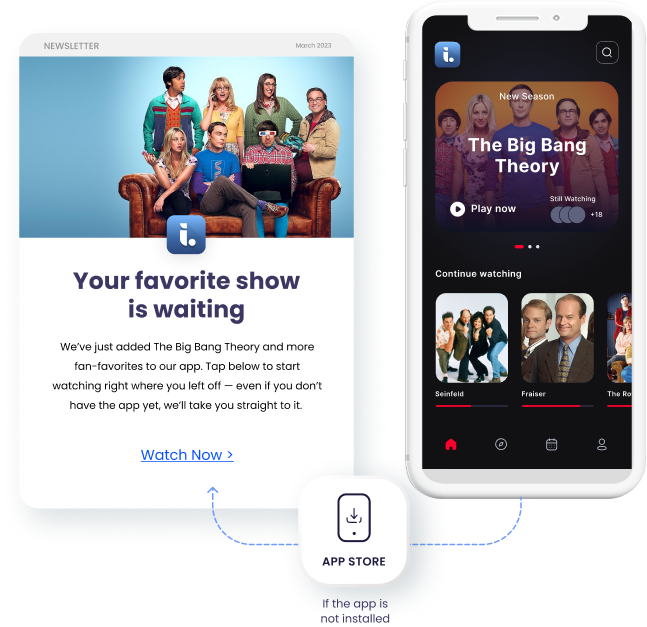
Deferred deep linking solves what happens when customers don’t have your app installed yet. A user clicks your ergonomic chair recommendation in the email. They download your app, and the app opens directly to that chair’s product page. Netmera tracks the complete journey from email click through app installation to purchase with a single link. Check this blog post to see how deferred deep linking works for our users.
AI-generated copy produces segment-specific messaging variations without manual drafting. You define the audience and tone, review the options, and launch without delays. Netmera’s AI Text Generator handles this directly in the platform, keeping the entire personalization workflow in one place.
Write Scannable, Mobile-Optimized Copy
Subject lines around 6 words achieve the highest open rates, especially on mobile. Title case, open-ended questions, and conversational tone capture attention. Words like “guarantee” or “free” trigger spam filters and skepticism.
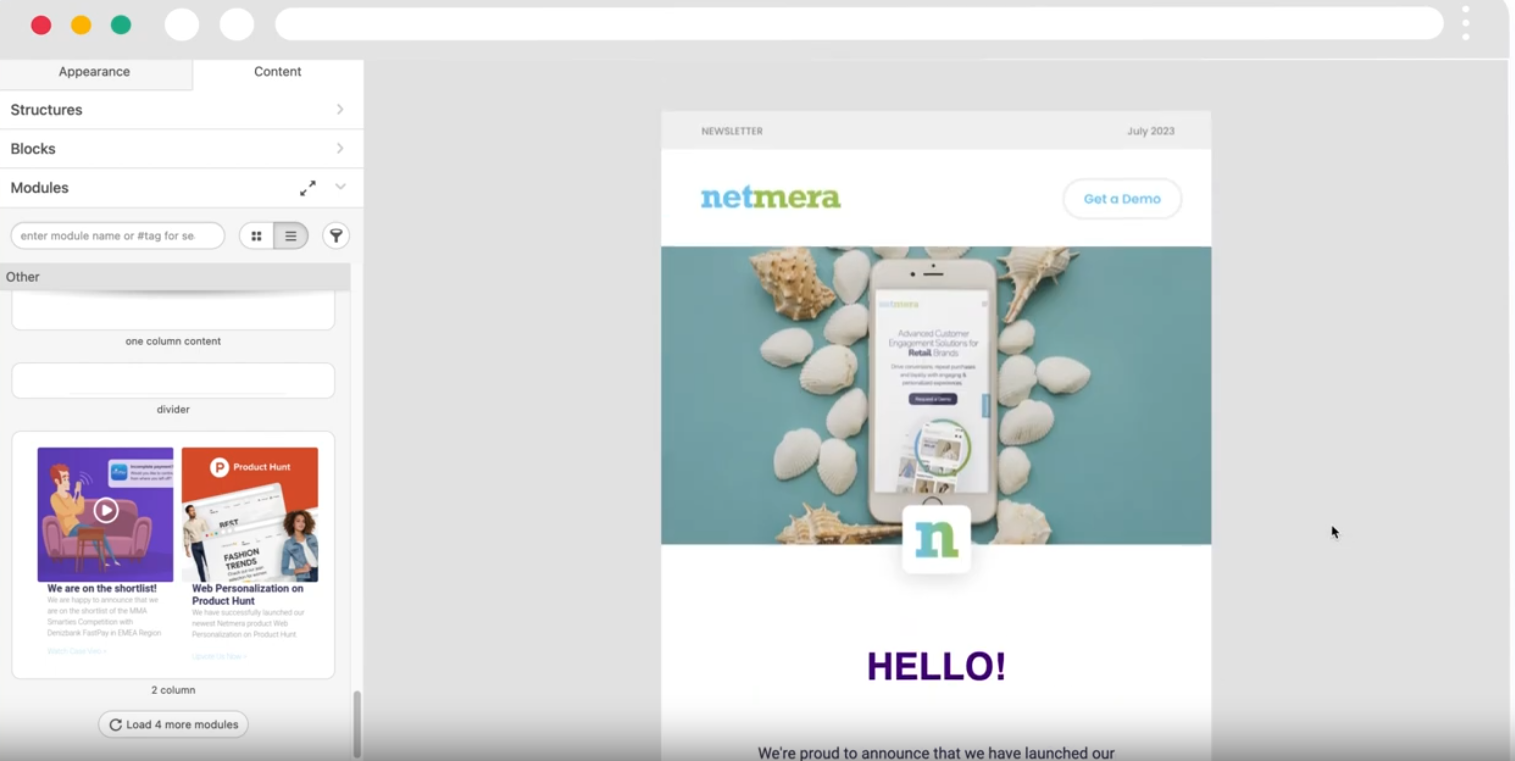
Netmera’s drag-and-drop, no-code email builder includes mobile preview functionality during creation. Templates adapt to device types while maintaining brand consistency. The AI Text Generator helps create subject line variations, allowing you to test different approaches to see which patterns drive opens for specific segments.
Follow Email Compliance Rules to Protect Deliverability and Trust
Under GDPR and KVKK, sending marketing emails requires documented, affirmative consent. Separate transactional and promotional flows, as mixing them damages trust and risks regulatory action. In Netmera, senders choose between notification and promotion categories before sending, keeping these flows cleanly separated. Honor unsubscribes immediately and ensure suppression lists sync across all channels.
For a detailed look at how Netmera handles GDPR, KVKK, IYS consent management, and security certifications, see our blog post: How Netmera Handles Customer Data Protection and Security.
Integrate Email Into Cross-Channel Workflows for Higher Conversion
No single channel covers every moment. SMS is built for urgency, email for depth, push for immediate attention, WhatsApp for transactional clarity, in-app for in-the-moment guidance. Each has a job, and customer preferences shift depending on where they are in the journey. Email alone can’t carry all of that.
Cart abandonment, for example, starts the journey. Email goes out with product details and a discount code. Push follows if email stays unopened. SMS delivers a final reminder before the offer expires. When someone converts through any channel, the entire sequence stops and revenue attributes back to the triggering campaign.
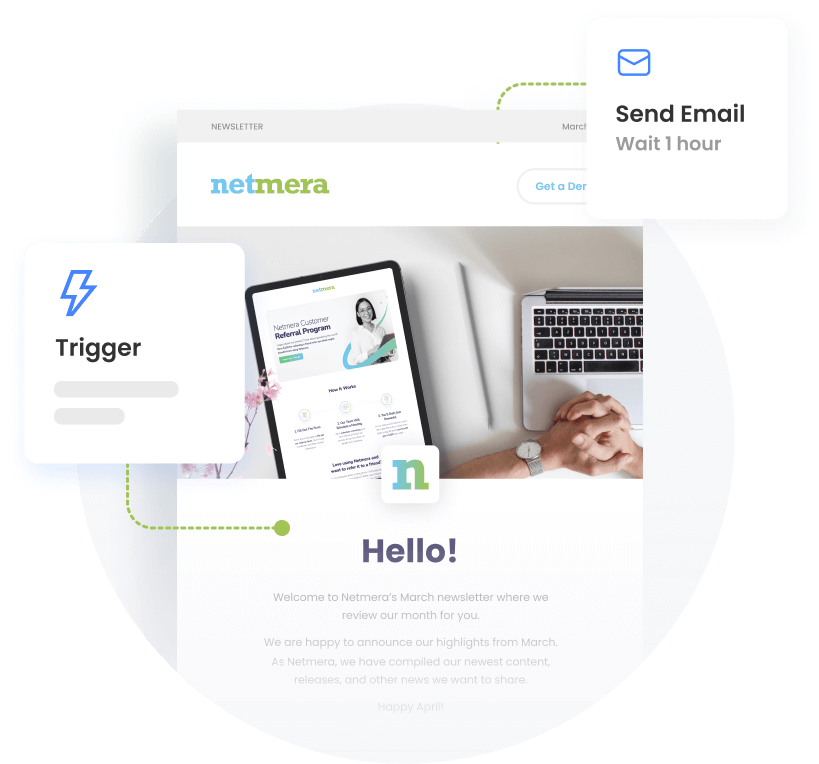
Netmera’s Journey Builder is where this coordination happens in practice. Teams map the full sequence using drag-and-drop logic, set wait times between steps, and define exit conditions based on user actions, all from one interface, without developer involvement.
Track Email Campaigns From Click Through to Purchase
Most email platforms stop at the click but what matters is what happens after. Did they add to cart? Complete the purchase? Drop off at checkout?
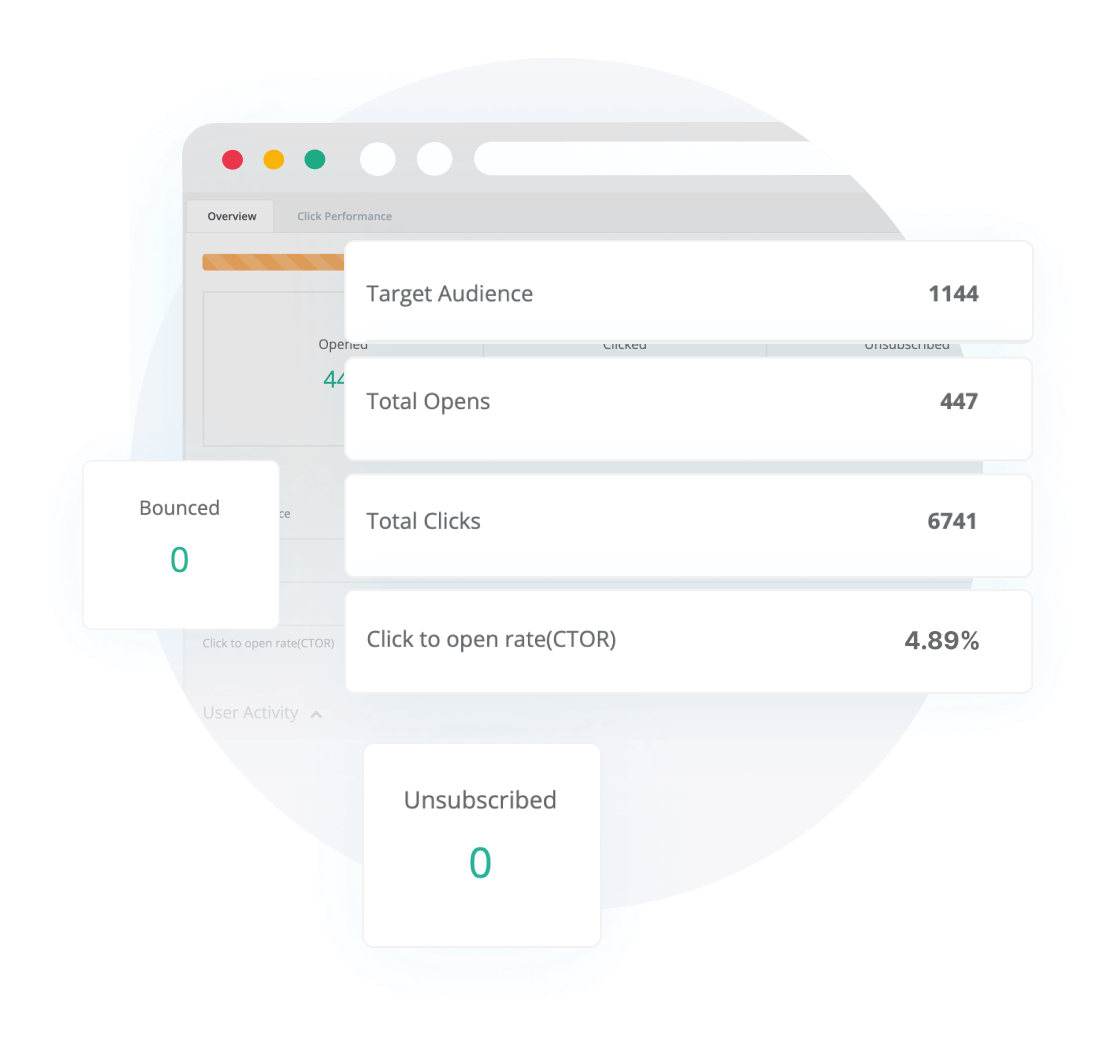
With Event Insight in Netmera, you track complete user journeys after email clicks. The platform captures the full sequence: email click, product page view, cart addition, purchase completion. You see total sales generated by each campaign in real-time dashboards as campaigns run.
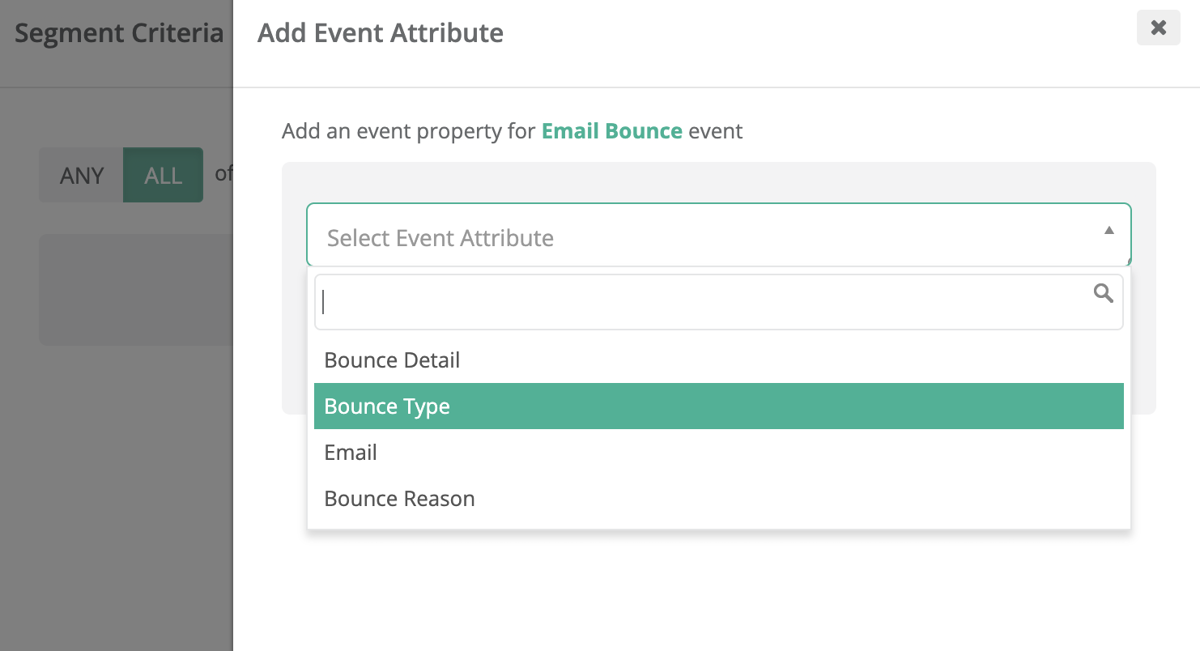
Great marketers watch bounce rates obsessively, and for good reason: They reveal list quality issues before they damage your sender reputation. Netmera’s bounce tracking shows error codes explaining why emails failed. Hard bounce from an invalid address? Remove that contact. Soft bounce from a full mailbox? Retry later.
Engagement patterns reveal friction points. Unsubscribes spiking after certain sends, clicks concentrating on specific CTAs while others get ignored, opens dropping for particular subject line patterns. Use these insights to optimize future campaigns.
These six practices work best when supported by a strong automation layer. Here’s how email automation ties them together.
What Is Email Marketing Automation and How It Works
Email marketing automation sends emails triggered by user behavior rather than a manual send schedule. A customer abandons a cart, completes a purchase, or goes silent for seven days, and the right email goes out without anyone pressing send. The trigger, content, and sequence are defined once. The behavior activates them.
Three Types of Email Automation Triggers
Event-based email automation fires when a user completes a specific action: a purchase, a form submission, a first app login. The event is the signal, and the email responds to it immediately.
Behavioral triggers fire based on patterns across multiple interactions: a user who browses a category repeatedly without purchasing, or one who opens emails consistently but never clicks. These reveal intent over time, not just single moments.
Time-based triggers fire after a defined interval: seven days after signup with no activity, 30 days after a last purchase, or 24 hours after delivery. The clock starts from a reference point you define.
A user downloads your app (event-based), browses a product category repeatedly (behavioral), and goes quiet for five days (time-based). Each signal can escalate the sequence or shift the message entirely.
Email Workflow Automation and the Revenue Gap
Compared to regular scheduled campaigns, automated emails delivered 52% higher open rates, 332% higher click rates, and 2,361% better conversion rates in 2025. Abandoned cart, welcome, and browse abandonment emails alone accounted for 87% of all automated orders. (Source)
Scheduled campaigns go out based on a calendar and miss the moments that drive decisions. Automated emails respond to what customers do, which makes every message relevant to where they are in the journey.
Automation Inside the Journey Builder
In Netmera, email workflow automation runs across email and every other channel through the Journey Builder. You define the trigger, whether time-based, event-based, or behavioral, and sequences branch based on what users do or don’t do at each step. A single automated campaign can evaluate user consent, select the appropriate channel, and deliver a message based on real-time engagement signals.
A fashion rental company we partnered with showed what ecommerce email marketing automation looks like in practice:
Instead of running separate push and email campaigns, one automated flow checked consent, picked the right channel, and delivered reminders based on where each user was in the onboarding sequence. Where push was off, emails with relevant clothing catalogues went out instead. Out of more than ten thousand entries, 14% completed registration, with no tool switching and no manual segmentation.
Industry-Specific Email Types and When to Send Them
Different email types drive ROI across industries. B2C companies see strongest returns from promotional emails. Retail follows the same pattern. Tech companies and B2B organizations perform best with emails focused on feature adoption and education (Source).
Let’s see how to increase email engagement by connecting these patterns to real-time intent data.
E-commerce and retail: Cart abandonment emails trigger one to two hours after users leave items unpurchased. Post-purchase follow-ups trigger 24 hours after delivery, building loyalty through relevant timing.
Banking and fintech: Feature adoption messages go out seven days after account creation when users haven’t explored key features like mobile deposit. Transaction alerts fire immediately when a payment process or unusual activity appears, which provides security value and builds trust.
Media and entertainment: Re-engagement campaigns triggered when users view content but don’t complete episodes. Personalized recommendations sent after users finish a series they binged to catch them at moments when they actively seek new content.
Telecom companies: Usage alerts triggered when customers reach 80% of data plans, or upgrade offers after patterns show consistent overage three months running.
These email types deliver results when automated through journey workflows that respond to signals users already provided through their actions. The same approach works for push notifications, in-app messaging, and website engagement.
When to Move from Point Solutions to Email Automation Platforms
Email-only solutions work for newsletters sent on schedules and basic promotional campaigns. Organizations with no cross-channel coordination needs can execute effectively through point solutions like Twilio SendGrid, Mailchimp, MailerLite, and AWeber, with each handling sends well within their lane.
But these tools have a ceiling, and most growing teams hit it faster than they expect. Here’s what we mean: a user clicks a product recommendation in your email, downloads your app, and completes a purchase. Your email platform records the click. Everything after that, the install, the session, the conversion, is invisible to it.
Attribution stops.
Follow-up sequences never fire.
That user receives the next promotional send as if the purchase never happened. The insight gap compounds with every campaign.
Mid-scale and enterprise teams end up managing separate systems for mobile analytics, customer data, push notifications, SMS, and campaign orchestration. Each integration adds complexity, cost, and delay between insight and action.
You’re likely past the point-solution ceiling if:
– Your email campaigns can’t respond to what users do in your app or on your website
– You’re running separate tools for push, SMS, and email with no shared data layer
– Attribution stops at the click and you can’t connect campaigns to actual revenue
– Suppression and personalization logic has to be manually synced across platforms
| Capability | Most Point Solutions | Netmera |
|---|---|---|
| Email sends | ✓ | ✓ |
| Drag-and-drop email builder | ✓ | ✓ |
| Email templates | ✓ | ✓ |
| Basic scheduling and automation | ✓ | ✓ |
| AI text generator | Partial | ✓ |
| Behavioral segmentation | ✗ | ✓ |
| Real-time data updates | ✗ | ✓ |
| Predictive segments | ✗ | ✓ |
| Cross-channel coordination (push, SMS, in-app) | ✗ | ✓ |
| Journey orchestration | ✗ | ✓ |
| Post-click attribution | ✗ | ✓ |
| Revenue tracking per campaign | ✗ | ✓ |
Netmera is a customer engagement platform that handles email automation alongside every other channel your customers use. Customer data consolidates across every touchpoint, segments are built from behavioral and predictive signals, and one no-code interface handles the entire workflow across web, app, and mobile.
Pluxee shows what this looks like in practice. Running email, push, in-app messaging, and web engagement through Netmera, their coordinated cross-channel approach delivered a 3.7% conversion rate into qualified leads over three months. One platform, every channel, one view of results.
You’ve seen the strategy. You’ve seen the practices. Now see the platform built for both.
FAQ: Email Marketing Best Practices
Email reaches customers where they check regularly, delivers detailed content they save for reference, and integrates with other channels like push notifications and SMS. When personalized with user signals, it generates $36-$42 per dollar spent.
Behavioral segmentation targets users based on actual actions like cart abandonment, repeat browsing, or purchase history rather than demographics alone. Real-time data updates customer profiles instantly, enabling emails that respond to current intent and drive higher conversions.
Track the complete journey from email click through purchase. Capture events like product page views, cart additions, and checkout completion. Revenue attribution connects specific campaigns to sales, while engagement metrics reveal optimization opportunities.
Behavioral trigger support, real-time data integration, and cross-channel coordination. Point solutions handle sends but operate in isolation, without connecting to mobile, web, and in-app behavior, so you’re limited to time-based campaigns rather than intent-driven automation.
A customer engagement platform with built-in email automation, like Netmera, gives you the full picture: data, segmentation, journey building, and revenue attribution in one place.
Burcu Ulucay – Content Marketing, Netmera