How to implement push notification best practices effectively to increase engagement
Last update: August, 2026
TL;DR: Push notifications work best when segmentation, personalization, timing, and tracking operate from the same system. Teams using behavioral triggers see retention lift 3–10×. Optimal send timing increases reaction rates 40%. Rich media formats improve engagement 25%. Yet most teams still run push through fragmented stacks that slow every campaign down. The eight tactics in this post cover how to close that gap, and why the platform you use determines whether you actually can.
Only 20% of push notifications use segmentation. Another 38% skip rich media features entirely.* Not because teams don’t know segmentation improves relevance or that rich formats lift engagement. They do. But the breakdown happens when it’s time to put that knowledge into practice.
Customer data in one system. Campaigns launched from another. Analytics tracking performance in a third. Each handoff between platforms slows you down and keeps you from reaching users when their intent is strongest.
This post covers push notification best practices from behavioral segmentation and personalized messaging to optimal timing and revenue tracking. Unlike most guides that stop at tactics, we’ll show how teams apply them using a unified platform (like Netmera) to build and maintain a push messaging strategy that stays relevant and measurable.
*Business of Apps – Push Notifications Statistics
Push notifications definition
Push notifications are opt-in alerts that appear as pop-ups on desktop browsers, mobile home screens, or within a device’s notification center. These short messages display text, rich media like images or buttons, and prompt users to take specific actions.
Push vs in-app notifications comes down to reach and timing. Push notifications reach users outside the app, even when it is closed. In-app notifications appear only during active sessions and respond to actions already in progress.
What push notifications mean for customer engagement
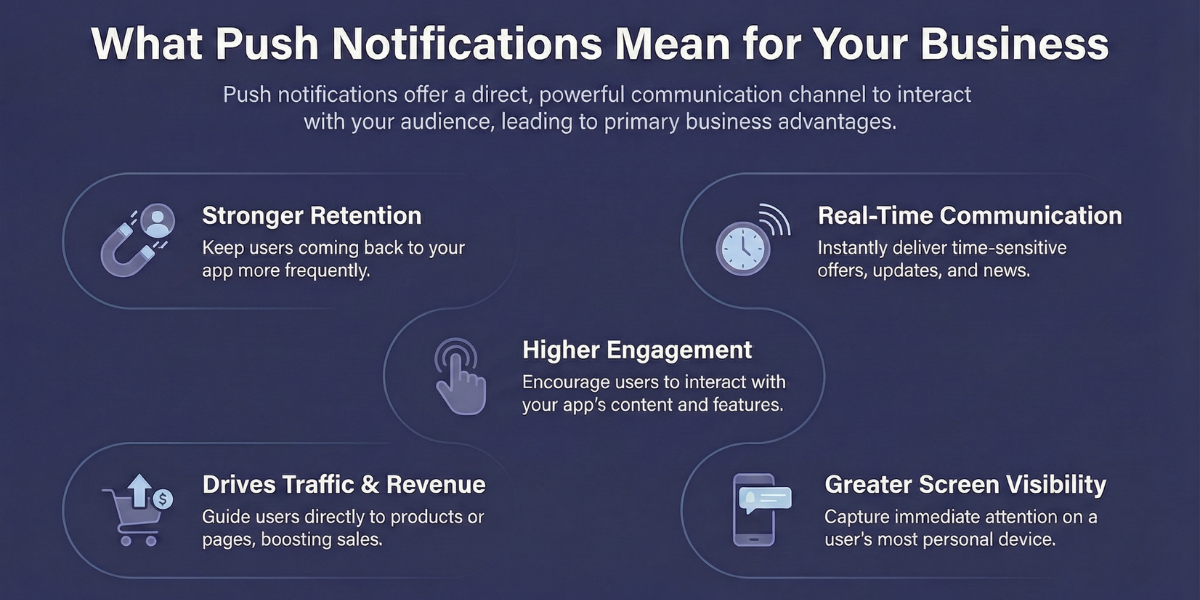
Stronger retention. Push notifications can lift retention rates by 3–10× when done right: Personalized enough to feel relevant, timed to when the user is active, and spaced out instead of stacked on top of each other.
Real-time communication. Deliver transaction alerts and time-sensitive offers when timing matters most.
Cost-effective reach. Push mainly costs you server and development time after the initial setup, while SMS typically runs $0.01–0.05 per message sent.
Traffic and revenue growth. Bring users back to your app or website with targeted promotions and personalized content recommendations.
Greater visibility. Direct opens run around 4–6% for mobile push and 5–12% for web push, but that figure only captures taps. Plenty of users see a notification, then open the app on their own without tapping it, which shows up as an influenced session. Relevant, well-timed push builds brand awareness in that scenario, even when the tap-through number looks unremarkable.
Why most teams struggle to apply push notification best practices
Bad copy, poor targeting, message bombardment. These are real problems that weaken your push communication and keep CTR low.
But at the core sits a broader issue: the lack of a unified system connecting your data, campaigns, and measurement.
Let’s see how this plays out in video streaming. A free trial user stops engaging on day 4 of 14. No single urgent moment, just a slow drift. Your analytics flags the drop-off, but exporting, uploading, and scheduling the re-engagement push takes days. The window where a well-timed content recommendation could have converted them closes.
This coordination tax slows every campaign. High-performing teams connect data, targeting, and measurement into one system, and that connection is what makes push notifications effective.
Push notification best practices: Eight tactics for relevant, measurable campaigns
Think of these tactics as a chain as each one strengthens the next. Segmentation sharpens your targeting, sharper targeting makes personalization possible, and personalization is what turns a push notification into a conversion. For years we’ve tested the eight tactics below with customers in banking, fintech, telecom, and e-commerce. When teams apply them through a platform like Netmera, where data and engagement live in one place, push messaging strategy turns into engagement and conversions. You’ll see that play out in real examples throughout the tactics below.
Segment users by behavior and AI predictions
Demographic segmentation tells you who your users are while behavioral segmentation shows what they do. Viewing a pricing page three times signals stronger intent than any demographic filter.
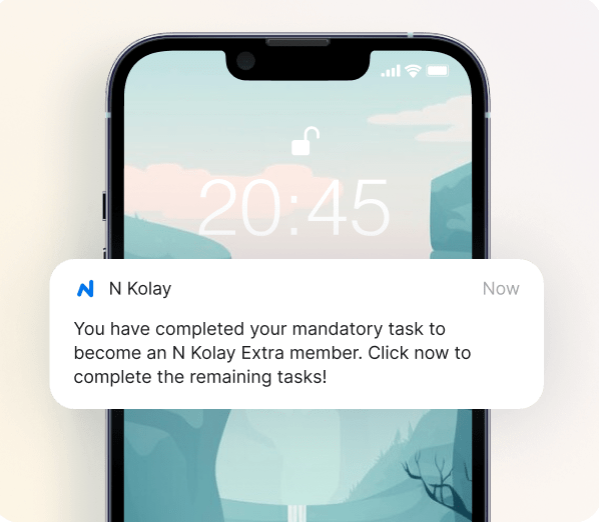
When behavioral events feed directly into a single customer view, marketing and product teams can create audiences themselves. N Kolay, a digital banking app with 9 million users, used Netmera’s real-time behavioral triggers to build a multi-step automated journey guiding users through a premium membership funnel. Tasks completed jumped by 119.6%.
Instant behavioral tracking lets you send personalized messages after something happens. Predictive AI segments identify patterns of churn and high purchase intent before it does. Netmera’s customers typically use 2–3 months of behavioral history to build these segments, then launch push journeys that branch depending on whether the user follows through or drops off.
Personalize messages using behavioral data
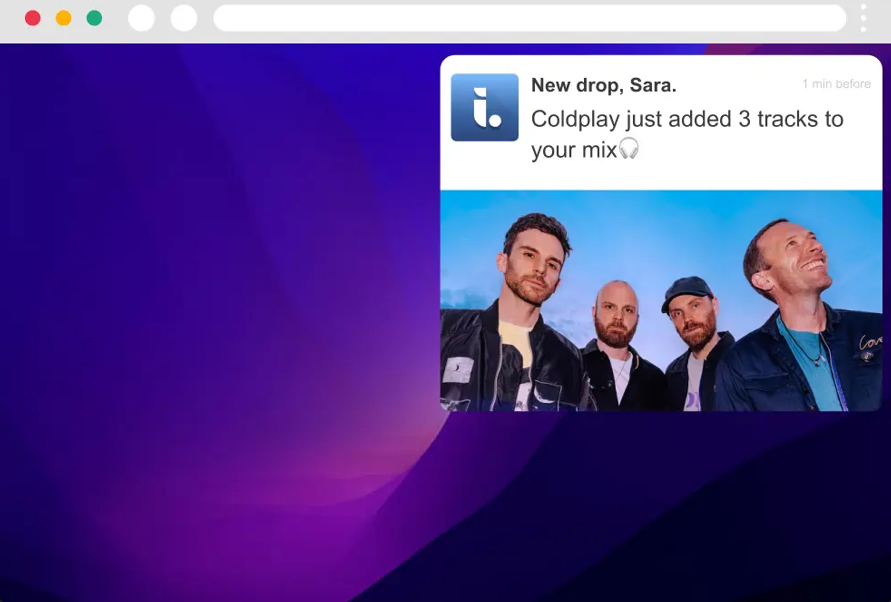
Dynamic content uses profile attributes stored in your system. Netmera’s attribute syntax pulls data like age, membership level, or product preferences into messages automatically. “New drop, {@name}. {@artist} just added 3 tracks to your mix.” displays as “New drop, Sara. Coldplay just added 3 tracks to your mix.”
Ecommerce brands use dynamic content for cart reminders: “Your Nike Air Max 90 is still in your cart, 15% off for the next 2 hours” works because the message names the actual item in the cart.
Real personalization references what users do on mobile and on your website. If you’re running website personalization alongside push, behavioral data collected from web sessions can feed directly into your push segments.
You can send messages in each user’s preferred language, or adjust timing based on their timezone through Netmera’s platform. Language builds connection and brand recall, and so does tone. Mackolik, a leading sports news platform, uses distinct notification tones to improve user experience, which helped them boost retention by 20%.
Send push notifications when each user is most active
Sending at the right moment increases reaction rates 40%. The “right moment” varies per user. Generic send times based on industry averages miss individual patterns.
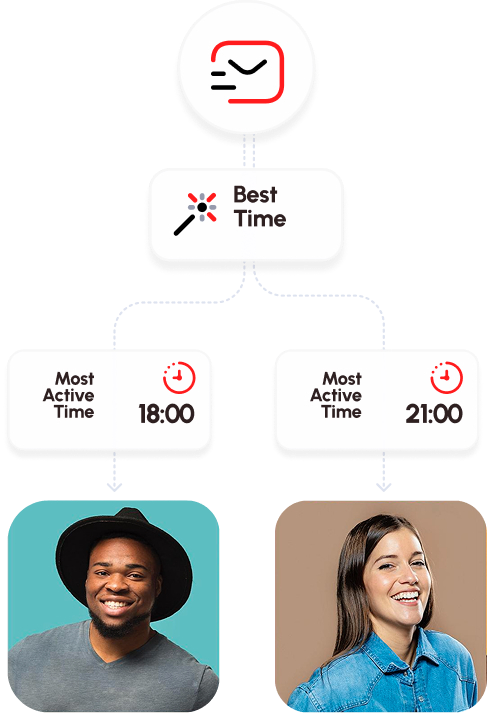
You can test different send times manually to find patterns, or analyze each user’s activity automatically. Best Time Delivery in Netmera calculates when individual users typically engage based on 60 days of behavior. The system identifies their most active hours per weekday and schedules notifications for those windows.
New users without enough historical data receive messages during your app’s peak hours until their own patterns emerge. For categories like health and wellness, where the push itself is the nudge toward a daily habit, getting timing right matters more than almost any other variable. This approach removes guesswork from timing decisions while letting teams focus on testing content and creative elements.
Add images, videos, and clear calls-to-action
Rich push notifications with images or videos improve reaction rates 25%. Product images, lifestyle photography, or short video clips give users visual context before they click. Which one works best? You won’t know until you test. Our customers A/B test push messages in Netmera, see which version brings more clicks and purchases, then send that version to the rest of their target segment.
Active CTAs using power words increase conversions 12.7% compared to passive language. “Discover more” and “Start now” motivate action better than “Continue” or “Next.” Keep mobile push under 50 characters for readability.
Emojis increase reaction rates 20%, though you need to test which ones resonate. Fire, thumbs up, and lightning symbols often drive higher engagement than generic smiley faces. Platform differences matter too: what works on iOS might display differently on Android.
Use geofencing to connect digital and physical experiences
Think of a retail brand aiming to increase loyalty by bridging digital and physical through location-based triggers. They send mobile push notifications to inactive users with a discount offer. Deep linking (or deferred deep linking if the app isn’t installed yet) opens the campaign page directly in the app. After the user places a mobile order, another push arrives with a coupon code valid only at their nearest store. When they walk in, geofencing triggers a personalized welcome.
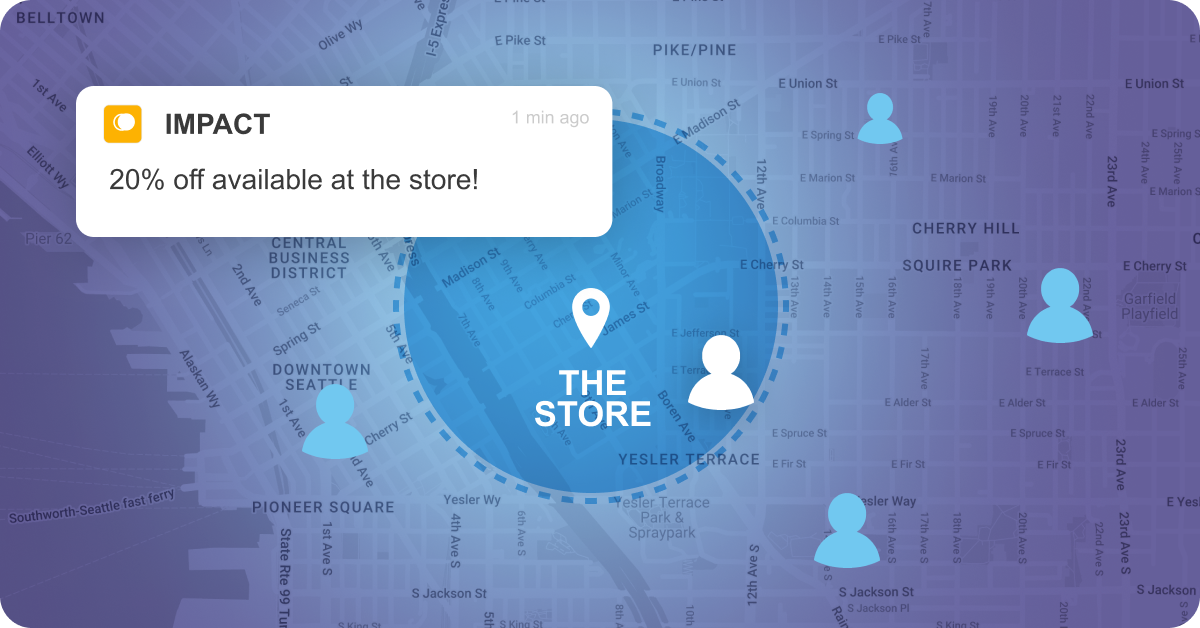
An American coffee company and café chain used a similar approach with Netmera’s location-based personalization and gamification. They saw 15% growth in foot traffic and 25% increase in loyalty program participation. In another post, we discussed best practices marketing, CX, and customer engagement teams adopt to build high-performing geofence campaigns. Check it here.
Build cross-channel sequences
A user adds an item to their cart but doesn’t purchase. Thirty minutes later, a push arrives: “Your item is waiting, complete your order now.” They click but don’t convert. A day later, an email with a 10% discount code triggers automatically. Still no purchase? An SMS reminder goes out before the offer expires.
Adding more channels isn’t the fix on its own. The better approach is picking the 2, at most 3, channels where your segment is active, defining timing that fits each one, and stopping there.
Discounts still convert, brands tell us that much. But users tell us the other side: when a brand pushes discounts constantly, they either start treating it as “the discount brand” or start leaving items in the cart on purpose, waiting for the next one. The journeys that hold up have defined entry rules, suppression rules, and exit rules.
A fashion rental company used Netmera’s Journey Builder to turn first opens into registrations. Instead of running separate push and email campaigns, one automated flow checked consent, selected the right channel per user, and delivered timely reminders. Out of more than ten thousand entries, 14% completed registration.
Journey Builder lets you control frequency across channels, track how many times users enter or exit sequences, and set rules preventing message overload. Check our blog post to learn more about Netmera Journey’s capabilities.
Use deep links to send users to specific screens
Deep links navigate users to specific screens within your app. Deferred deep links handle users who don’t have your app installed yet. Both open the promoted screen instead of a generic page, which removes friction and improves user experience.
Netmera’s deferred deep linking creates customizable pre-install landing pages for your app so users see branded experiences even before downloading. Analytics track the complete flow from click to target screen, showing where users drop off. This data feeds retargeting campaigns that reach users through different channels.
See different use cases for deferred deep linking across industries in this post.
Track the full funnel from push send to final conversion
A push with 8% CTR looks successful until you discover only 0.5% converted. Another push has 4% CTR but 3% conversion rate. Which performed better? Most teams can’t answer because they only track clicks.
The gap between click and conversion hides critical problems. Users click your push, land on a broken page, or abandon during checkout. You need to see delivery rates, post-click behavior, conversions, and revenue attribution.
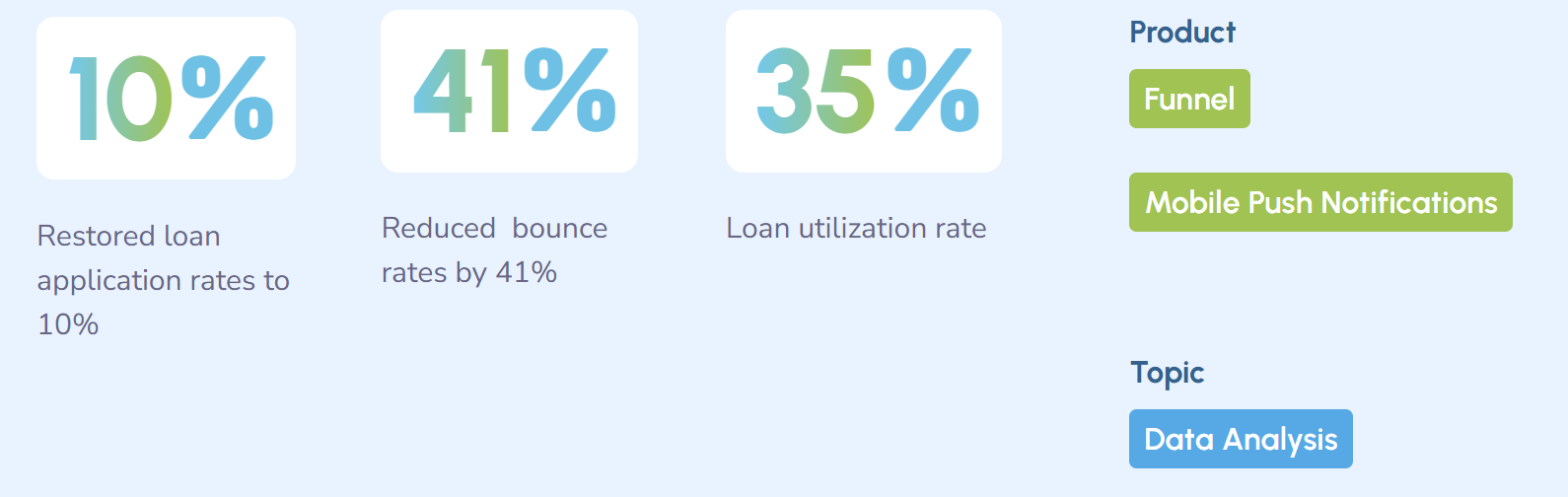
DenizBank saw loan applications dropping. Funnel Analysis in Netmera showed conversion rates fell from 10% to 5% because Android users couldn’t view contracts due to a loading screen error. After fixing the issue and retargeting users, they restored the 10% conversion rate and cut bounce rates 41%.
Fal Sepeti is another great example of this. When a user started checkout but didn’t complete it within an hour, Netmera’s behavior-driven automation fired a push at the exact moment intent was still alive. Checkout-to-purchase completion climbed from 30% to 56%, with 80% of users who clicked going on to complete their transaction.
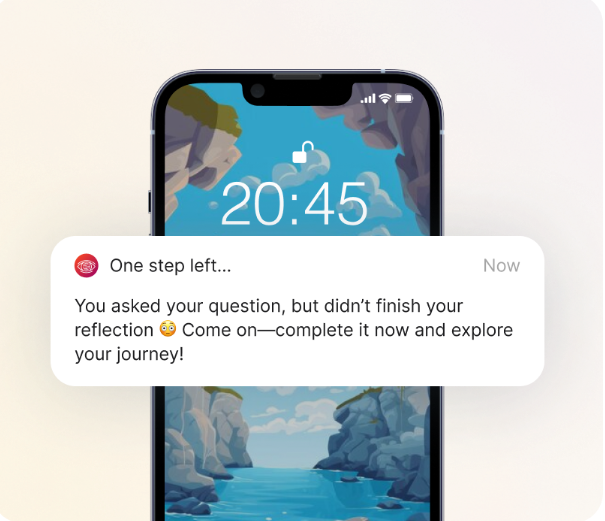
Real-time monitoring catches problems before they compound. Netmera tracks the full funnel from delivery to conversion, with Hot Conversions and Hot Revenue metrics linking push performance directly to business outcomes.
How to create and send push notifications in Netmera
Netmera supports various push notification formats including text, image, banner, carousel, slider, and product discovery cards. Creating and launching campaigns follows a straightforward workflow:
Navigate to Messages > Campaigns > Create New Campaign. Add your campaign name and select Push Notification as the type.
Build your message (What). Enter all necessary details about your message (content, title, time stamp, image etc.) Preview how it appears on iOS and Android devices in real-time.
Define your audience (Who). Select target segments using behavioral filters, demographics, or AI predictions.
Set timing (When). Choose immediate send, scheduled delivery, or optimal time per user. Add expiration dates to remove outdated notifications from user devices.
Test and launch (Go). Send test notifications to registered devices to check display across different operating systems and screen sizes. Review all campaign details, then click Send.
Find more details about push notification capabilities Netmera offers in our user guide: Mobile Push & Web Push
Choosing a push notification platform: Unified vs. point solutions
Point solutions specialize in push delivery. But push doesn’t operate in isolation. You need behavioral data to target the right users, a journey tool to sequence messages across channels, and analytics to measure what converted. When those live in separate platforms, every campaign requires manual handoffs between tools.
That coordination tax has a real cost: 65.7% of marketers cite data integration as one of their biggest stack management challenges, according to the 2025 MarTech Stack Survey. Each integration point adds delay, maintenance, and dependency on technical resources.
Point solutions work well when your push volume is low, your stack is already integrated, and you have technical resources to maintain connections between tools.
Unified platforms are the better fit when you need behavioral data, campaign execution, and analytics to work together without coordination delays, particularly for teams in e-commerce, fintech, banking, or telecom running real-time, event-triggered campaigns at scale.
Unified customer engagement platforms like Netmera combine customer data collection, push delivery, cross-channel journey automation, and analytics in one system. When a user abandons a cart, you don’t export a segment, upload it to a push tool, and coordinate timing manually. The behavioral trigger fires, the message sends, and the conversion gets attributed, all from one place, while the intent is still alive.
FAQs on best practices to increase push CTR
Push notifications are opt-in alerts that appear on mobile home screens, desktop browsers, or notification centers. They display text, images, or buttons and prompt users to take specific actions, even when the app is closed.
Mobile push notifications appear on smartphones and tablets through installed apps. Web push notifications appear on desktop or mobile browsers without requiring an app download. Both reach users outside active sessions.
Mobile push works through an SDK integrated into your app. When you send a notification, it travels through the device’s operating system (iOS or Android) to the user’s home screen or notification center, appearing even when the app is closed.
Segment users by behavior, personalize messages beyond first names, send at optimal times per user, use rich media and clear CTAs, trigger location-based messages, coordinate with other channels, add deep links, and track beyond click rates.
The best time varies per user. At Netmera, we use “Best Time Delivery” feature to analyze each user’s 60-day activity pattern and identify their most active hours per weekday.
Start by tracking beyond click rates. Delivery rate, post-click behavior, conversion rate, and revenue attribution together tell you whether a push campaign is driving business outcomes. Funnel analysis connects each step so you can see exactly where users drop off. DenizBank used this approach to identify a loading screen error causing Android users to abandon loan applications, then retargeted affected users and restored a 10% conversion rate while cutting bounce rates 41%. Revenue metrics like Hot Conversions and Hot Revenue tie push performance directly to business results, so you can report impact beyond engagement numbers.
Timing and framing matter more than most teams expect. Asking for permission immediately after install is the most common mistake as users haven’t experienced value yet and are more likely to decline.
More effective approaches: trigger the opt-in prompt after a user completes a meaningful action, and lead with the value they’ll receive rather than the permission request itself. TOD, a streaming platform, implemented a two-step in-app prompt focused on notification value rather than interruption. Over 120,000 devices newly opted in, with a 22.4% overall opt-in rate. Purchases among opted-in users increased 187–190% compared to before opt-in.
Frequency: Set rules that cap how many messages a user receives within a given window. Journey Builder lets you control this across channels, preventing the same user from receiving a push, email, and SMS within hours of each other.
Relevance: Behavioral segmentation ensures messages reflect what users actually do, not just who they are demographically. A user who just completed a purchase shouldn’t receive a discount push for the item they bought.
Timing: Sending during each user’s inactive hours increases the chance of dismissal and opt-out. Best Time Delivery schedules messages during proven high-activity windows per user, which reduces friction and keeps opt-out rates low.
Push notification CTR (click-through rate) measures the percentage of delivered notifications that users click. It’s calculated by dividing total clicks by total deliveries.
Benchmarks vary enough by industry, platform, and campaign type that cross-industry averages rarely tell you much. A fintech app running behavior-triggered alerts will see very different numbers than a retail app sending weekly promotions.
More useful than chasing a benchmark: track your own CTR alongside conversion rate and revenue attribution. A push with high CTR but low conversion points to a messaging or landing experience problem. A push with modest CTR but strong conversion is outperforming most campaigns that look better on paper.
Burcu Ulucay – Content Marketing, Netmera